Why ChatGPT Fails at Finding SAP APIs


If you're building CAP or RAP applications, you've probably asked ChatGPT to find APIs in the SAP Business Accelerator Hub.
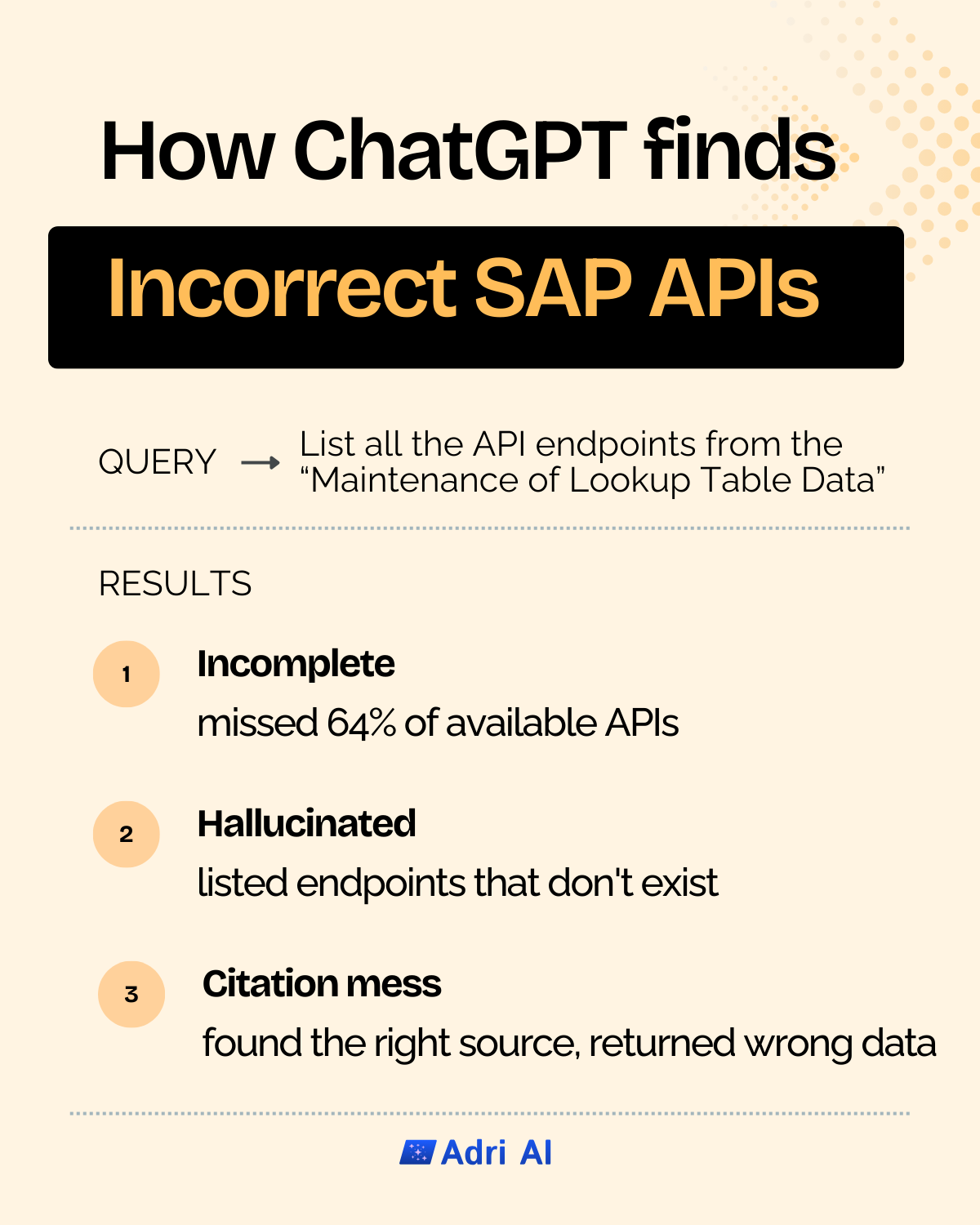
I tested ChatGPT with a straightforward request and found three distinct failure patterns that make general-purpose LLMs problematic for SAP API discovery.
The Test
I gave ChatGPT a simple prompt:
"List all the endpoints from Maintenance of Lookup Table Data from SAP Business Accelerator Hub"
The Three Failure Patterns
1. Incomplete Results
ChatGPT found 5 out of 14 available APIs. That's a 64% miss rate.
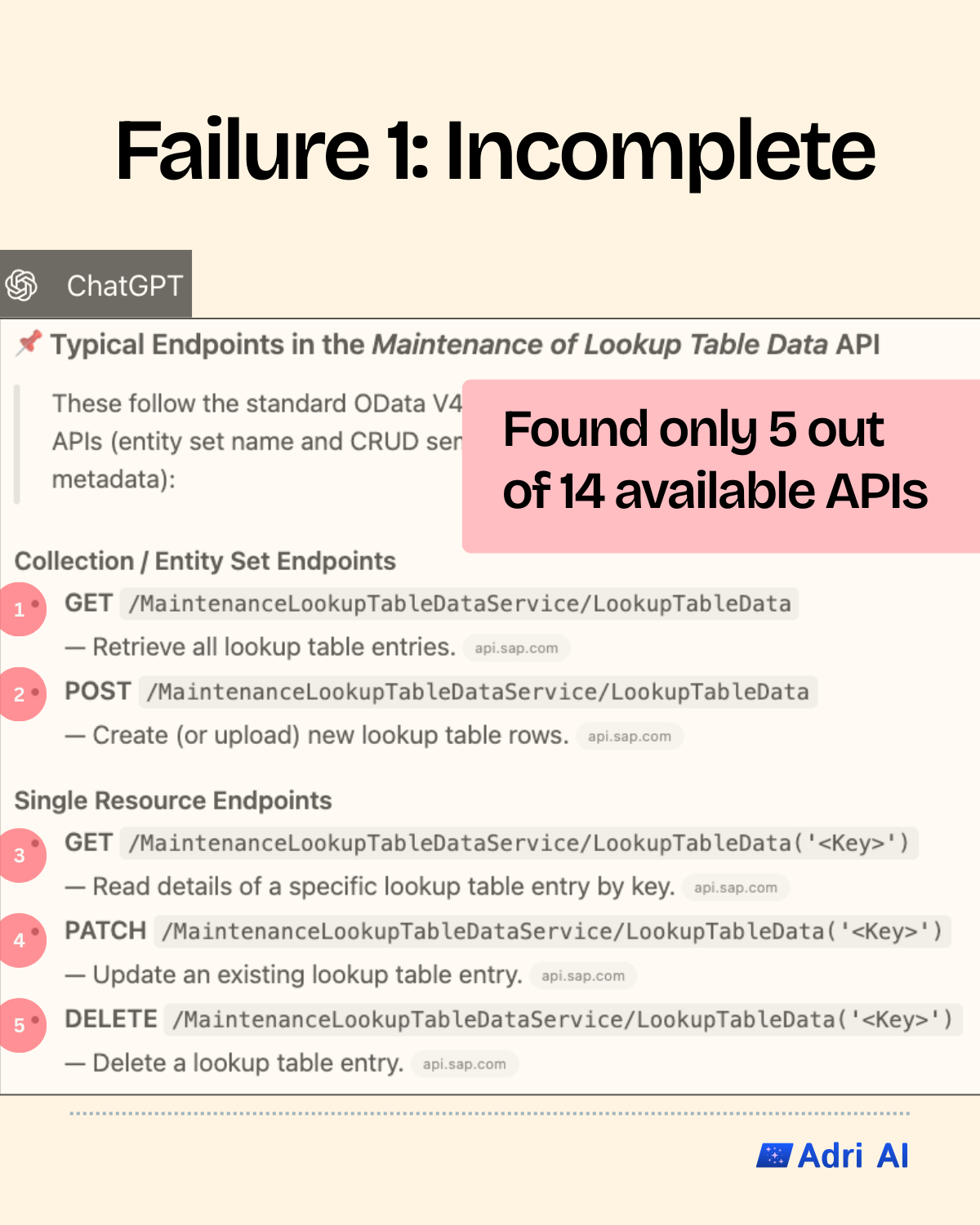
For developers, incomplete API discovery means incomplete implementations. You build against what you think exists, only to discover later that there were better endpoints available—or worse, you rebuild functionality that already existed.
2. Non-existent API endpoints
The endpoints ChatGPT listed? They don't exist.
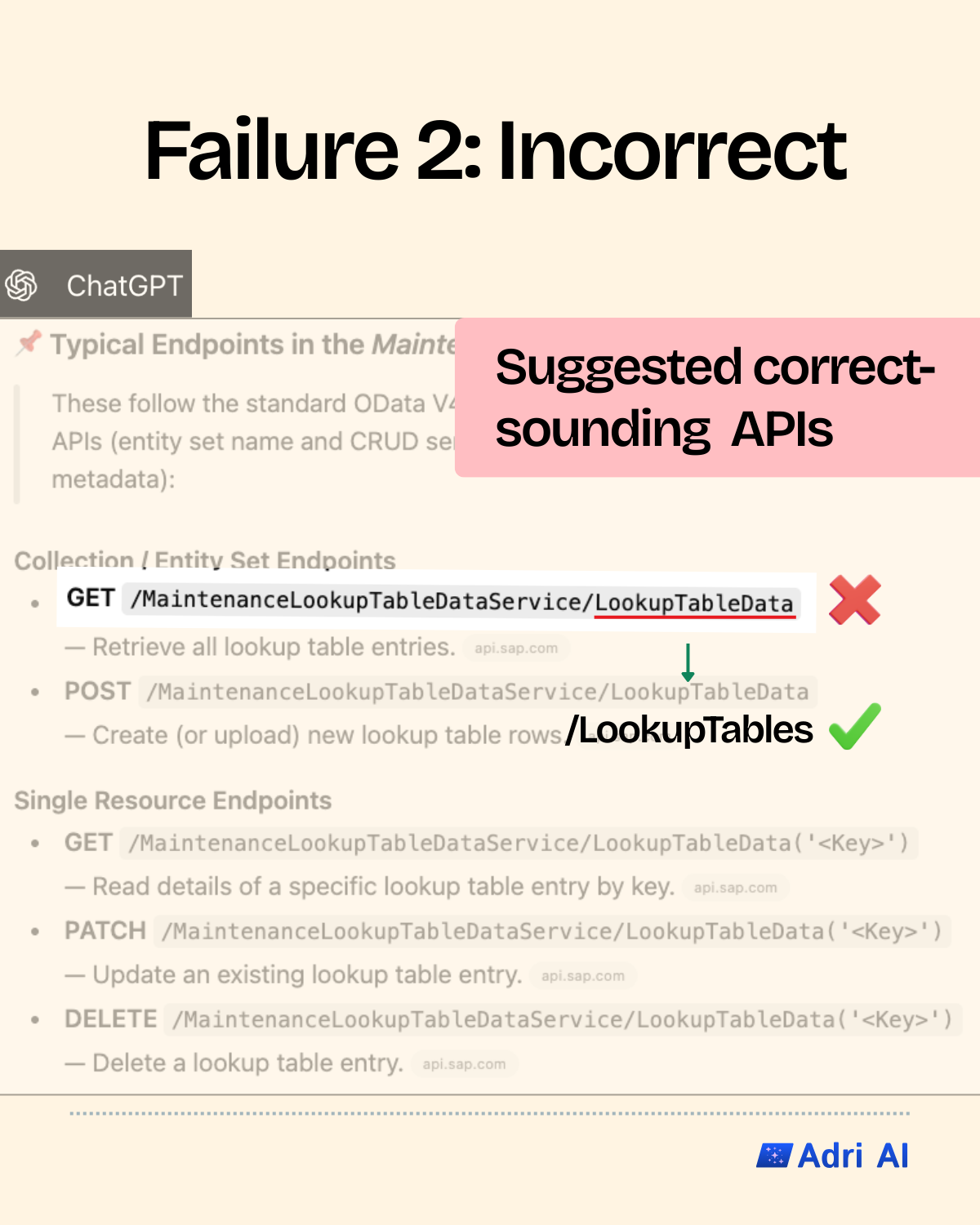
This is the most dangerous failure mode. The response looks authoritative—proper OData formatting, reasonable naming conventions, correct HTTP verbs. But none of these endpoints will work when you actually try to call them.
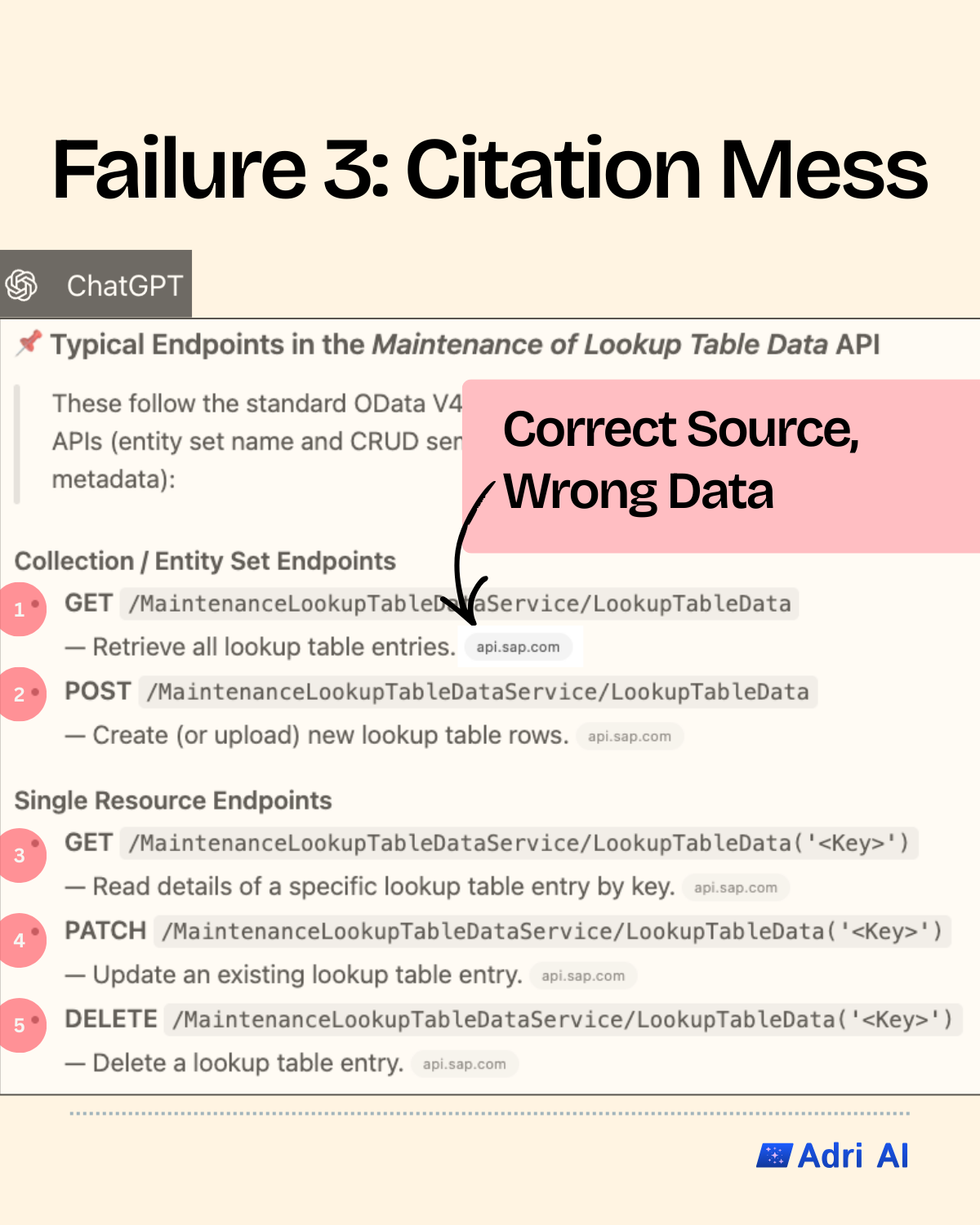
3. Correct Source, Wrong Data
Even when ChatGPT identified the right API package, it still returned incorrect endpoint details. Finding the right haystack doesn't help if you're pulling out the wrong needles.
Why General-Purpose LLMs Struggle Here
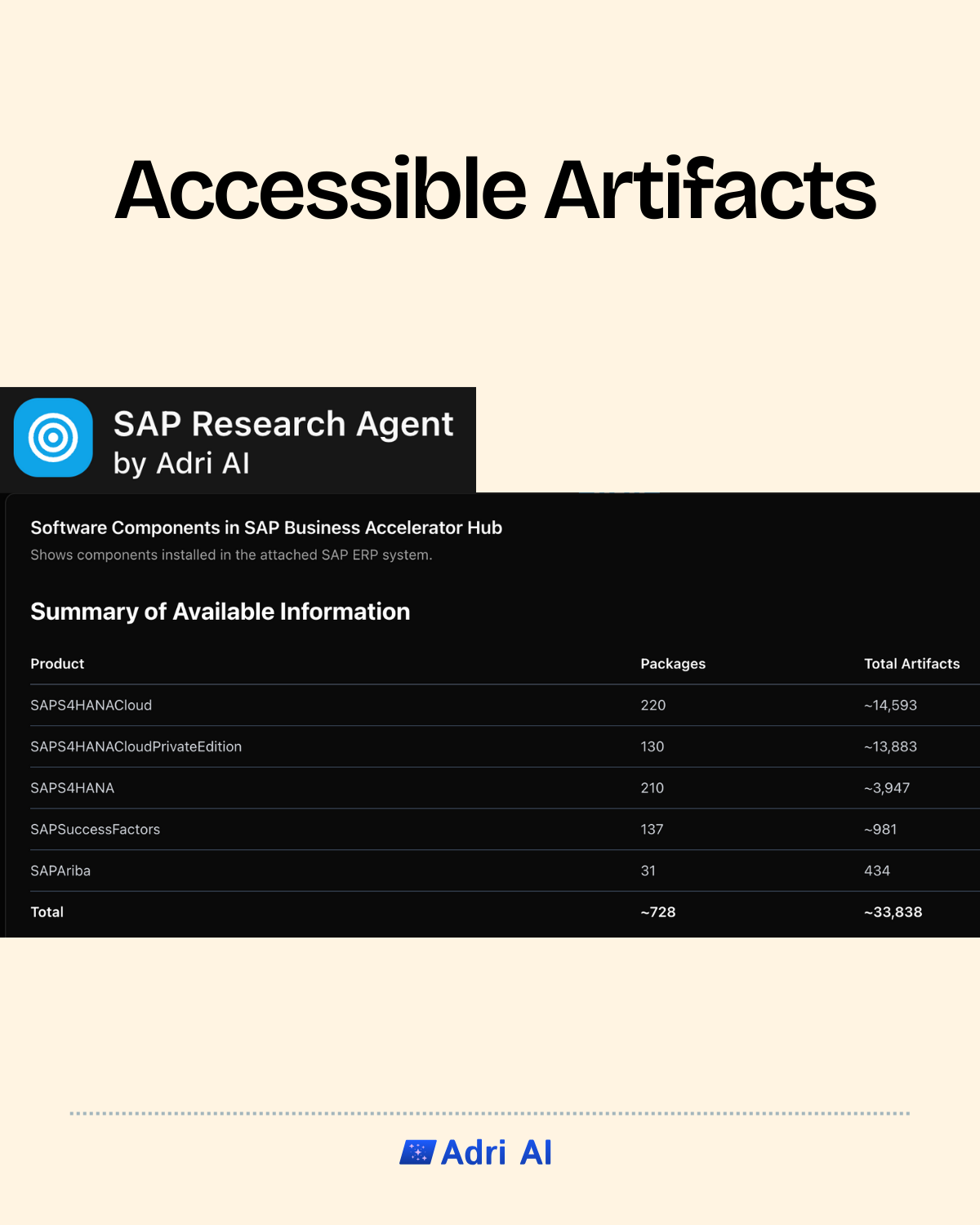
The SAP Business Accelerator Hub contains more than 40,000 artifacts.
If we look at five key products, this is what the distribution looks like.
General-purpose LLMs have seen some of this in training data, but:
- API specifications change frequently
- Training data captures snapshots, not current state
- The sheer volume means coverage is spotty at best
- Popular APIs get better coverage; niche ones get hallucinated
What Actually Works
Purpose-built agents that connect directly to the source solve this problem. Instead of guessing from training data, they query the actual SAP Business Accelerator Hub.
This is why Adri connects with the SAP Business Accelerator Hub. When you ask about an API, you get answers grounded in what actually exists.
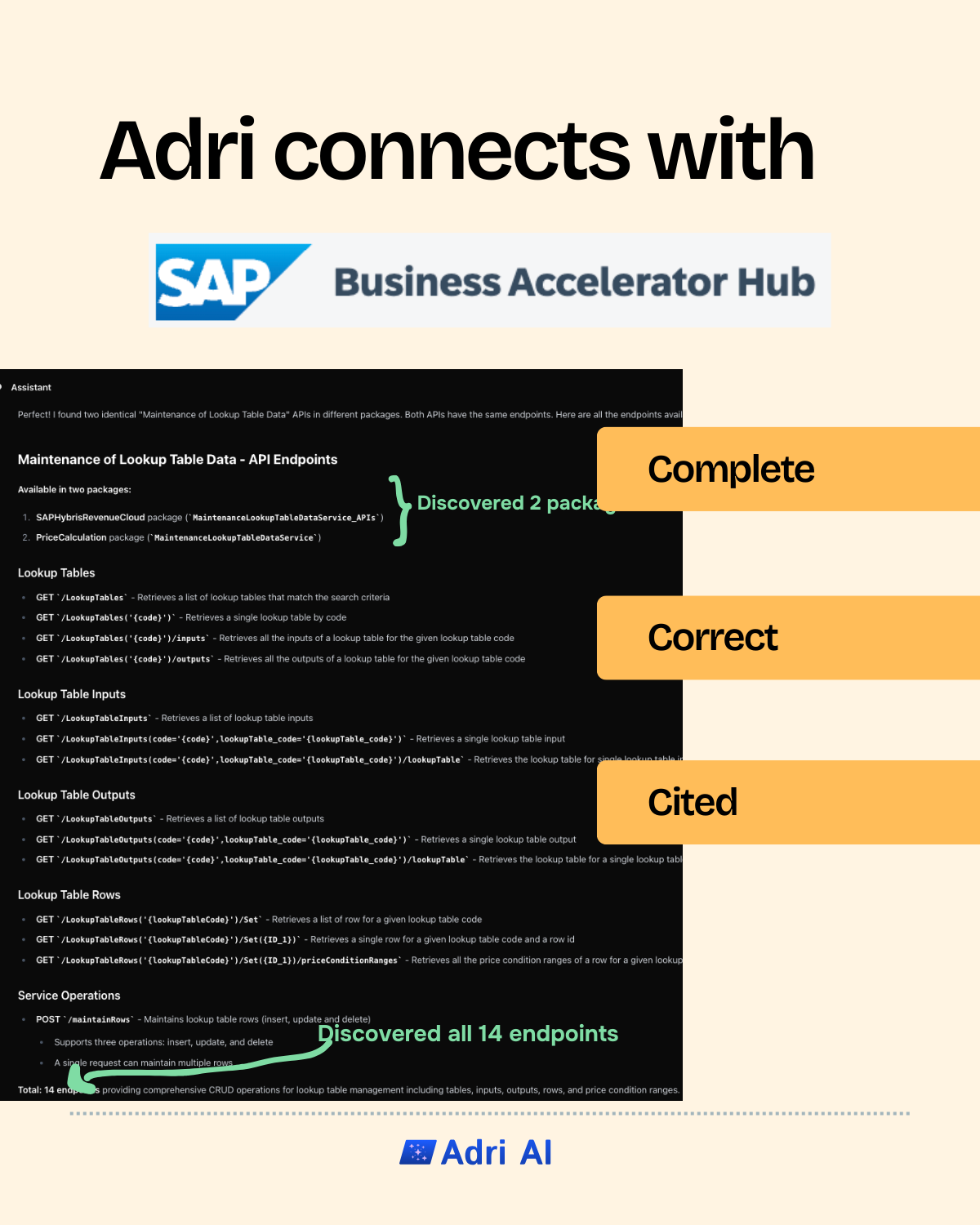
Here's the same query through Adri's Research Agent:
The difference:
- Complete: Discovered 2 packages and all 14 endpoints
- Correct: Every endpoint actually exists and works
- Cited: Links back to the source for verification
How to use?
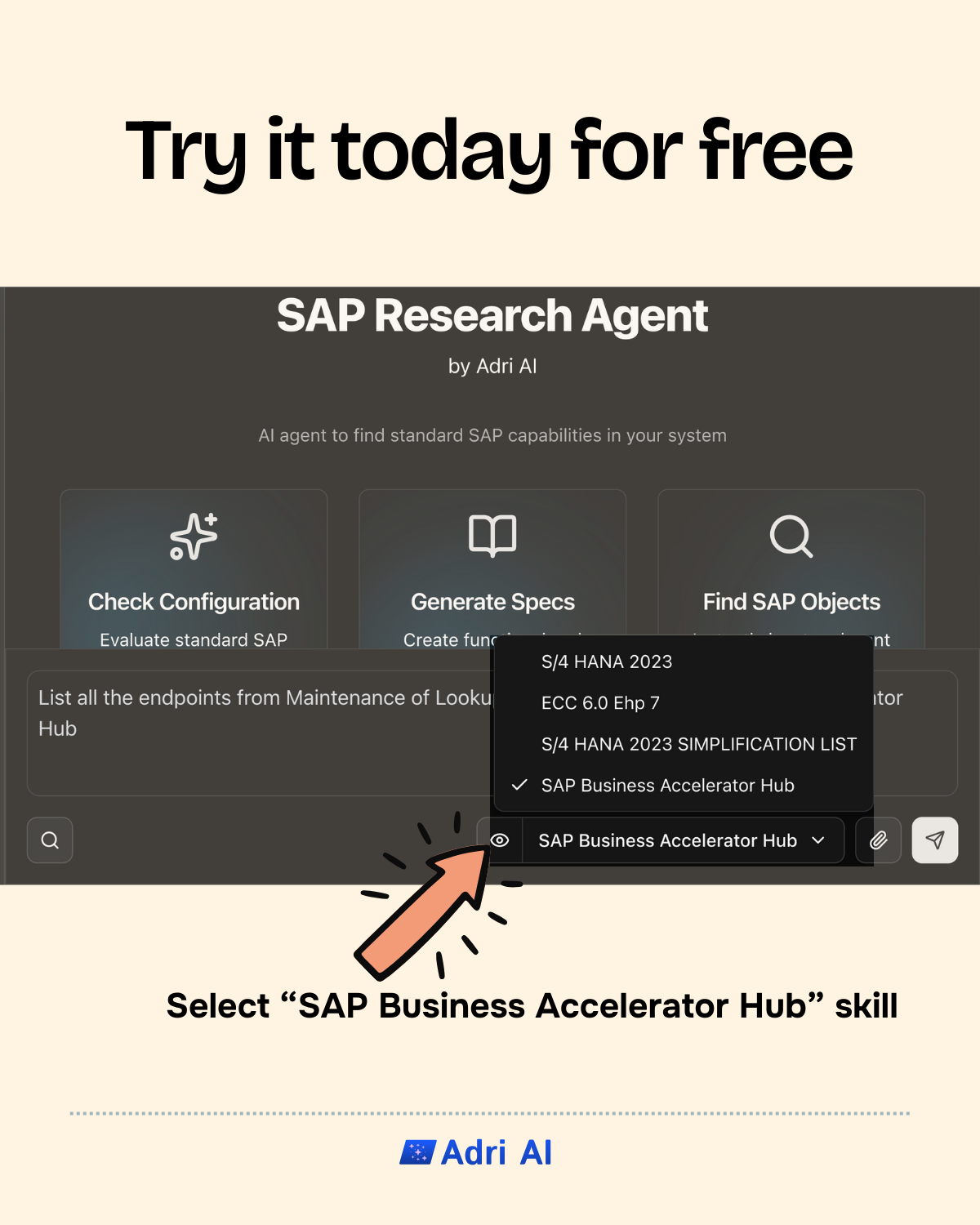
Head over to SAP Research Agent by Adri AI. From the skill selector dropdown, choose SAP Business Accelerator Hub — this connects the agent directly to the Hub so every response is grounded in real, up-to-date API data.
Once selected, simply type your query — for example, "List all the endpoints from Maintenance of Lookup Table Data" — and the agent will fetch the results straight from the source.
The Takeaway
Context beats memorized patterns. Every time.
If you're building CAP/RAP applications, choose an AI agent that connects to your SAP infrastructure—not one that guesses what might be there.