Authenticate using token
Use token-based auth for MCP clients
Use this flow when your coding agent supports Authorization: Bearer ... but not full browser-based OAuth.
Authenticate using token
Some coding agents do not support full OAuth browser login.
In those tools, use an Adri personal access token in the Authorization header.
In every screenshot, the red box shows where to focus.
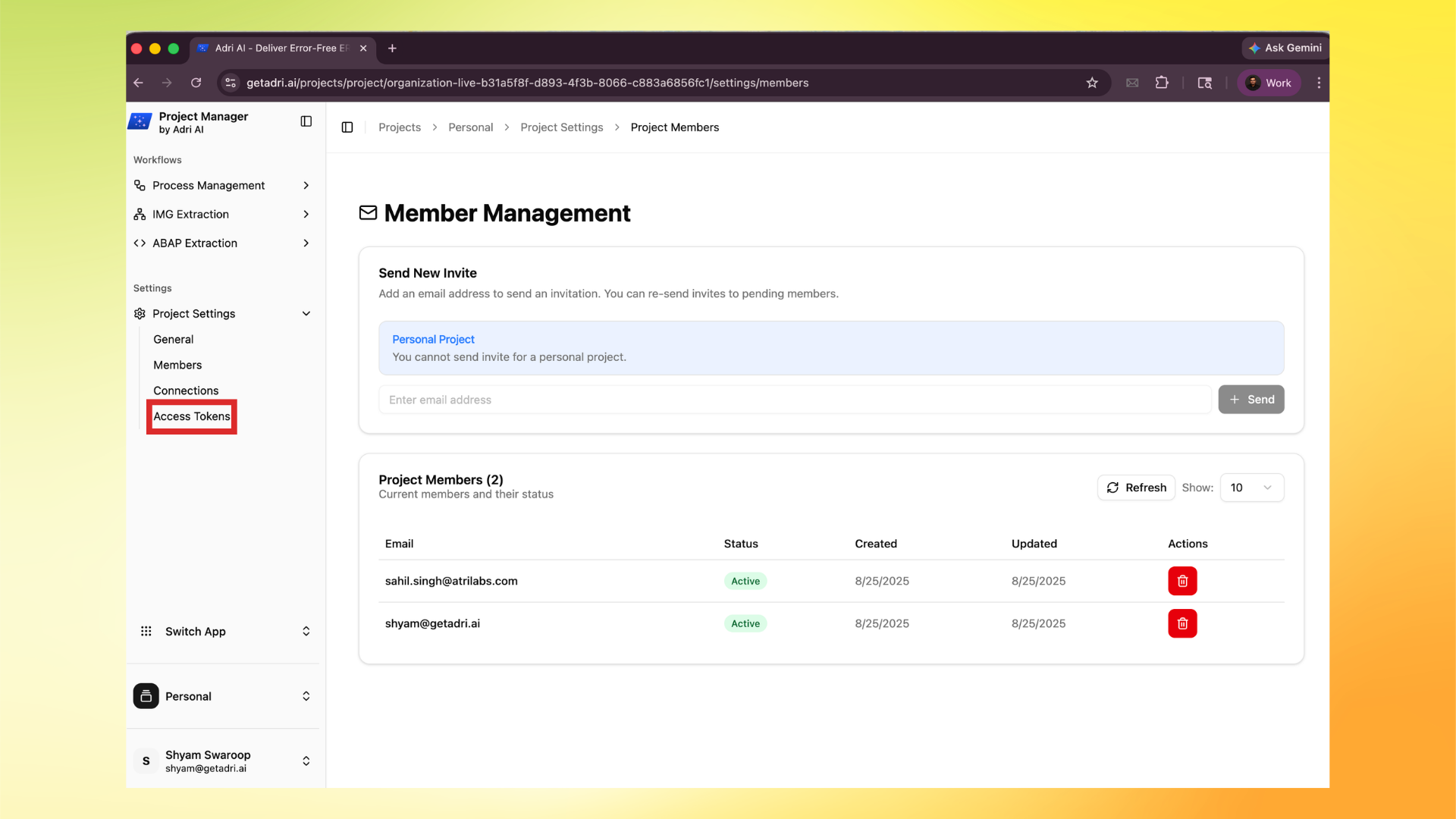
1. Open Access Tokens in Project Settings
- Log in to Adri AI at https://www.getadri.ai/login.
- Open your project from https://www.getadri.ai/projects.
- In the left menu, open Project Settings, then click Access Tokens.
2. Create a new token
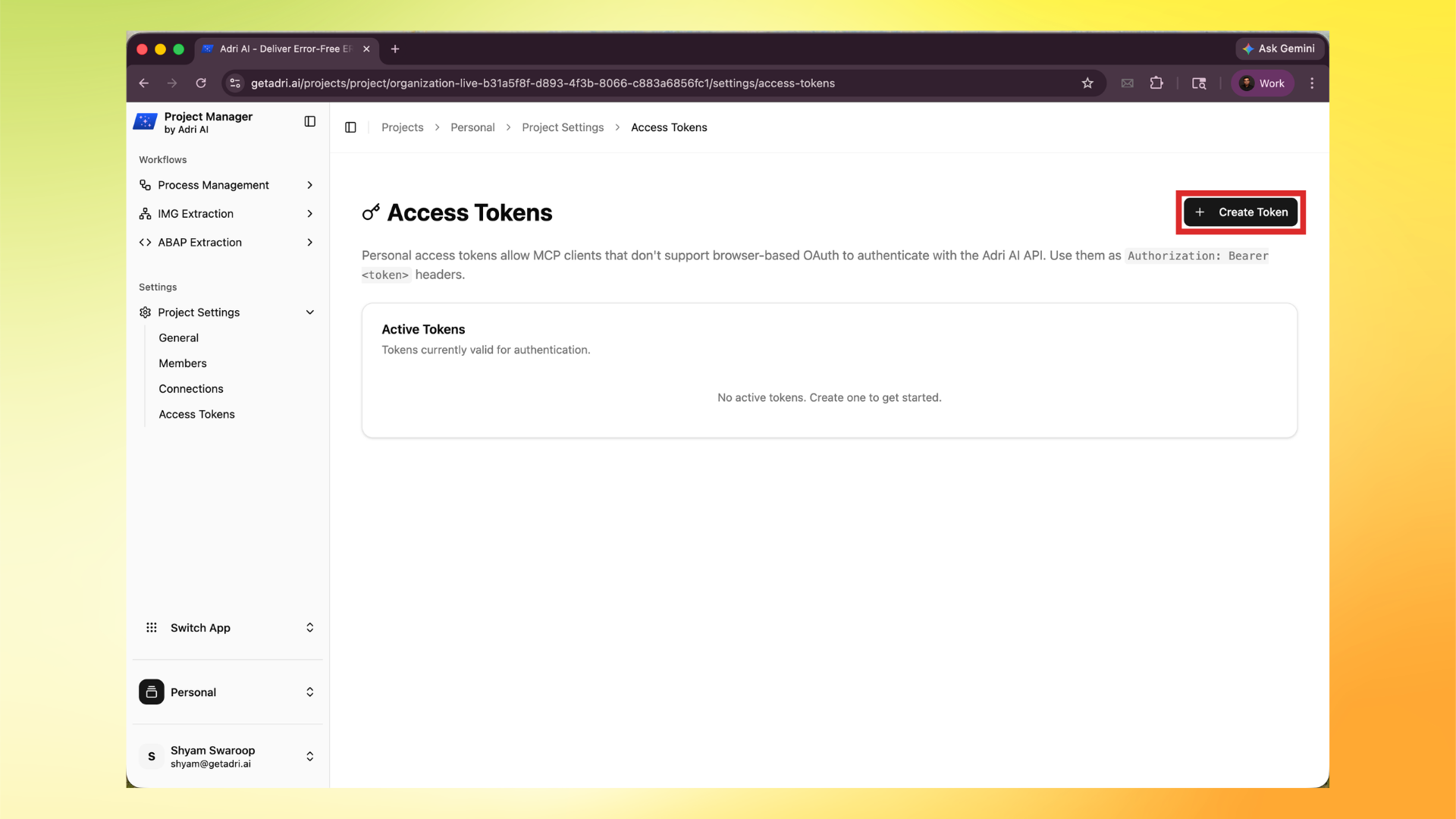
- Click Create Token.
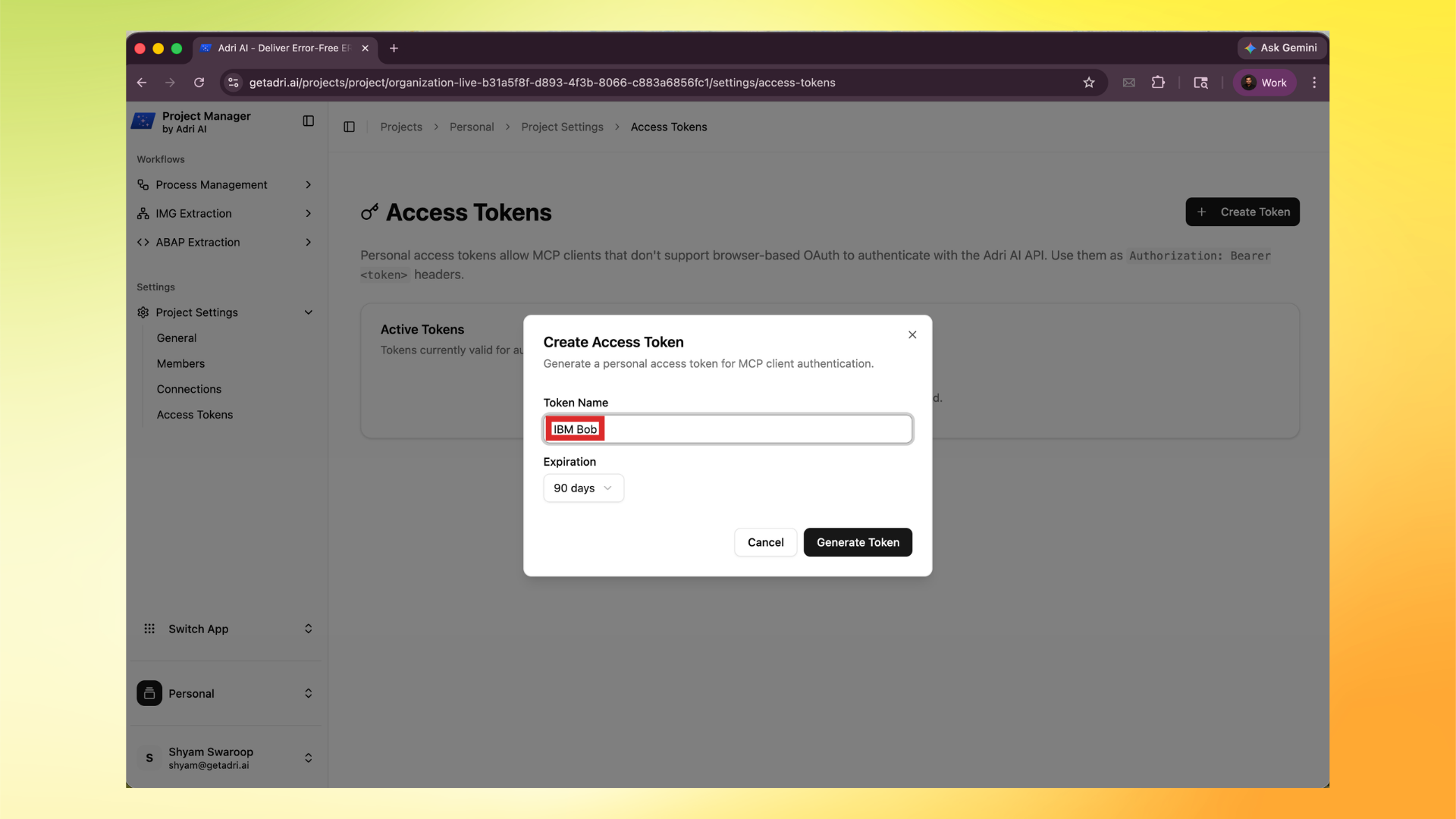
- Enter a token name, choose expiry, and click Generate Token.
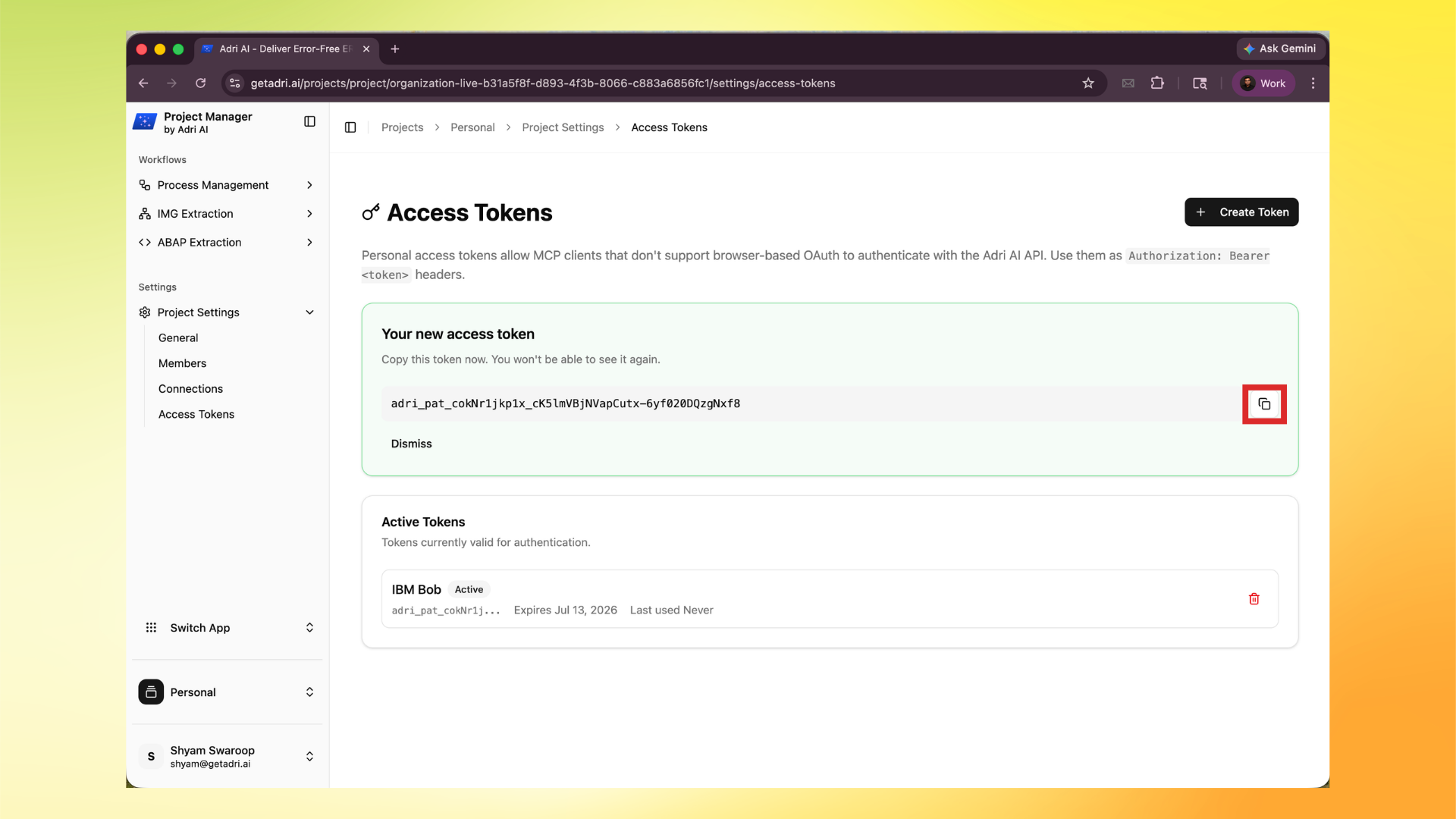
- Copy the token immediately.
Important:
- You can only see the full token once.
- Store it securely.
3. Use the token as Bearer auth
Use this HTTP header format:
Authorization: Bearer <your_access_token>