Introduction
SAP Research Agent is built for pre-implementation research that suggests solutions after verifying against your unique system configuration.
This means:
- Accurate configuration assessments: Configuration checks reflect your installed components and active settings
- Contextual specs creation: Generated documentation references your custom objects, existing enhancements, and naming conventions
- Relevant results: Searches return objects that exist in your system, not theoretical possibilities
Check out the free and open version — a demo sandbox connected to our ECC and S/4HANA systems where the knowledge graph consists of ~18M+ standard & custom objects for ECC and ~27M+ standard & custom objects for S/4HANA. These numbers demonstrate large-scale knowledge creation and retrieval, and represent the minimum ballpark for a typical knowledge graph. Use it to learn about the capabilities of Adri agents and test them.
Key Use Cases
- Check Configuration Options - Find standard SAP capabilities before writing custom code
- Write Specifications - Create functional and technical specification documents
- Find SAP Objects - Locate relevant objects using natural language
Key Capabilities
- System Validation - Validates recommendations against your SAP system using ChromaSQL queries
- Web Search - Searches the internet for SAP solutions and best practices
- Document Processing - Reads uploaded attachments and adds them to the knowledge graph for reference
- Models - Over 40 LLMs with specialized SAP configuration
Typical Workflow
- User asks a research question (text + optional attachments)
- The agent searches its knowledge base or the web for relevant resources
- Solutions are validated against your SAP system's capabilities
- The agent creates detailed implementation plans with specific T-codes, ABAP objects, and configuration steps
- Alternatives and visual diagrams are provided when helpful
Core Architecture
- AI Backend: SAP Research Agent uses over 40 Large Language Models with specialized configuration for SAP research tasks. See Models for details.
- Knowledge Graph: When you connect your SAP systems with Adri — any number of systems, irrespective of version (ECC, S/4HANA, etc.) — a knowledge graph is created for each, containing all the technical objects in that system: custom tables, field definitions, dependencies, and more. Each knowledge graph is stored in a ChromaDB vector database containing millions of standard and custom SAP objects. See Available SAP Standard Objects for details.
Installed Components
View the installed components in the connected ERP system by clicking the "eye" icon next to the system selector.
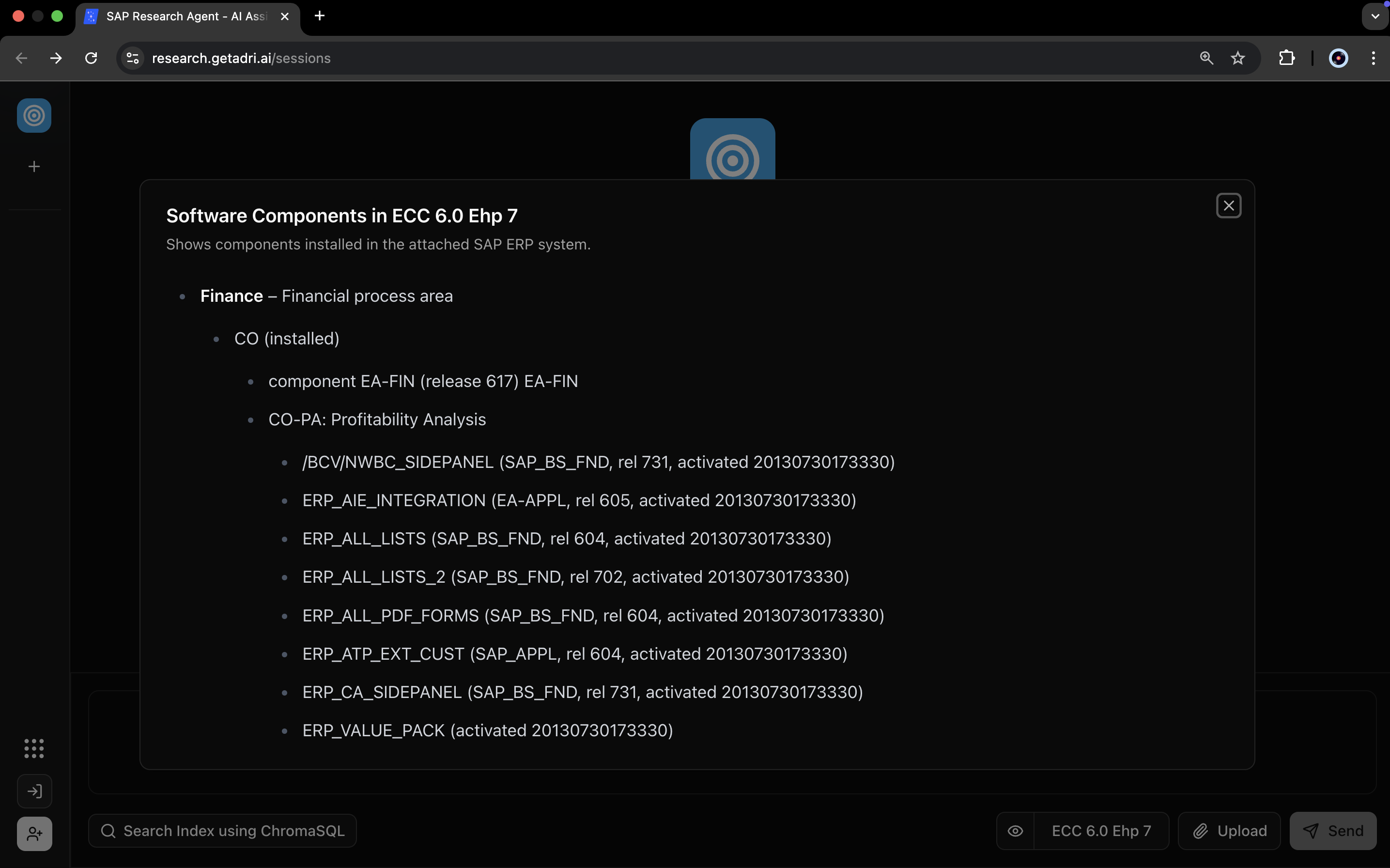
Search components using the SAP Research Agent or by writing ChromaSQL queries directly.
Have any other questions? Check our FAQs.