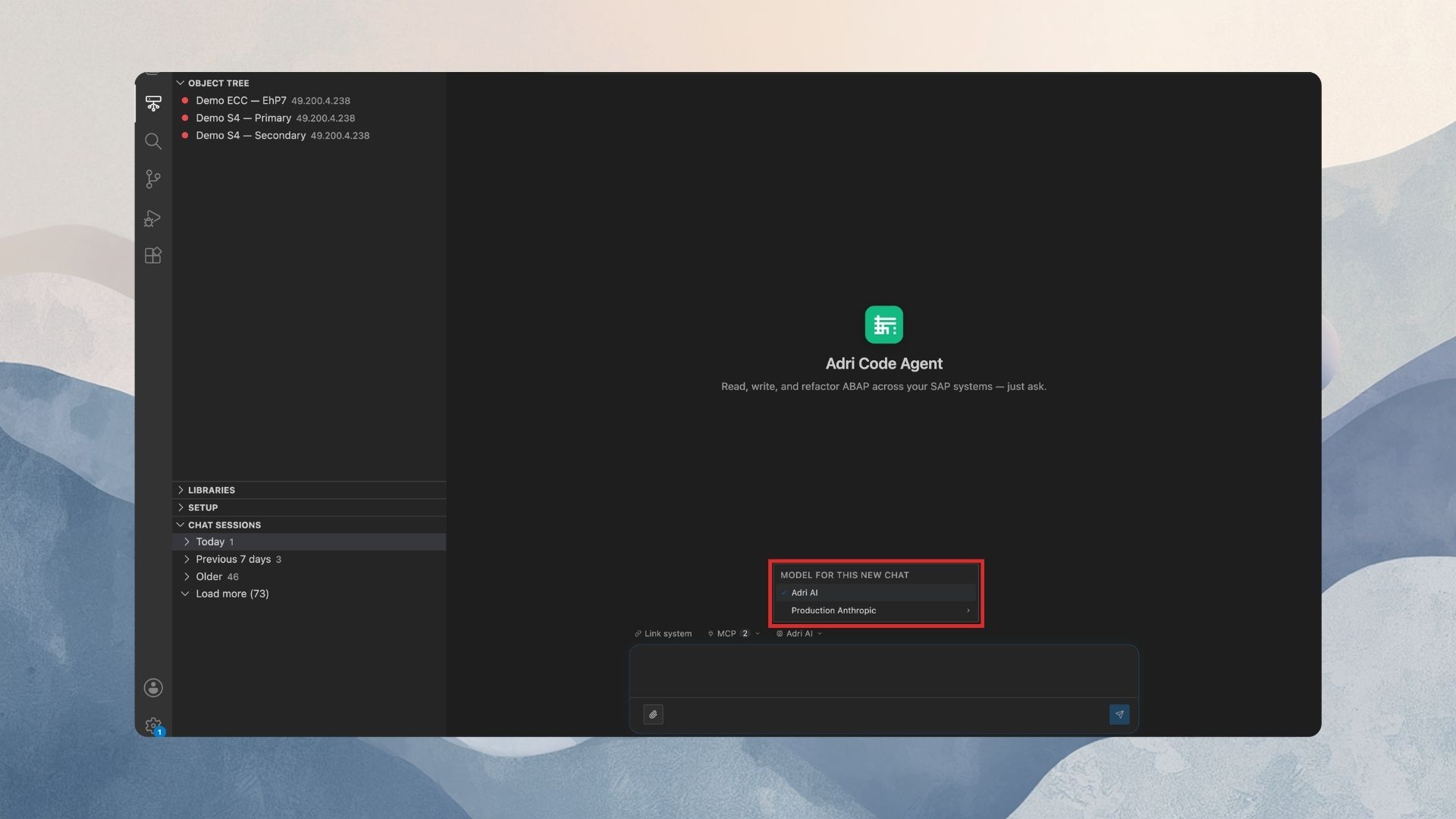
Switch Models in VS Code
Pick a model for a conversation (VS Code)
The same per-conversation model picker is built into the chat of the Adri AI Foundry VS Code extension.
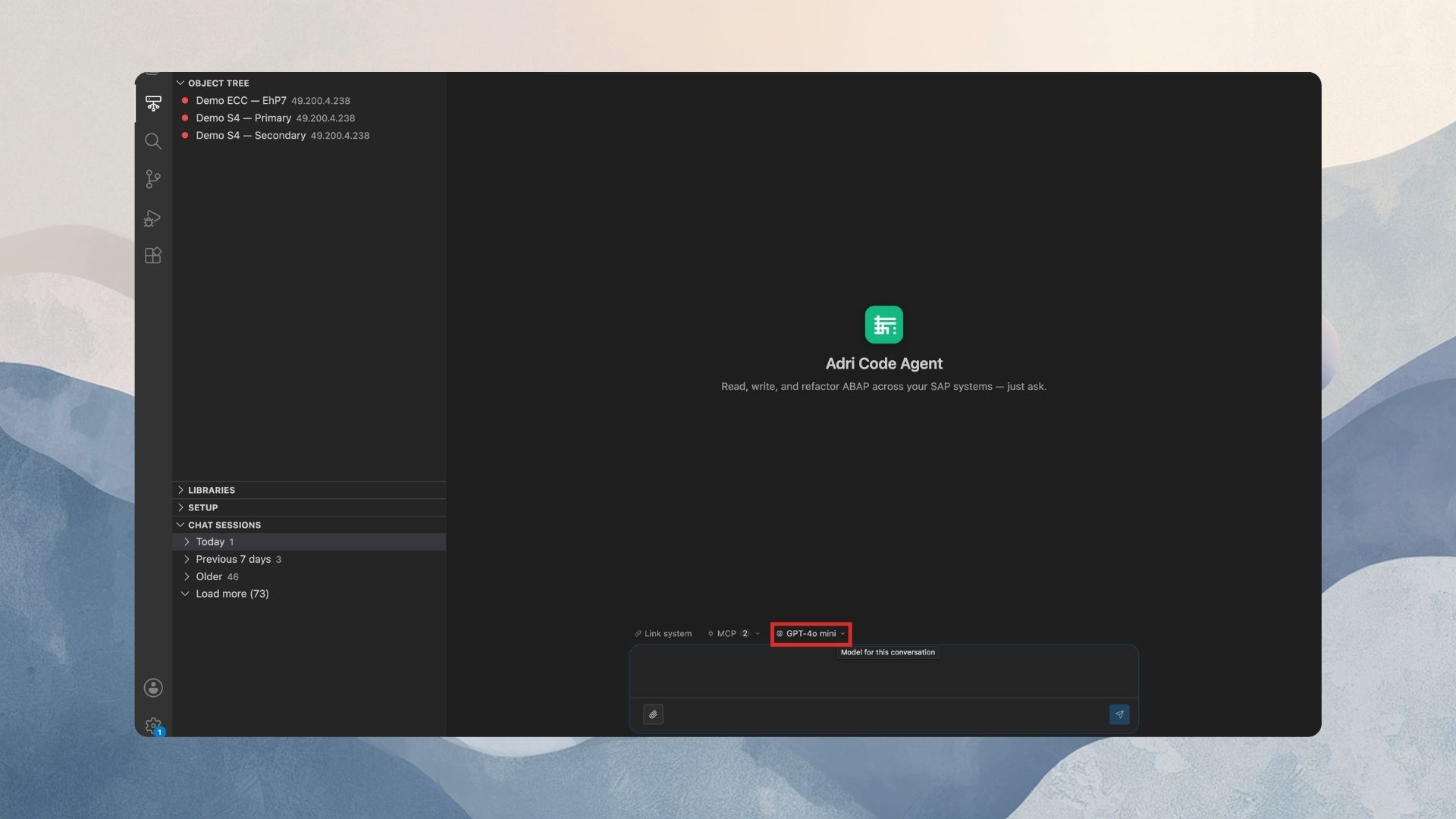
In every screenshot, the red box shows exactly where to focus.
Providers can only be added and managed in the web app (Settings → Project Settings → Providers). The extension lists your project's providers and lets you switch — see Add a provider if the list is empty.
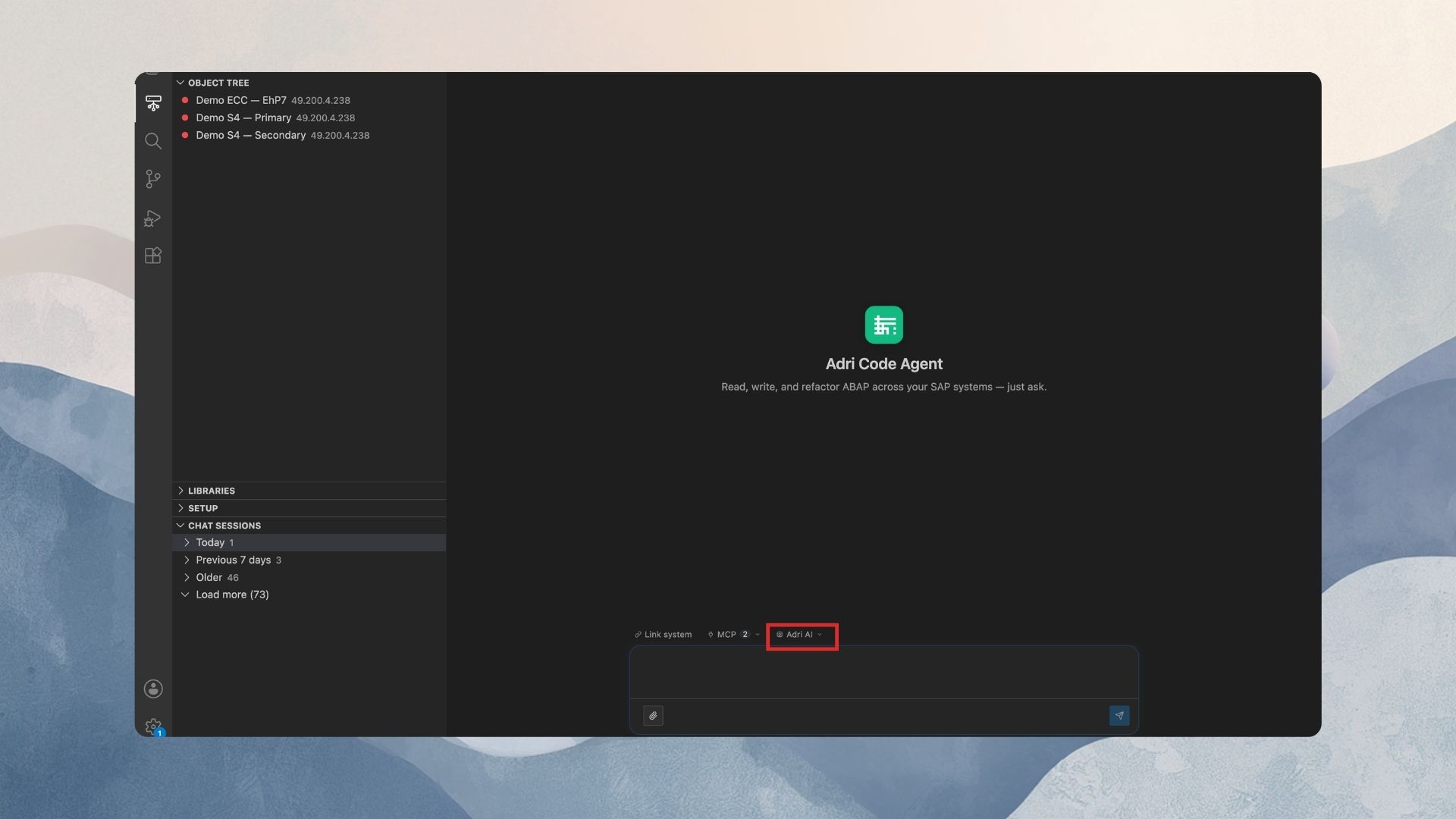
1. Find the model picker
Open the Adri chat in VS Code. In the composer's control row there is a small pill with a CPU icon. By default it reads Adri AI.
2. Open the picker
Click the pill. The menu header tells you the scope:
- Model for this conversation — an open conversation; picking applies immediately.
- Model for this new chat — a brand-new chat; your pick is applied as soon as you send the first message.
The list shows Adri AI (the project default) first, then one row per provider. The project's default provider is tagged Default.
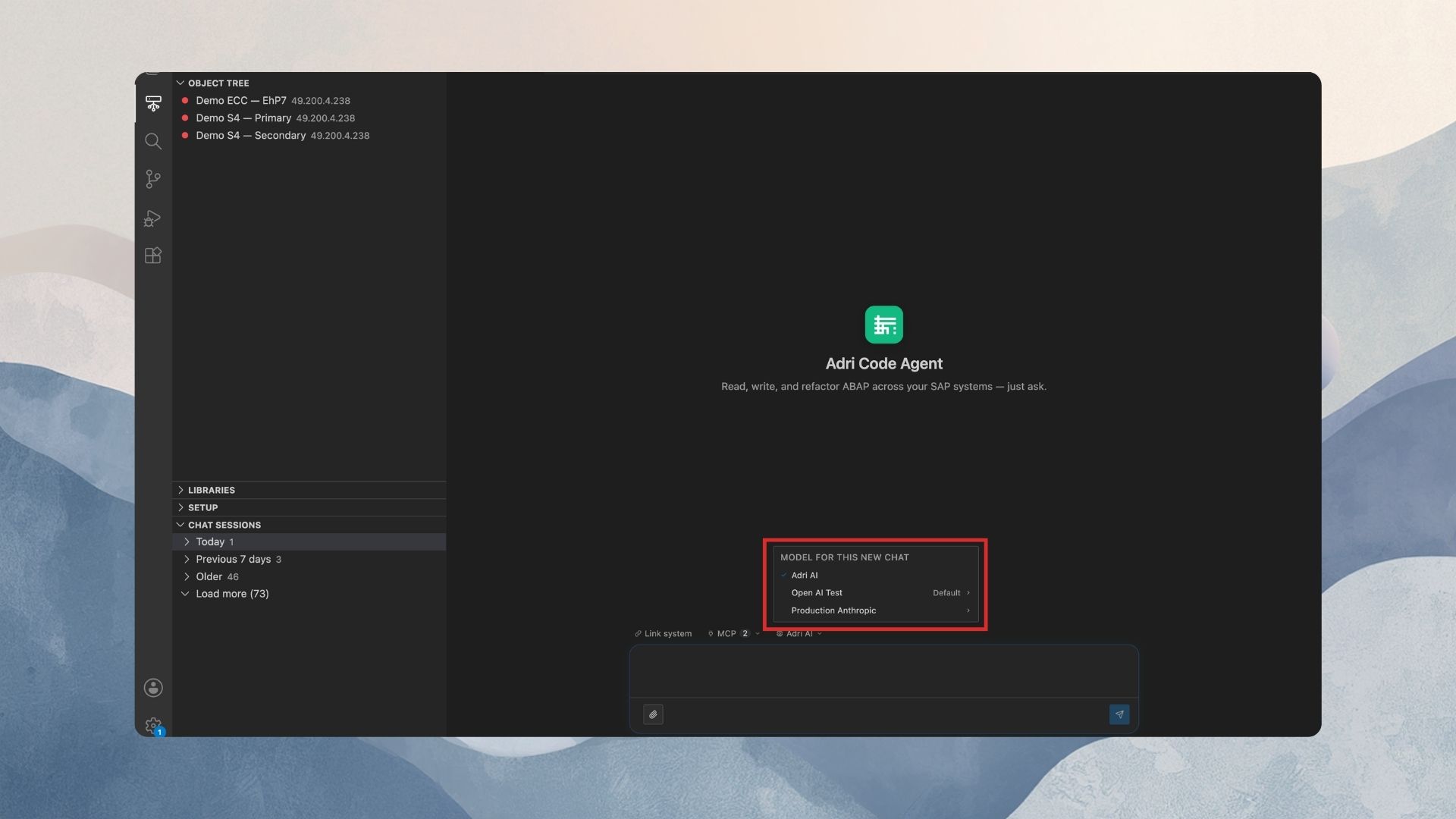
If the menu says "No providers yet. Add them in the web app.", follow Add a provider in the web app first — the extension picks it up automatically.
3. Drill into a provider and pick a model
- Click a provider row. The menu switches to that provider's model list (click the provider name at the top to go back).
- Click the model you want. A check mark confirms the selection.
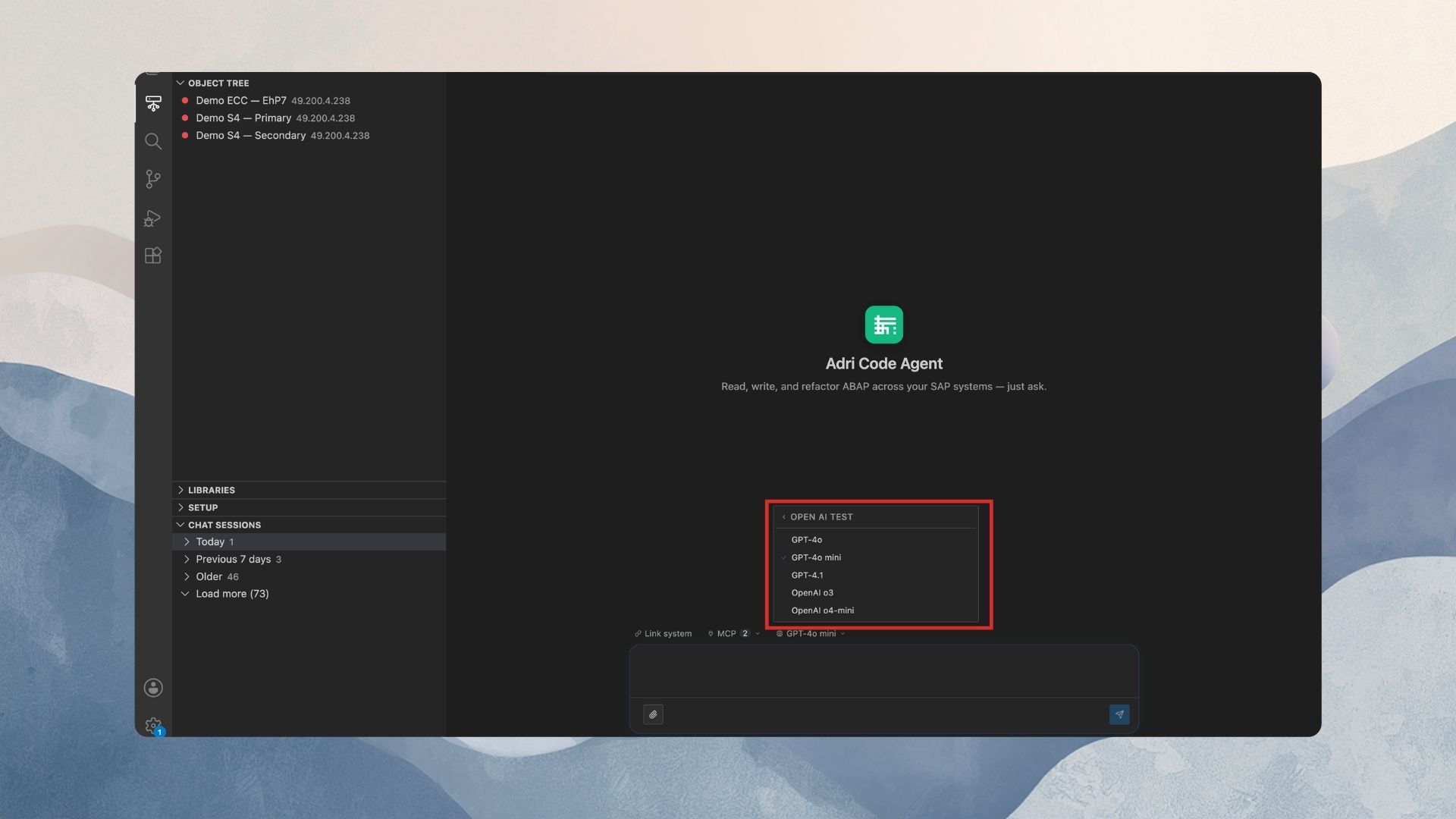
The pill now shows the model's name.
4. What the switch means
Identical to the web app:
- Applies to this conversation only, from the next message on.
- History is never rewritten.
- Picking Adri AI returns the conversation to the project default.
If the picker opens by itself
When a message fails because the conversation's provider was removed, the extension opens the picker automatically so you can re-pick. The removed provider is gone from the list — choose a new model (or Adri AI) and resend.