Open a folder in VS Code
The Adri AI Foundry extension scopes its tools (MCP server, SAP ADT explorer, resources) to the folder you have open in VS Code. You need to open a folder before signing in or installing the MCP server.
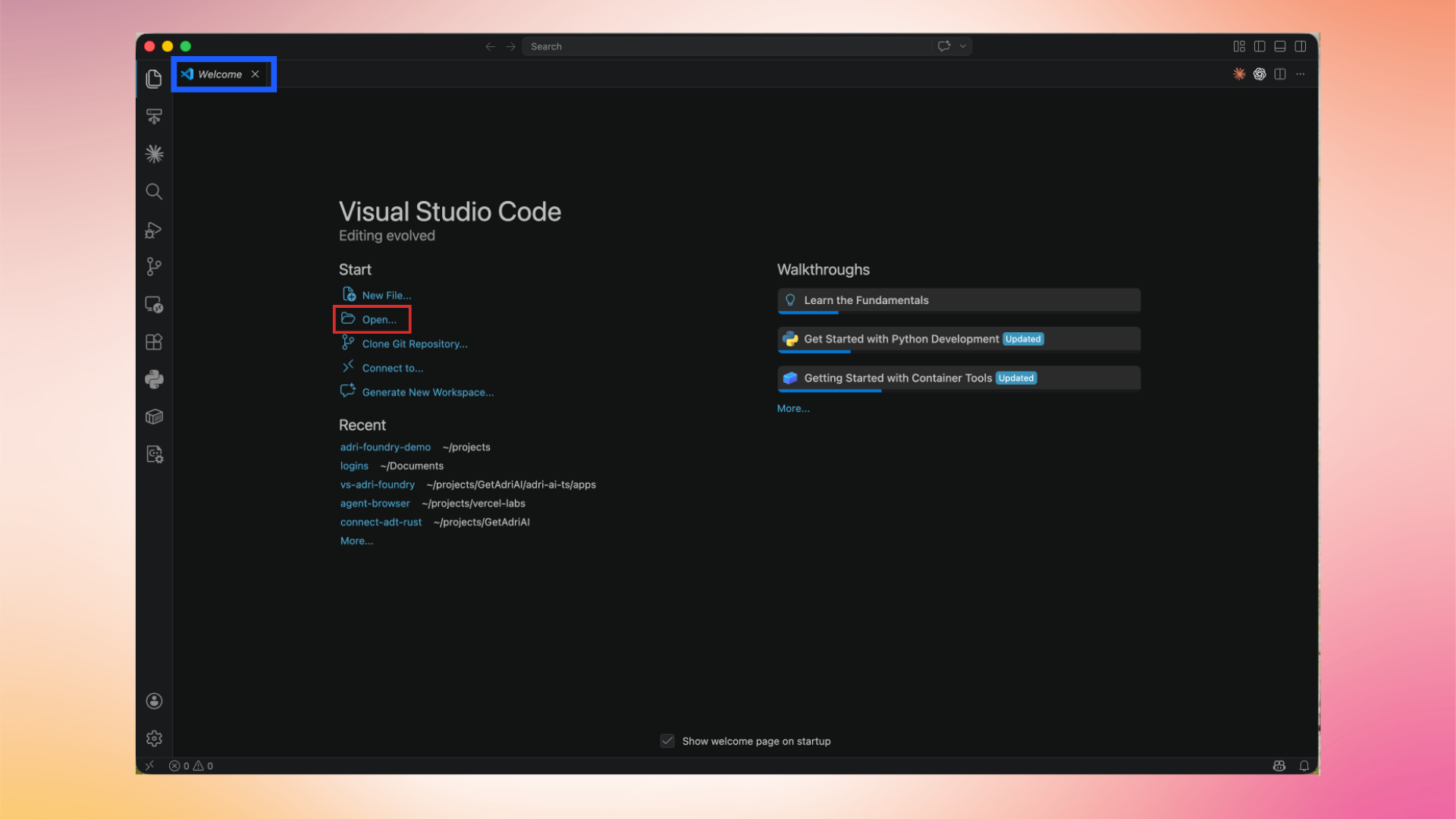
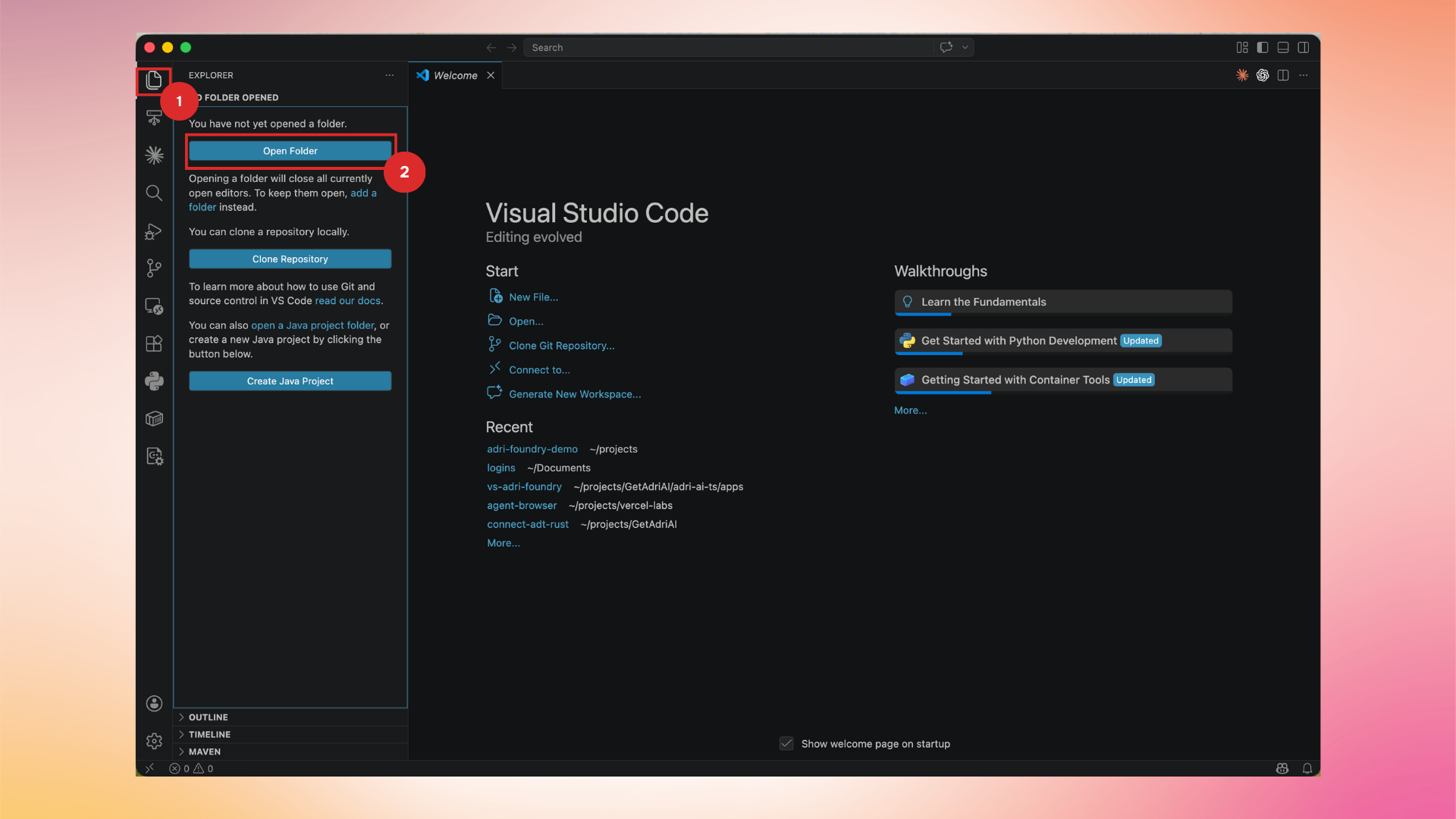
In every screenshot, the red box shows where to focus.
1. Open the Welcome page or use the Explorer
From the Welcome tab, click Open… under Start.
You can also use the Explorer view in the Activity Bar and click Open Folder.
2. Pick the project folder
Choose the folder you want to use as your workspace and click Open.
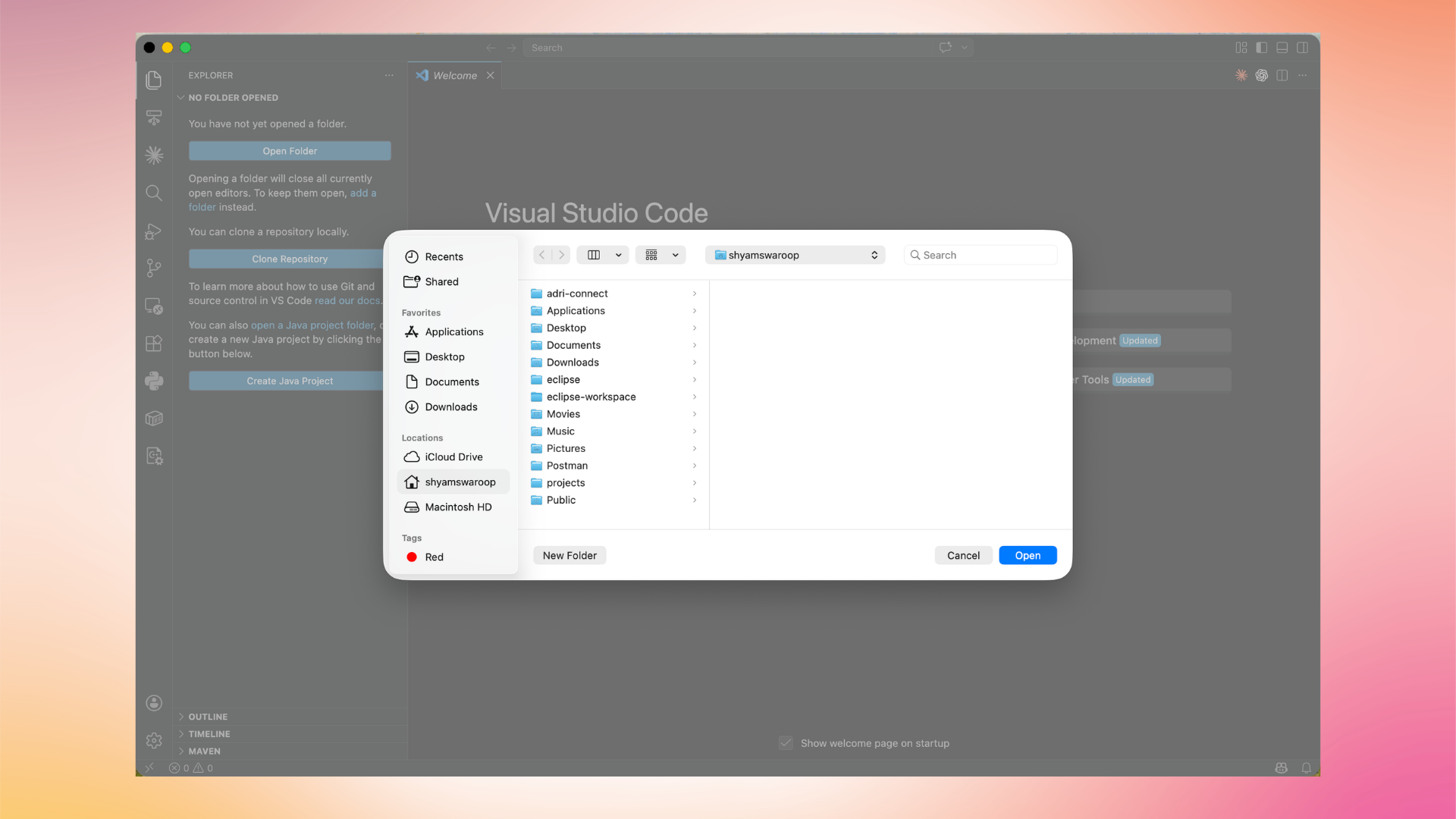
VS Code reloads with the selected folder as the workspace root. You can now sign in to Adri AI.