Clean Core Assessment
Why this use case matters
Adri AI provides a detailed Clean Core framework to classify ABAP objects into:
- Level A
- Level B
- Level C
This helps teams quickly understand migration risk and prioritization.
Flexible by design (architect notes)
Enterprise architects may interpret clean-core rules differently. So Adri AI allows you to add your own notes directly in the prompt before assessment.
You can include guidance like:
Use our enterprise rule: wrapper classes around standard APIs can be treated as Level B if no direct not-released table dependency exists.
The assessment will still follow Adri's framework, but it will consider your additional notes while explaining classification.
Step-by-step in Claude Code
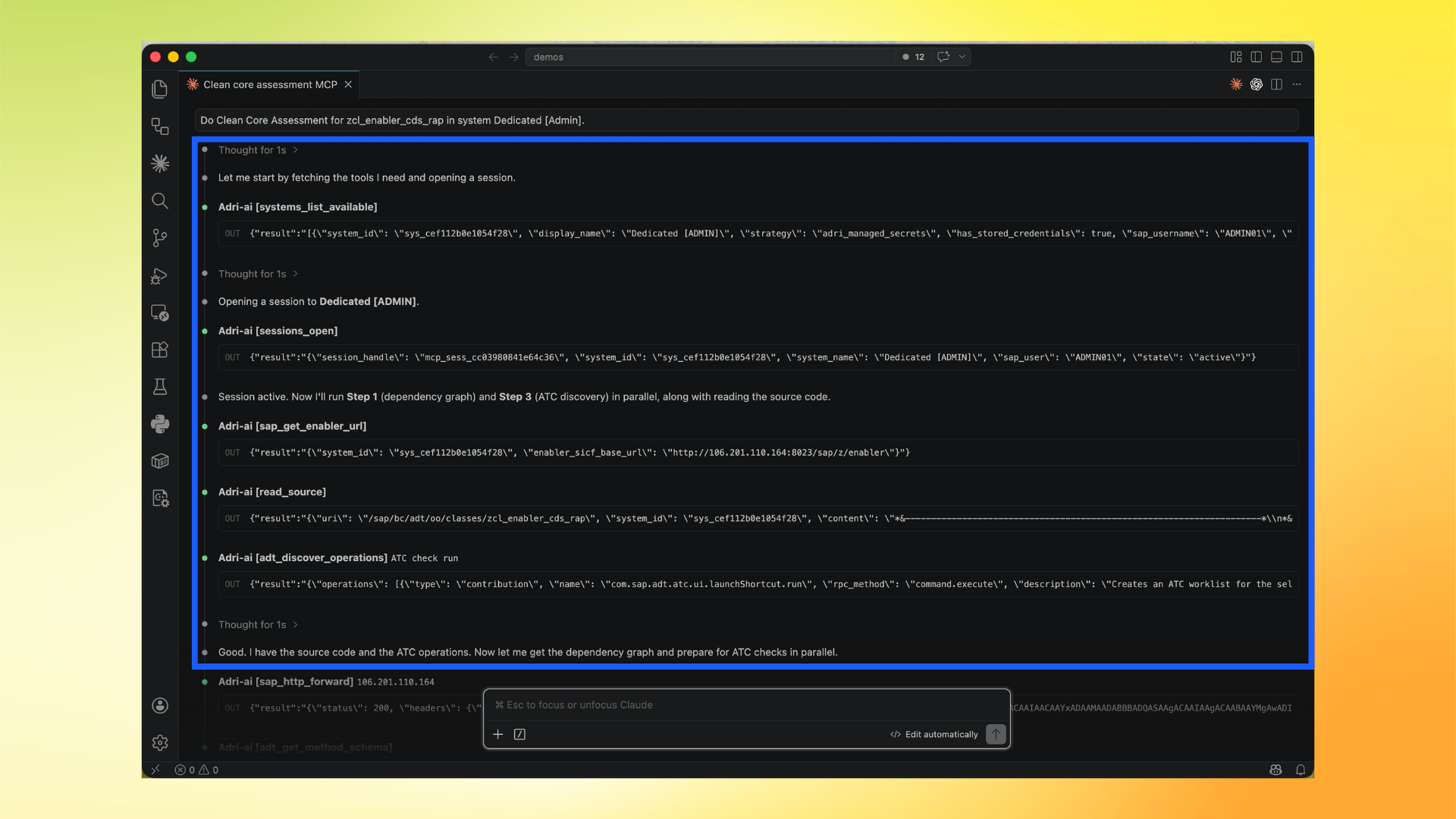
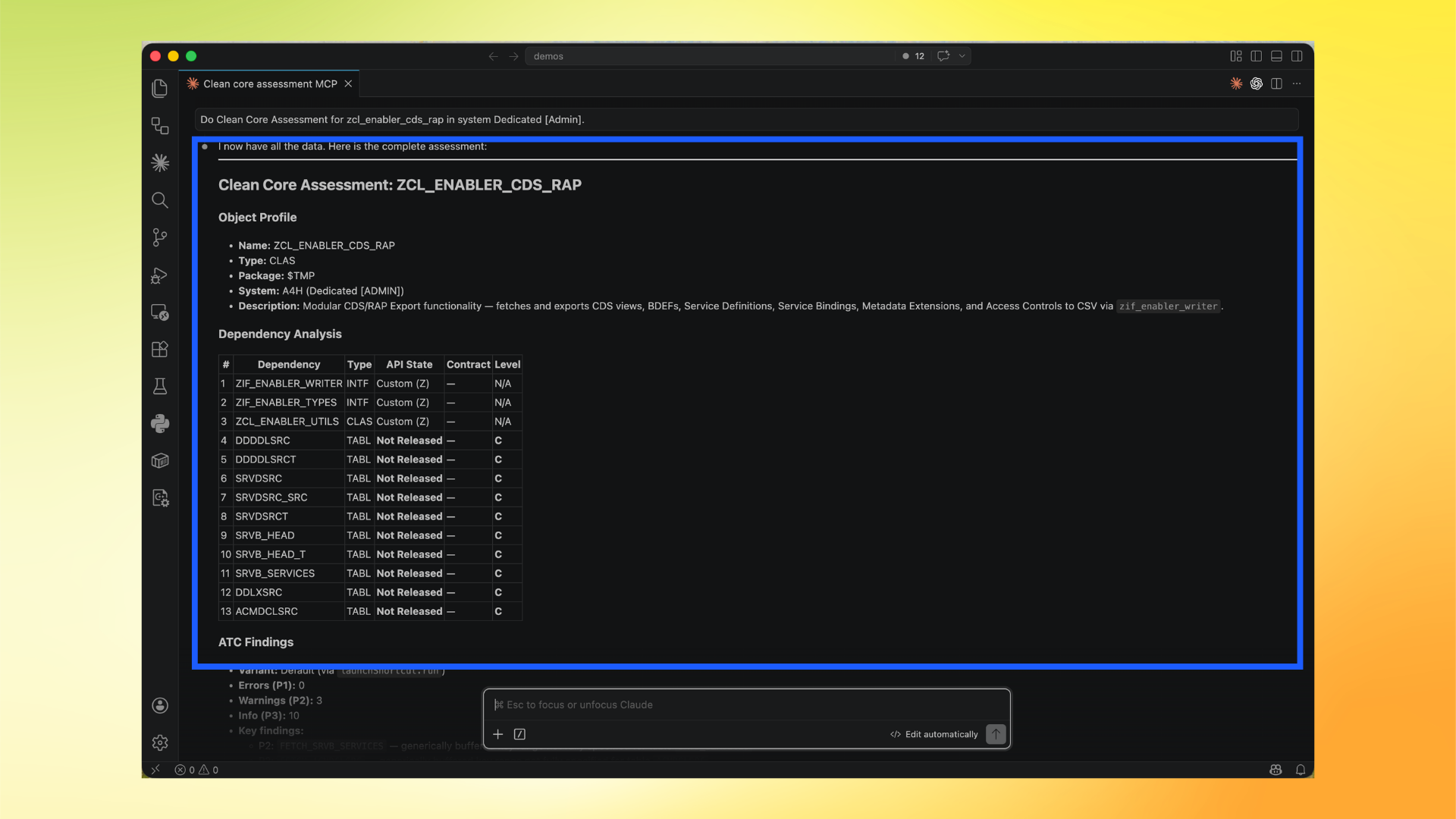
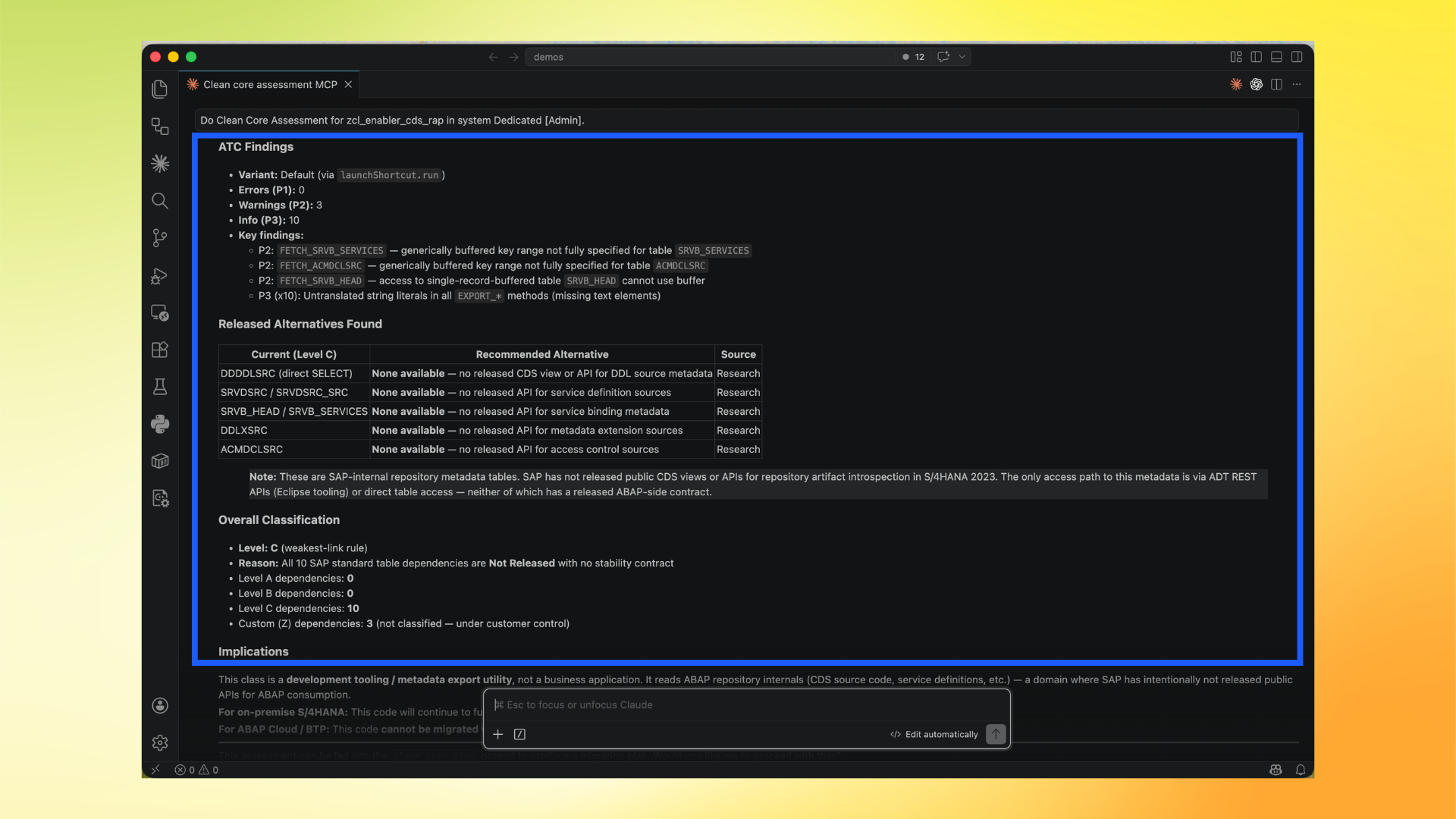
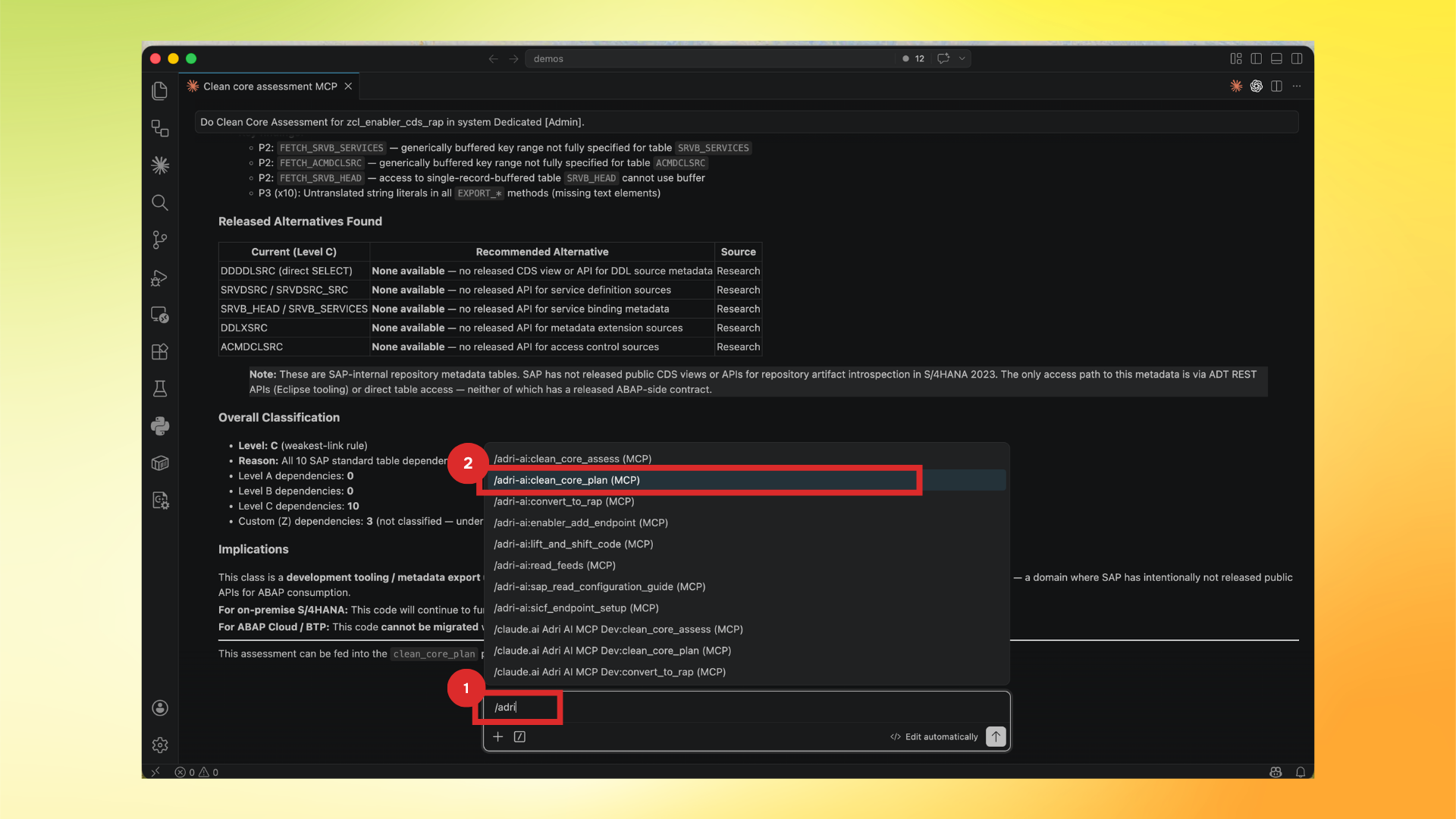
In these screenshots, the red box shows user action and the blue box shows important information to note.
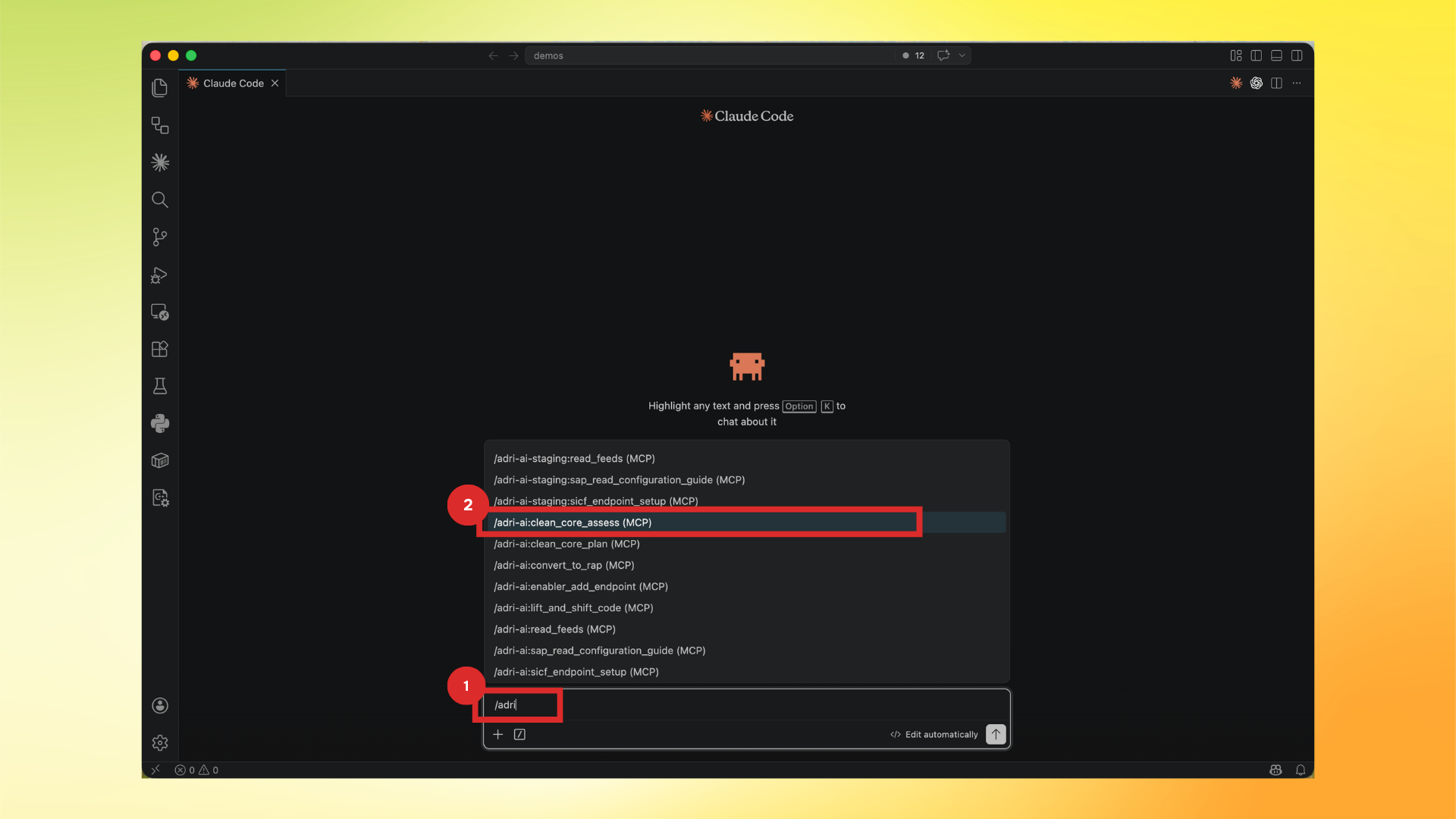
- Type
/adriand select/adri-ai:clean_core_assess (MCP).
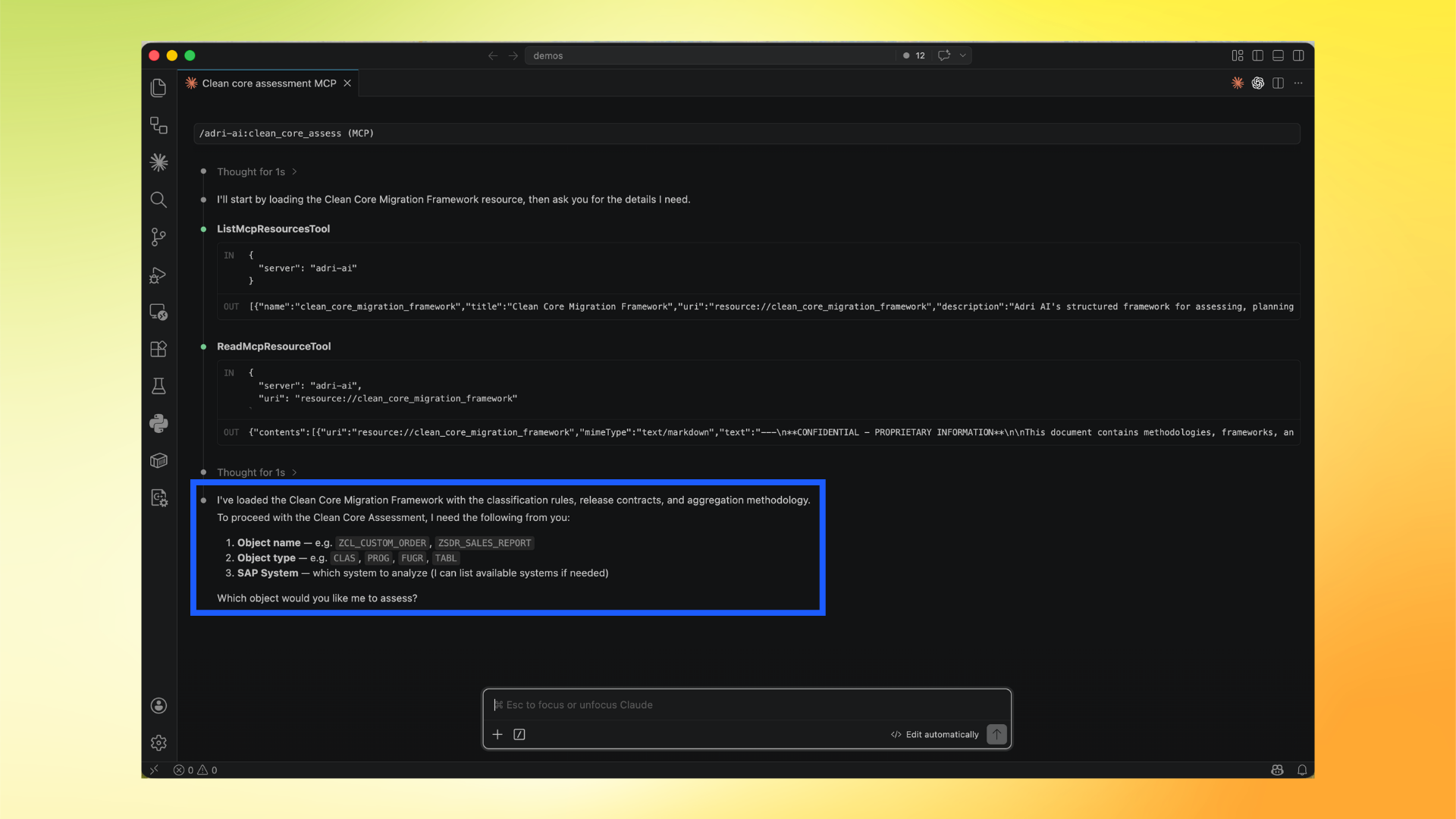
- Adri loads the Clean Core Migration Framework resource and asks for object details.
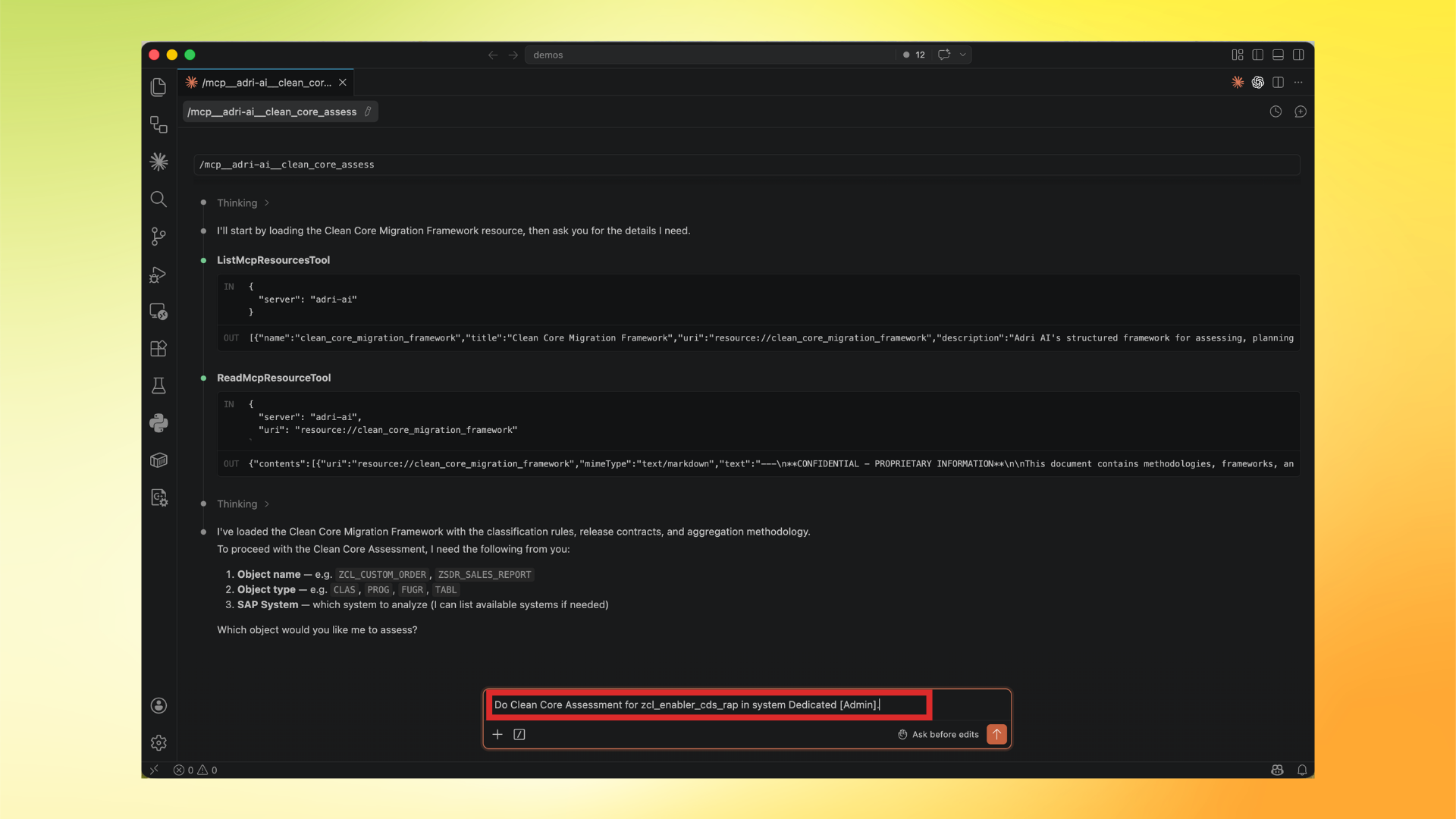
- Ask for assessment with object + system details. You can include your architect notes in the same request.
Example:
Do Clean Core Assessment for zcl_enabler_cds_rap in system Dedicated [Admin].
Also consider this note: classes used only for repository export are acceptable as Level B unless they directly depend on not-released SAP tables.
- Review execution details while Adri gathers source, dependencies, ATC findings, and related signals.
- Review the detailed assessment output.
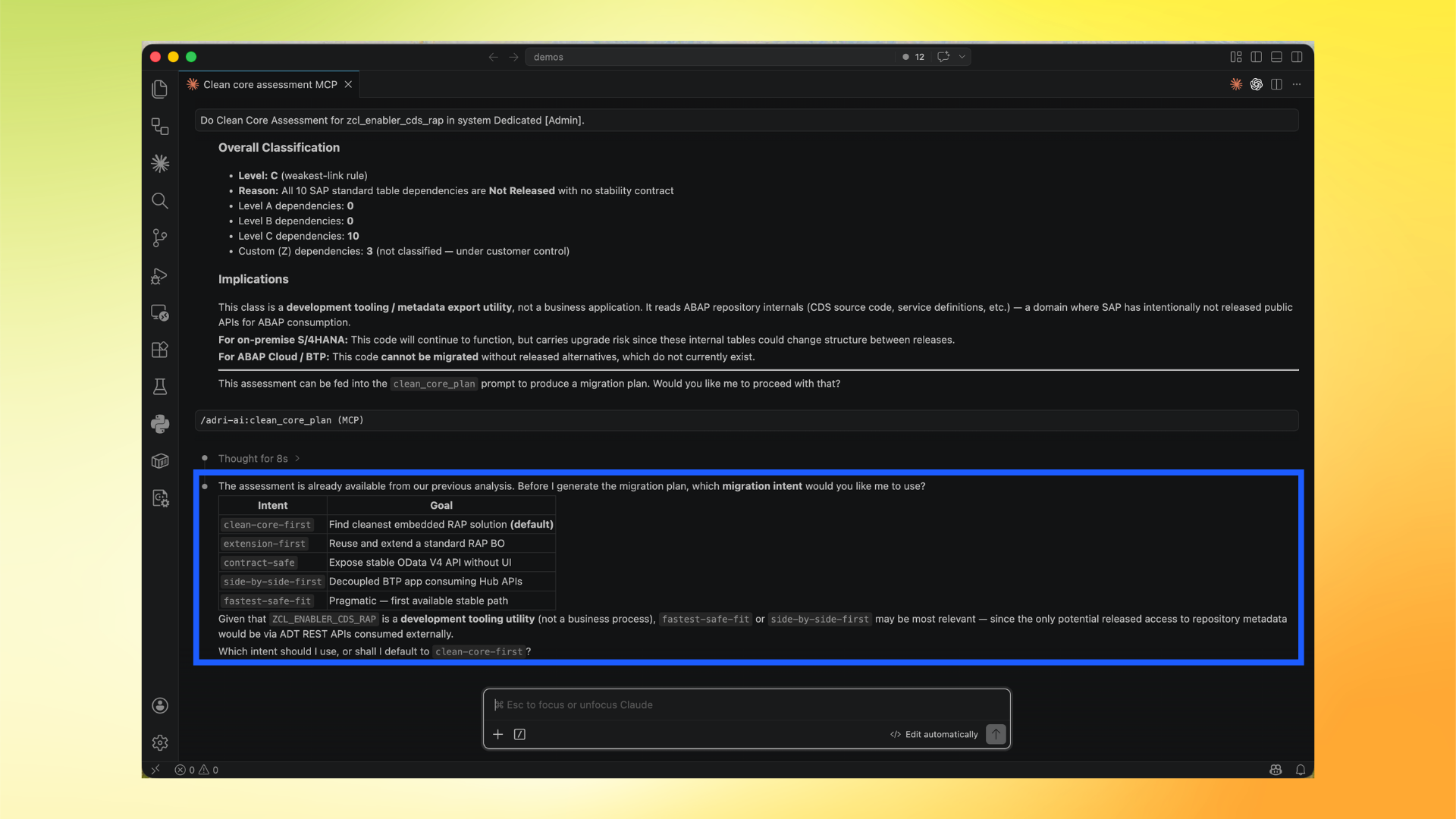
Continue to planning (fit-to-X selection)
After assessment, run the planning prompt:
- Type
/adriand select/adri-ai:clean_core_plan (MCP).
- Choose your migration intent (fit-to-X strategy), for example:
clean-core-firstextension-firstcontract-safeside-by-side-firstfastest-safe-fit
The planning output depends on this choice, so pick the intent that matches your architecture direction.