Explore BTP affinity capabilities
Adri AI measures the BTP affinity of your custom-code portfolio. It begins with a mined inventory of custom objects and applications, evaluates how tightly their logic and data are coupled to SAP, and scores how readily each can move to SAP Business Technology Platform (BTP).
Code affinity asks whether the application's logic can run outside the SAP system. Data affinity asks whether its data, or the data-intensive work it performs, can live outside the SAP system. Keeping these as separate scores makes the recommendation more precise: an application may be suited to moving its logic, its data, both, or neither.
For the complete methodology—including inventory creation, application grouping, scoring, target selection, migration order, and capacity estimation—read Darshita Chaturvedi's methodology for moving SAP custom code to BTP.
Explore BTP affinity in Adri AI
Adri AI includes a curated reference portfolio with hundreds of ABAP objects. Create your own demo project, copy the prepared Willow reference data, and inspect the BTP Affinity pipeline without connecting an SAP system.
If you have already signed up for Adri AI and copied the Willow reference project, skip directly to Step 3.
Step 1: Sign up for Adri AI
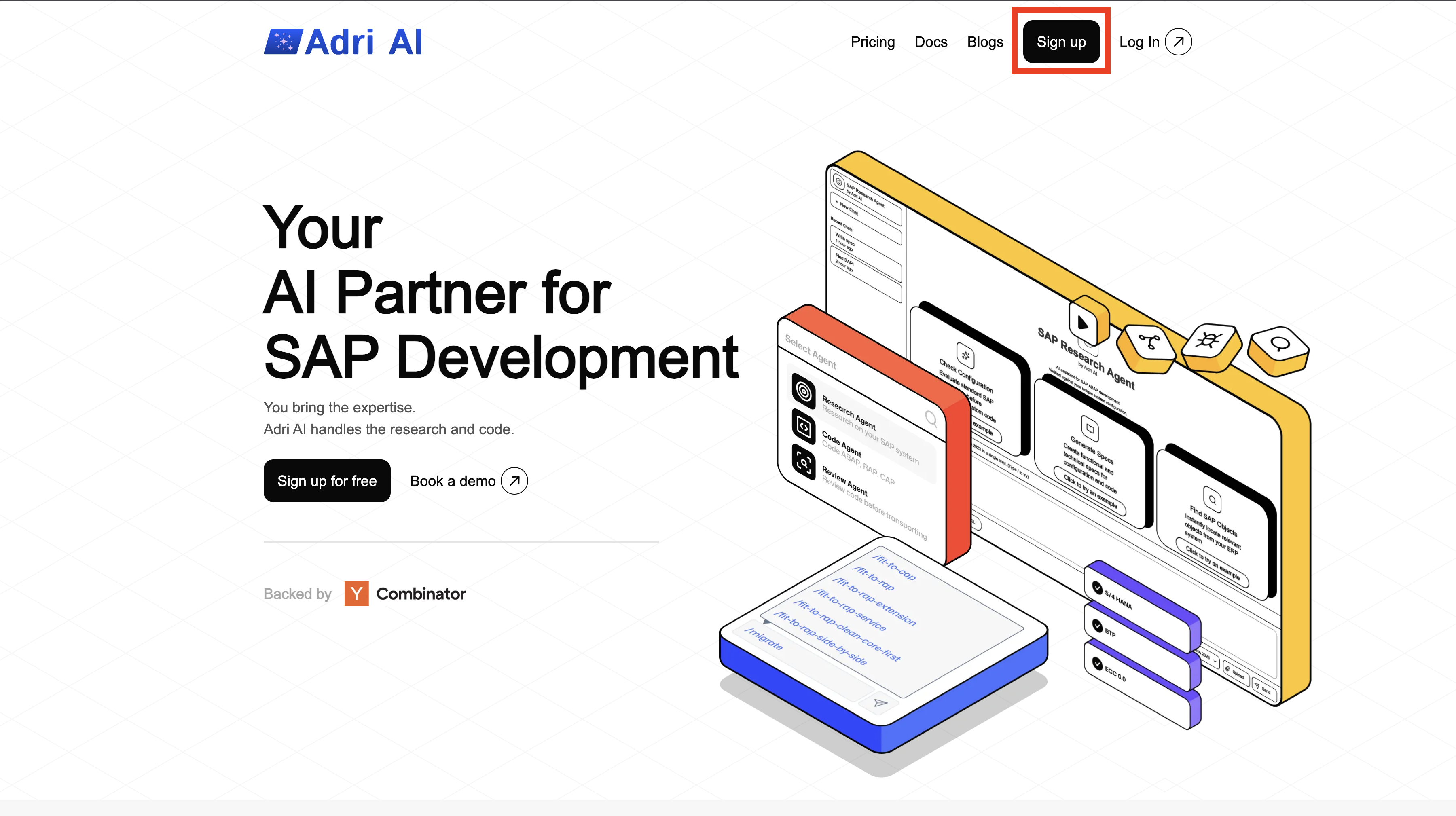
Step 1: Sign Up on Adri
- Open getadri.ai/signup.
- Click Sign up (if needed) and complete registration.
- If you already have an account, use getadri.ai/login.
Done when: You are prompted to verify your email.
Step 2: Verify Email and Complete Profile
- Open the verification email and click the verification link.
- Fill in your basic details.
- Submit the form.
Done when: You land on the Projects page.
Step 2: Create a demo project and copy its data
- On the Projects page, select Create Project.
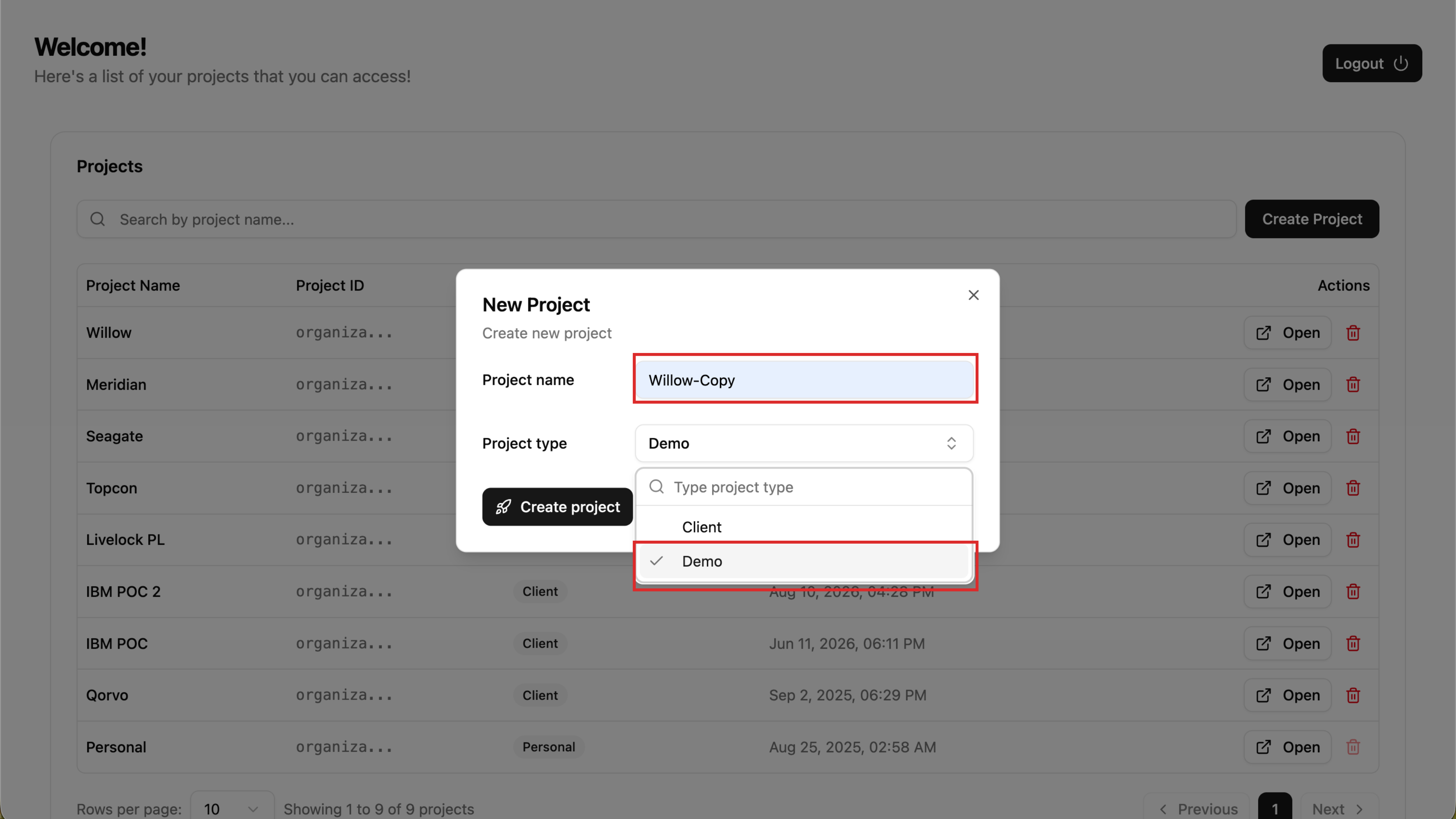
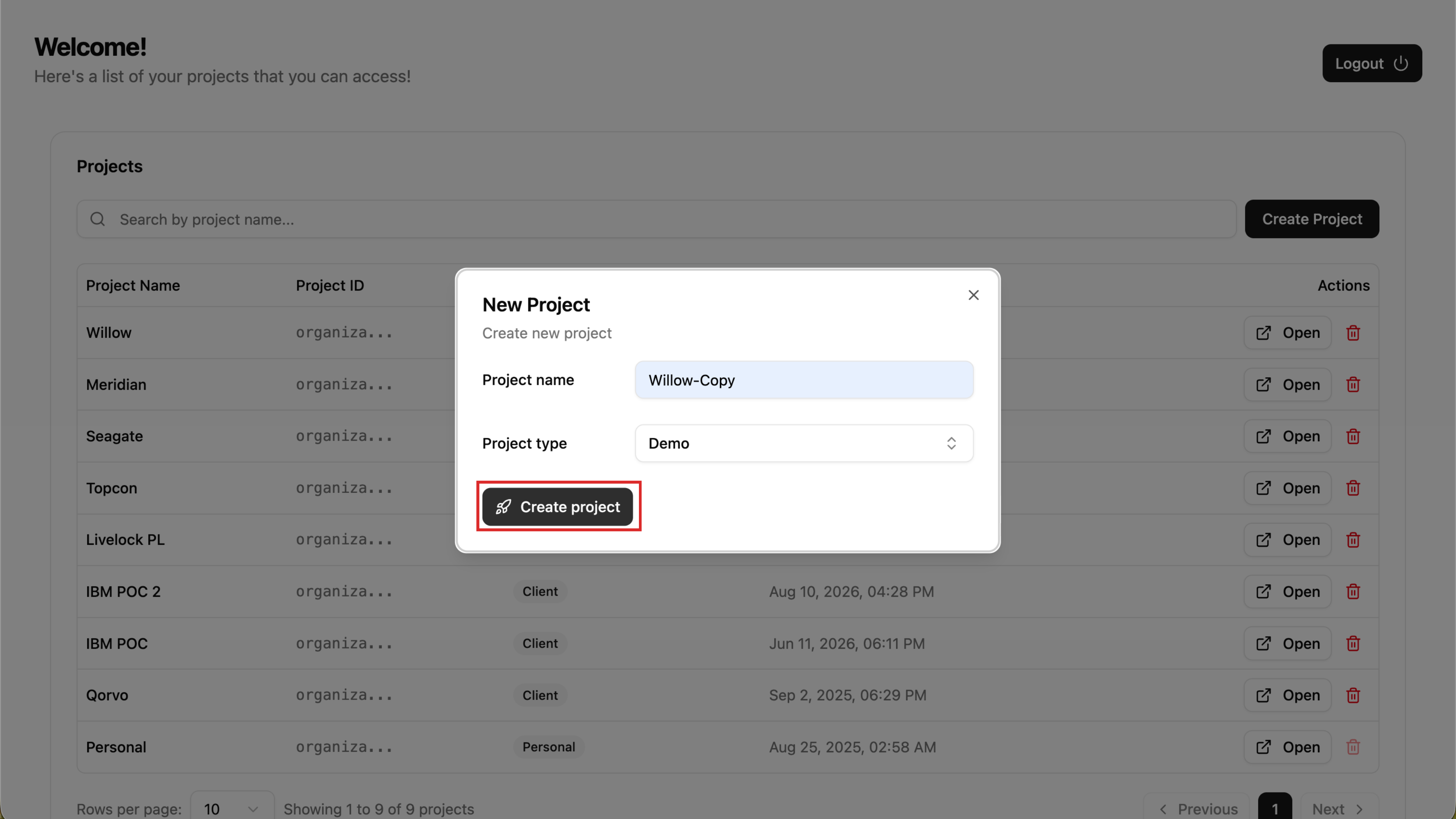
- Enter a project name, set Project type to Demo, and select Create project.
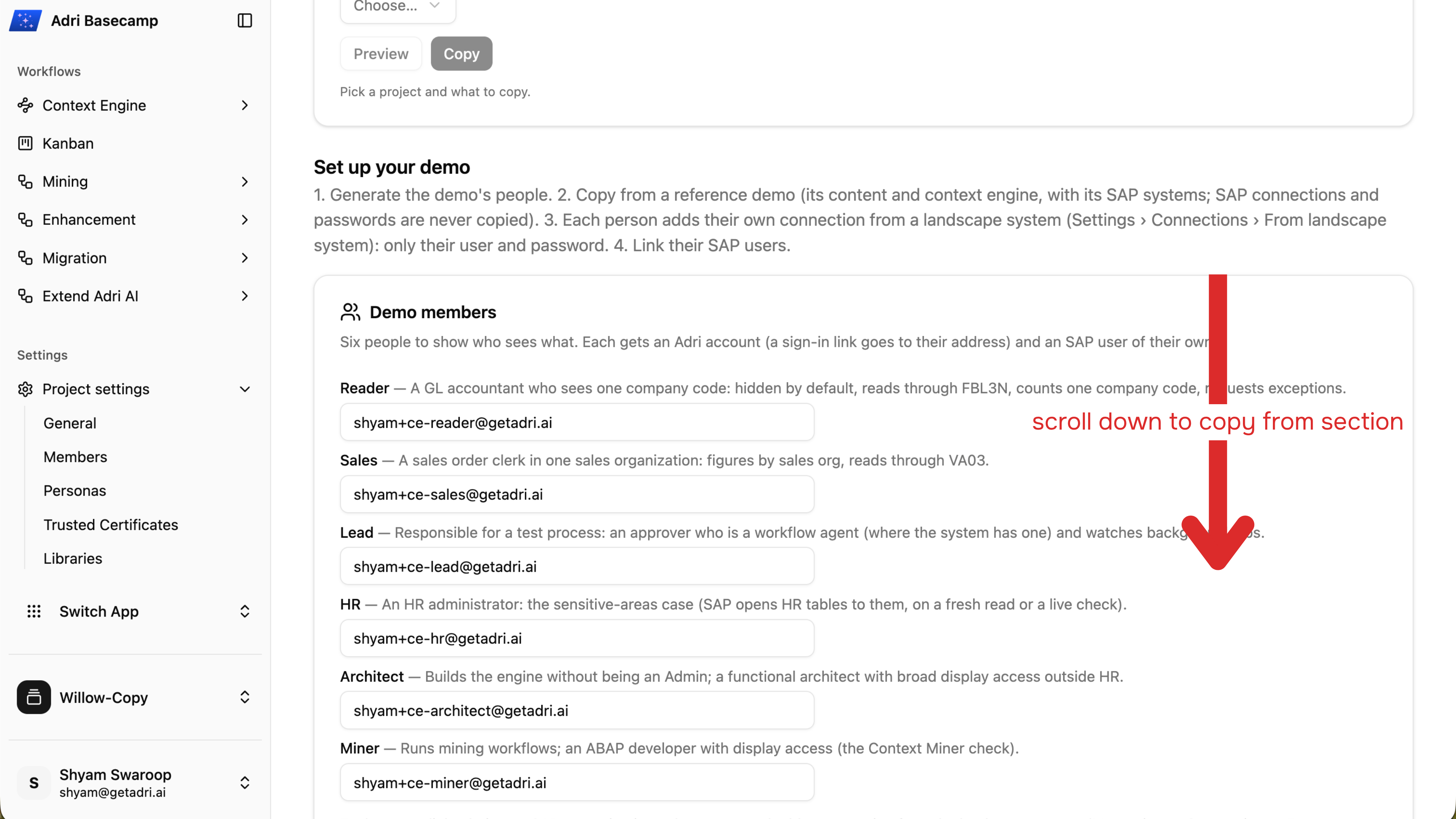
- In the new project, open Project settings > General and scroll to Copy from....
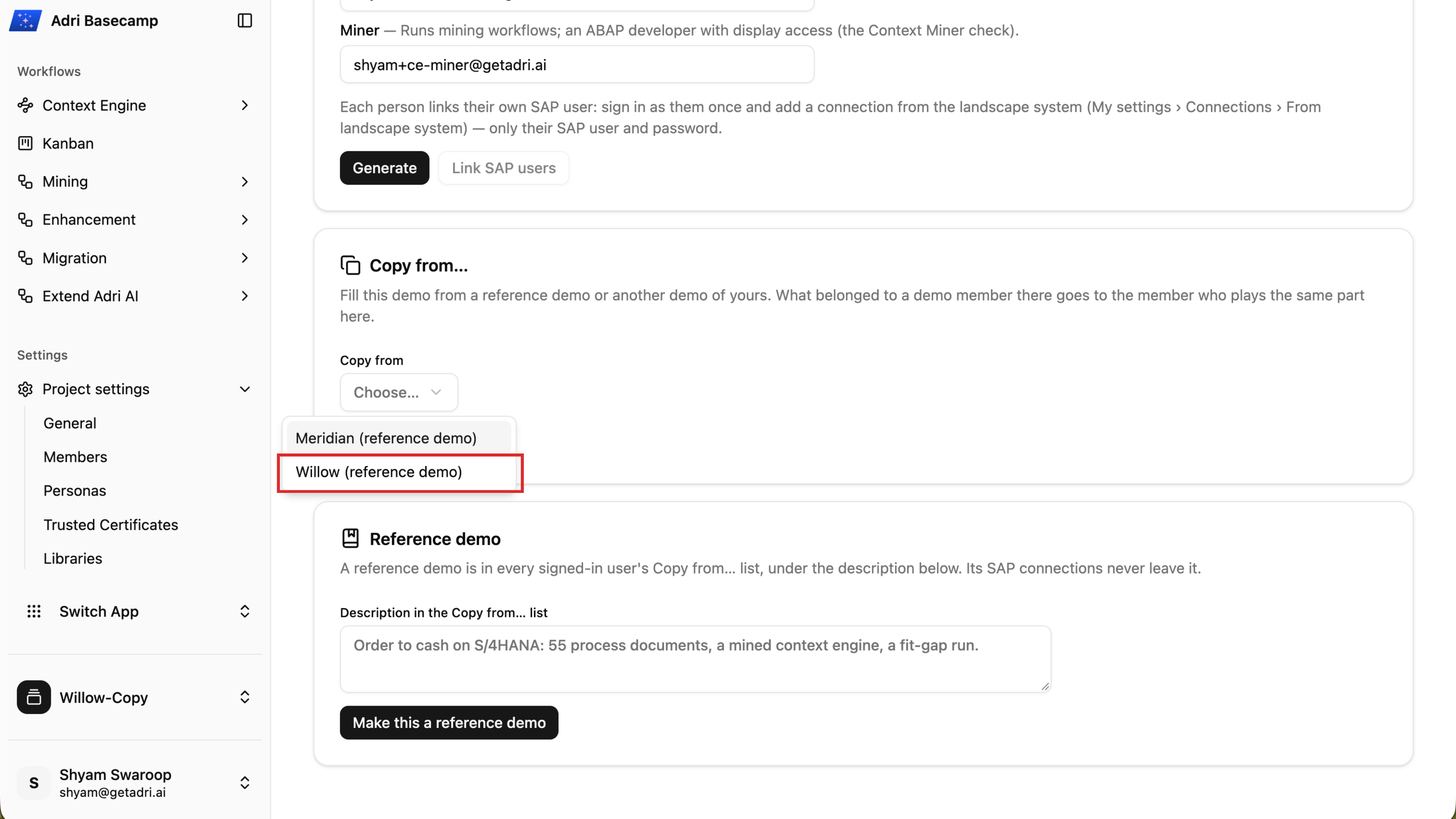
- Open Copy from and choose Willow (reference demo).
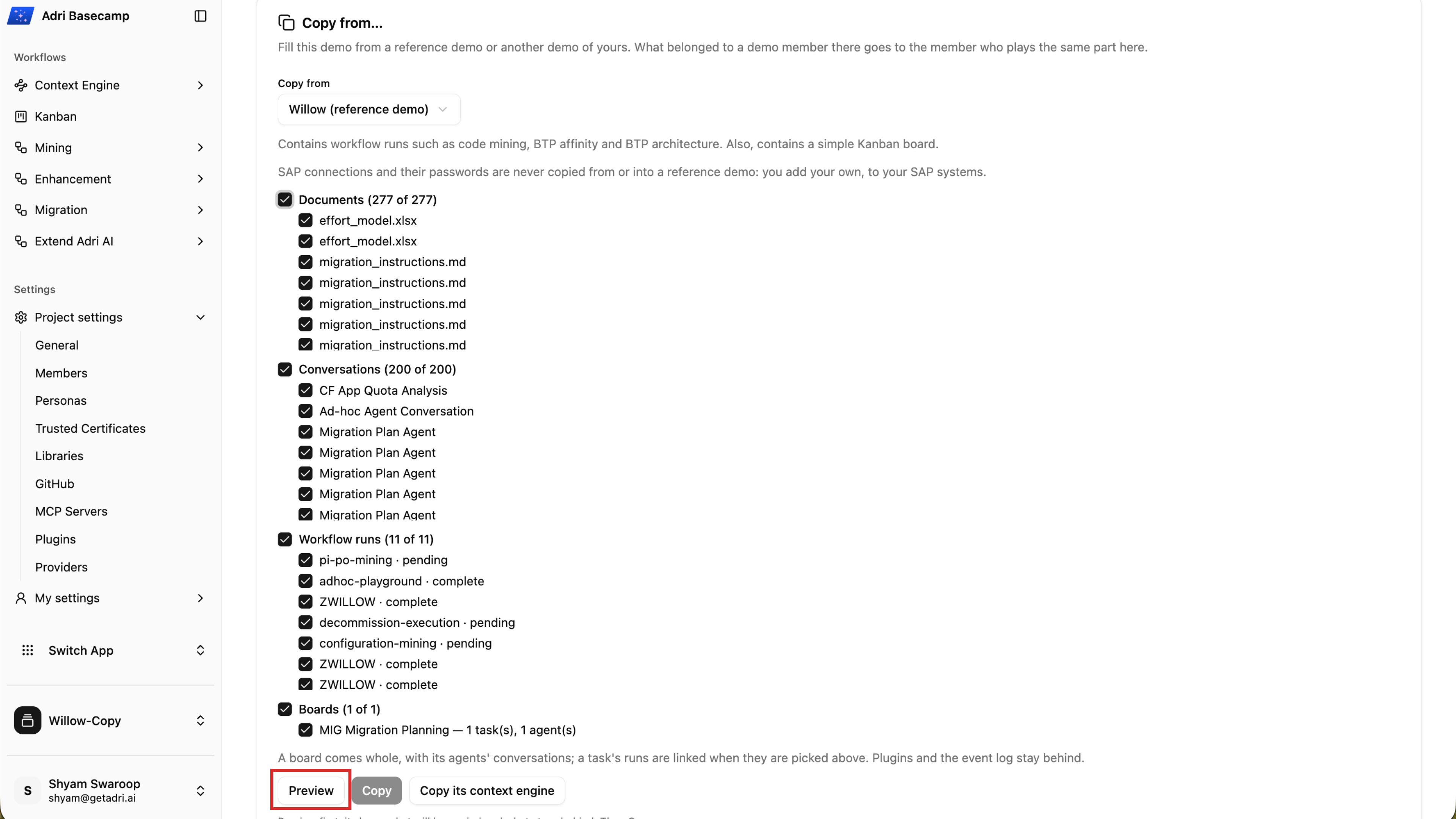
- Keep the content you want selected, then choose Preview. Review the documents, conversations, workflow runs, boards, and anything that will be left out.
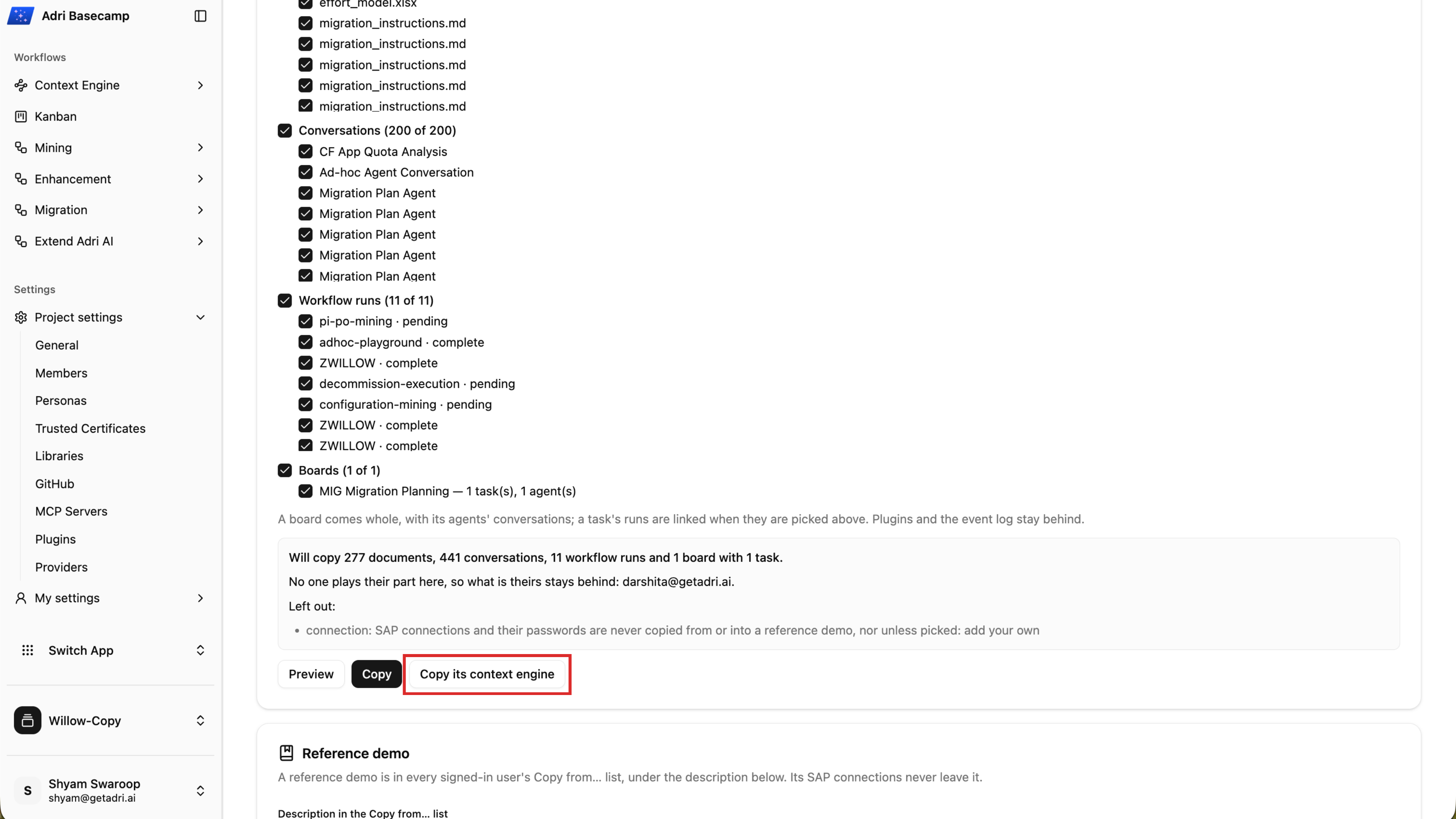
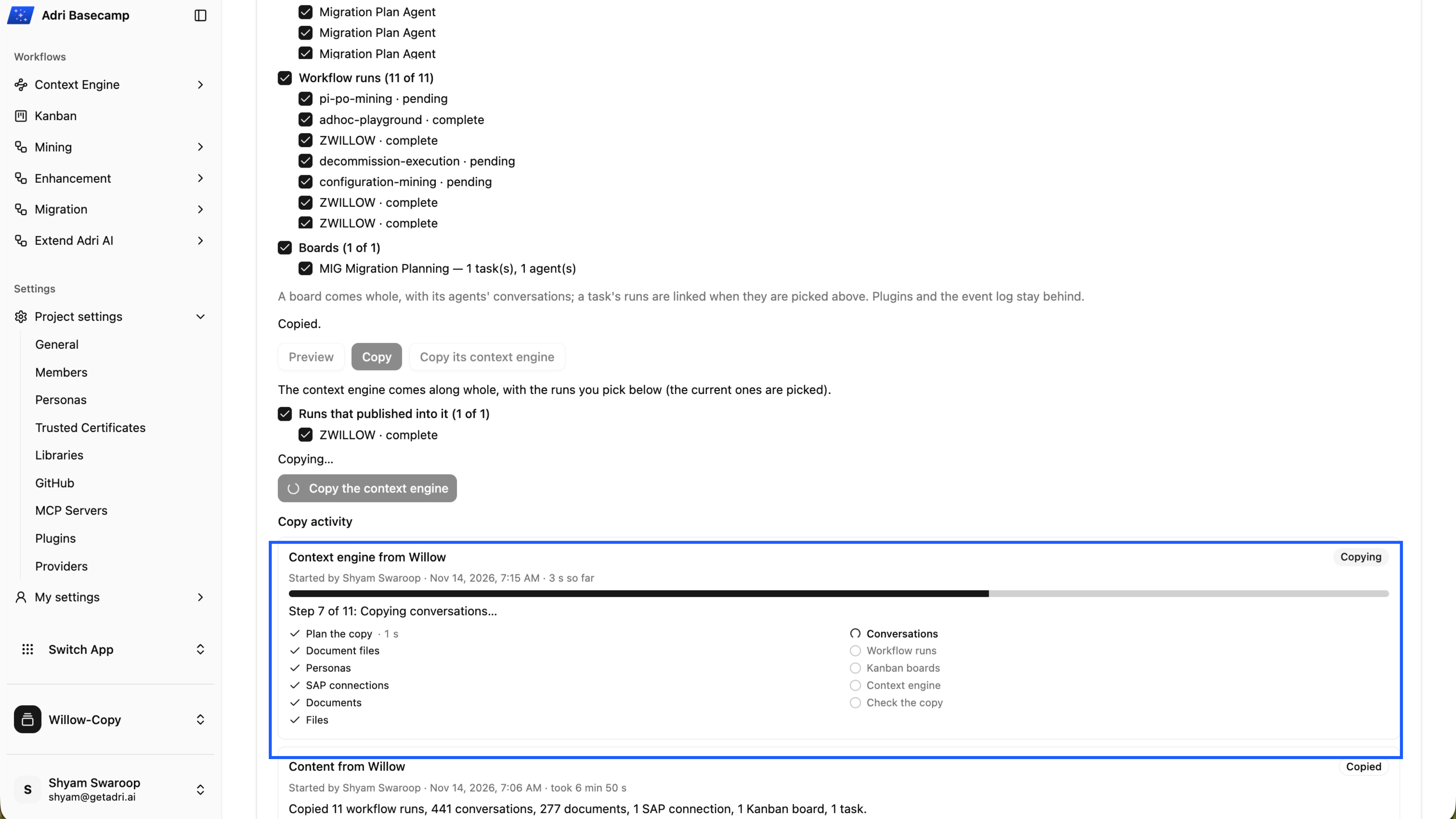
- Choose Copy and wait until the content copy reports Copied.
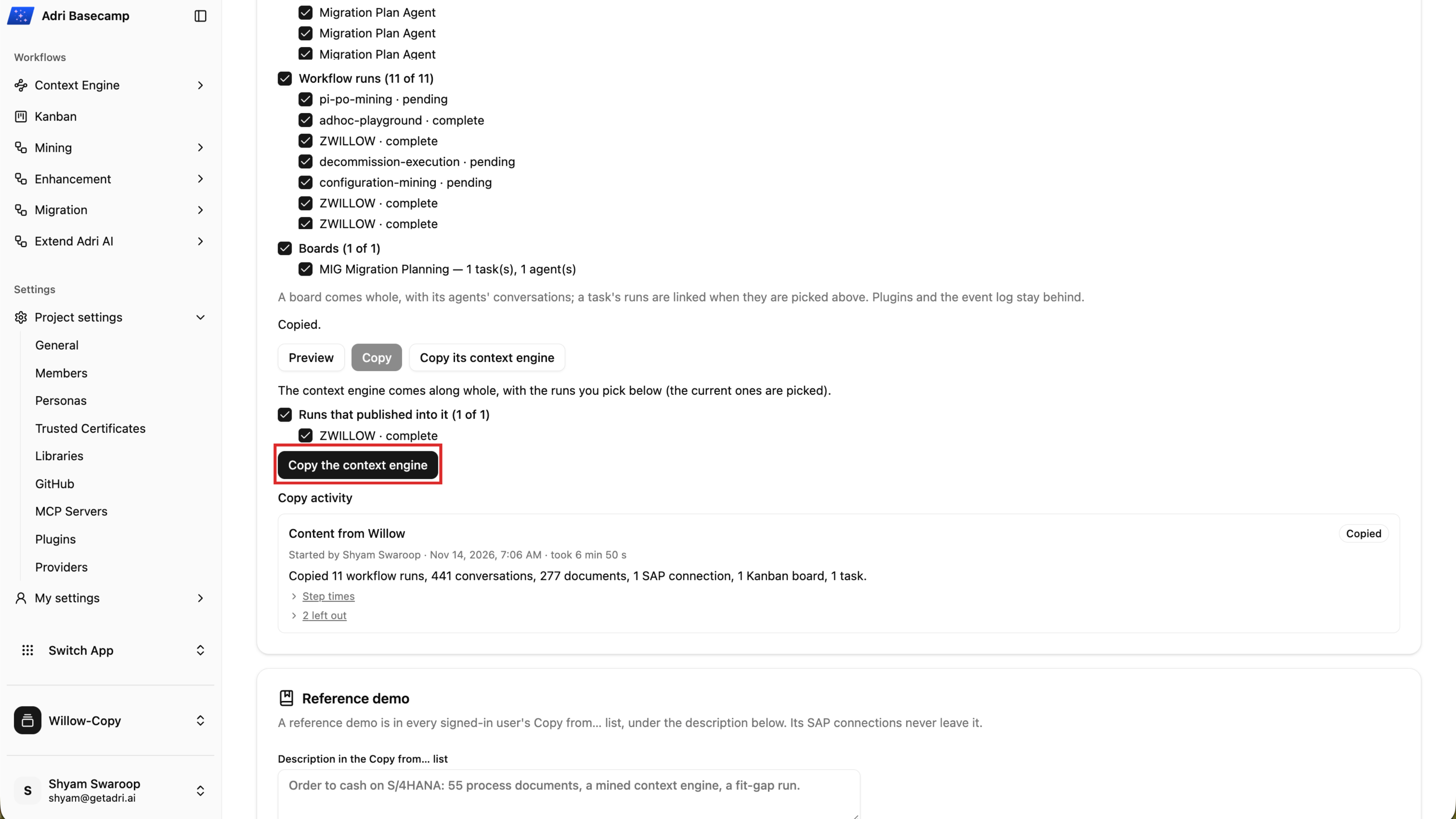
- Choose Copy its context engine. Keep the completed run that published the reference Context Engine selected, then choose Copy the context engine.
- Wait while Adri AI copies the Context Engine and its linked content.
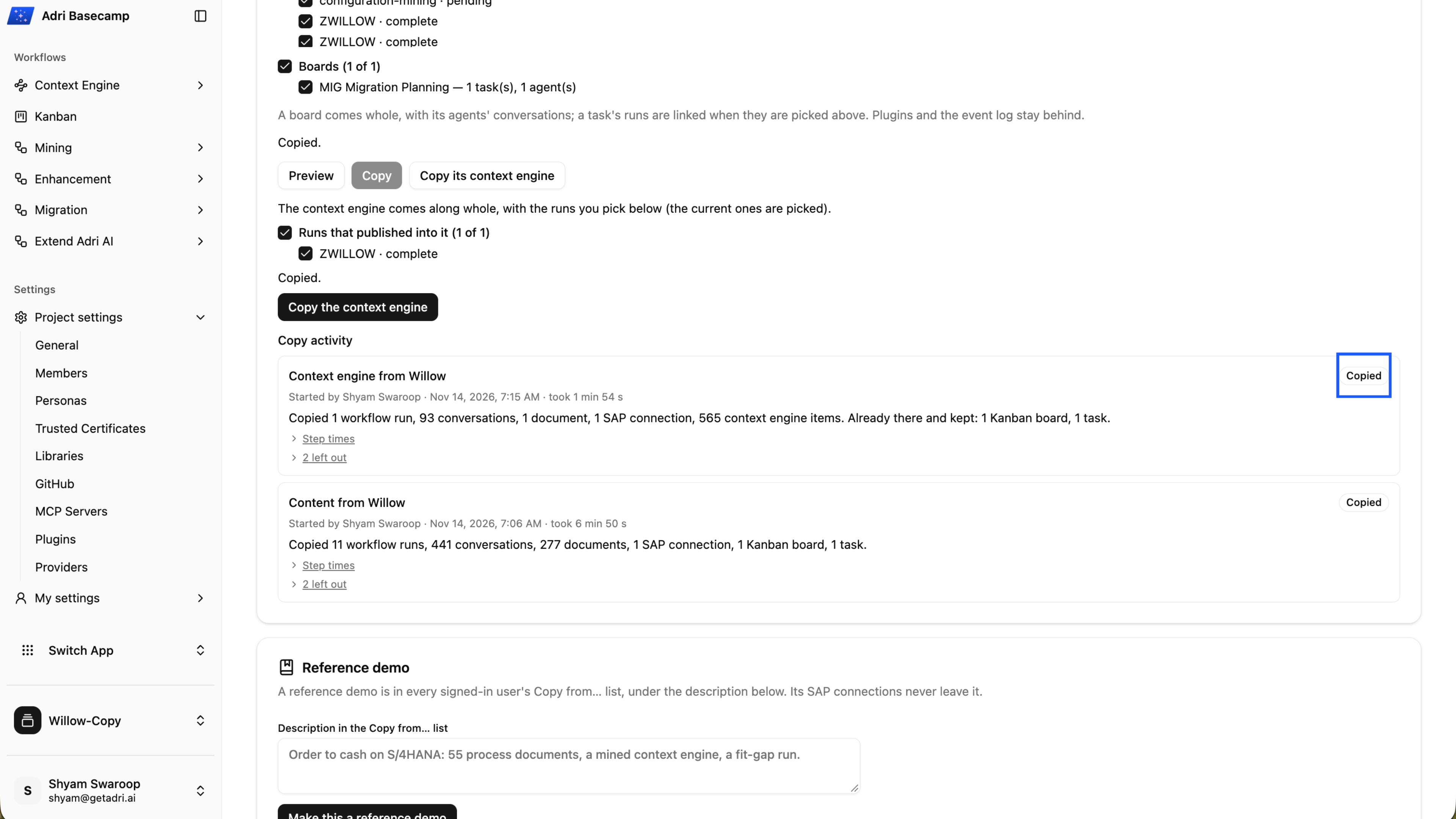
- Confirm that the Context Engine copy reports Copied.
- Open Context Engine and confirm that the copied processes are available.
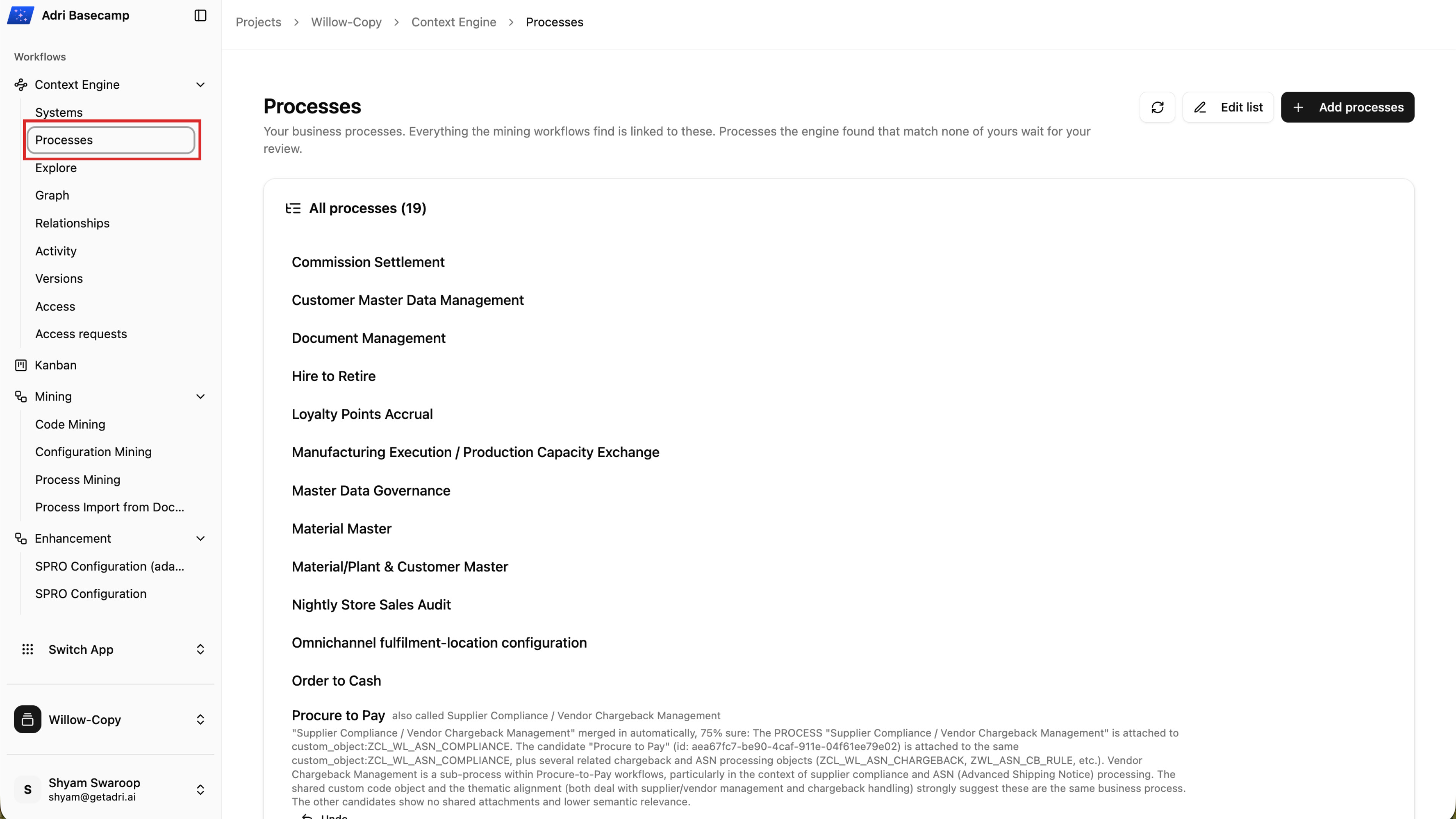
Done when: The content and Context Engine copy activities both report Copied, and the copied processes appear in your demo project.
Step 3: Explore the BTP Affinity pipeline
- In your demo project, expand Migration and select BTP Affinity.
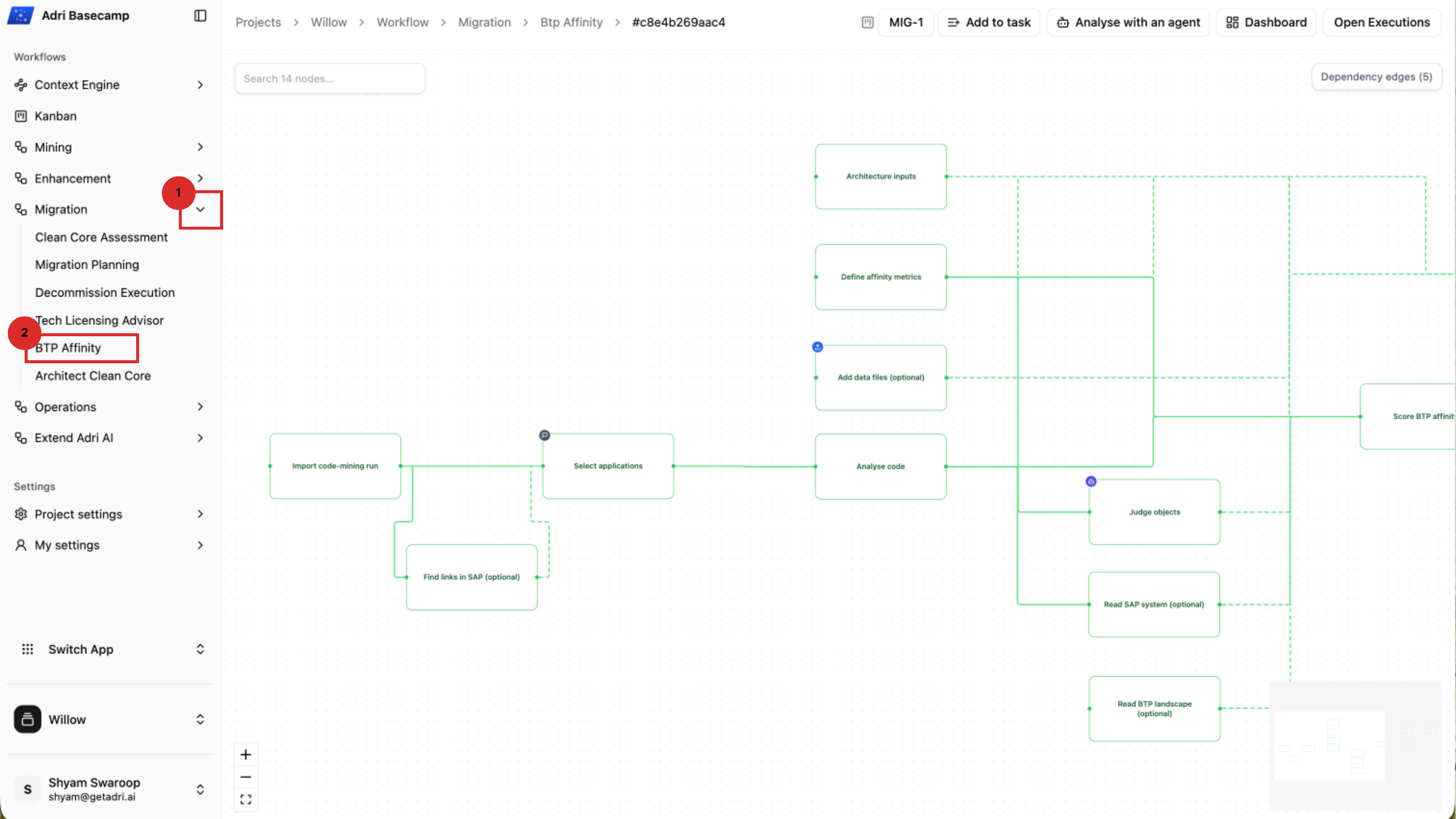
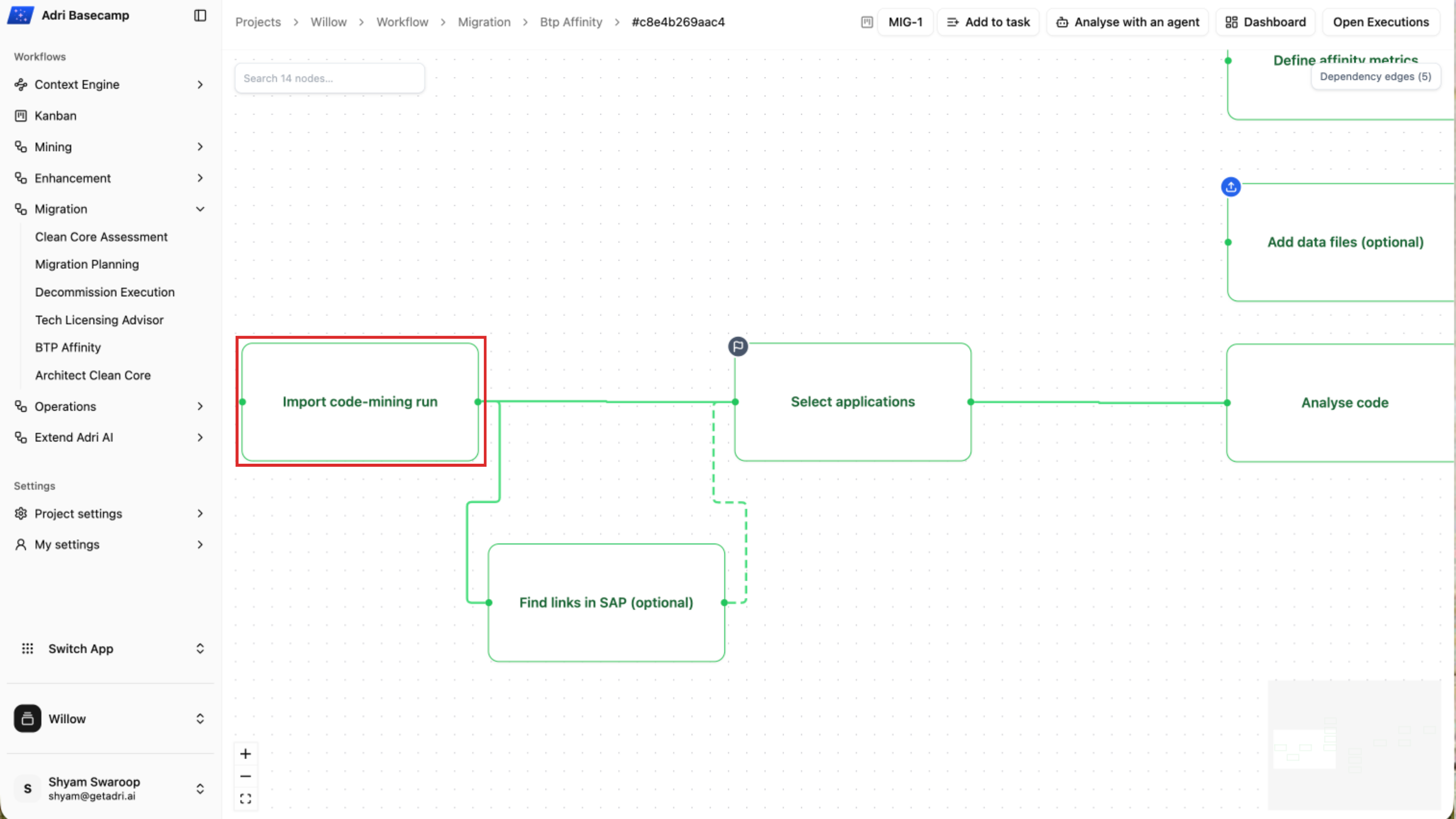
- The pipeline starts with an imported code-mining run, narrows the applications in scope, analyses the code and its links to SAP, applies affinity metrics, and scores the result. Select Import code-mining run to inspect the portfolio used by this demo.
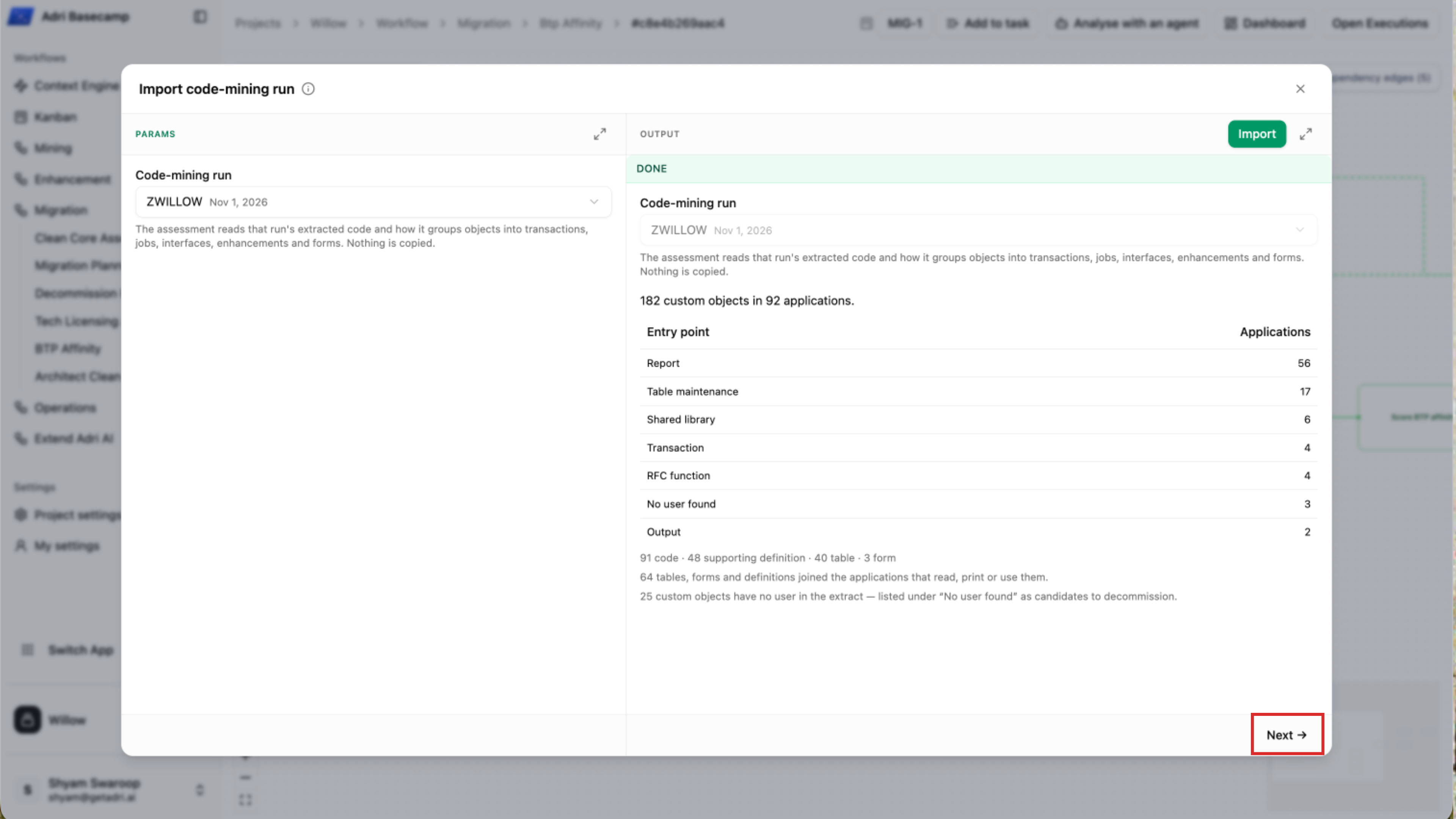
- Review the selected run and its output. In the Willow demo, the imported inventory contains 182 custom objects grouped into 92 applications. Select Next to continue through the pipeline without replacing the prepared input.
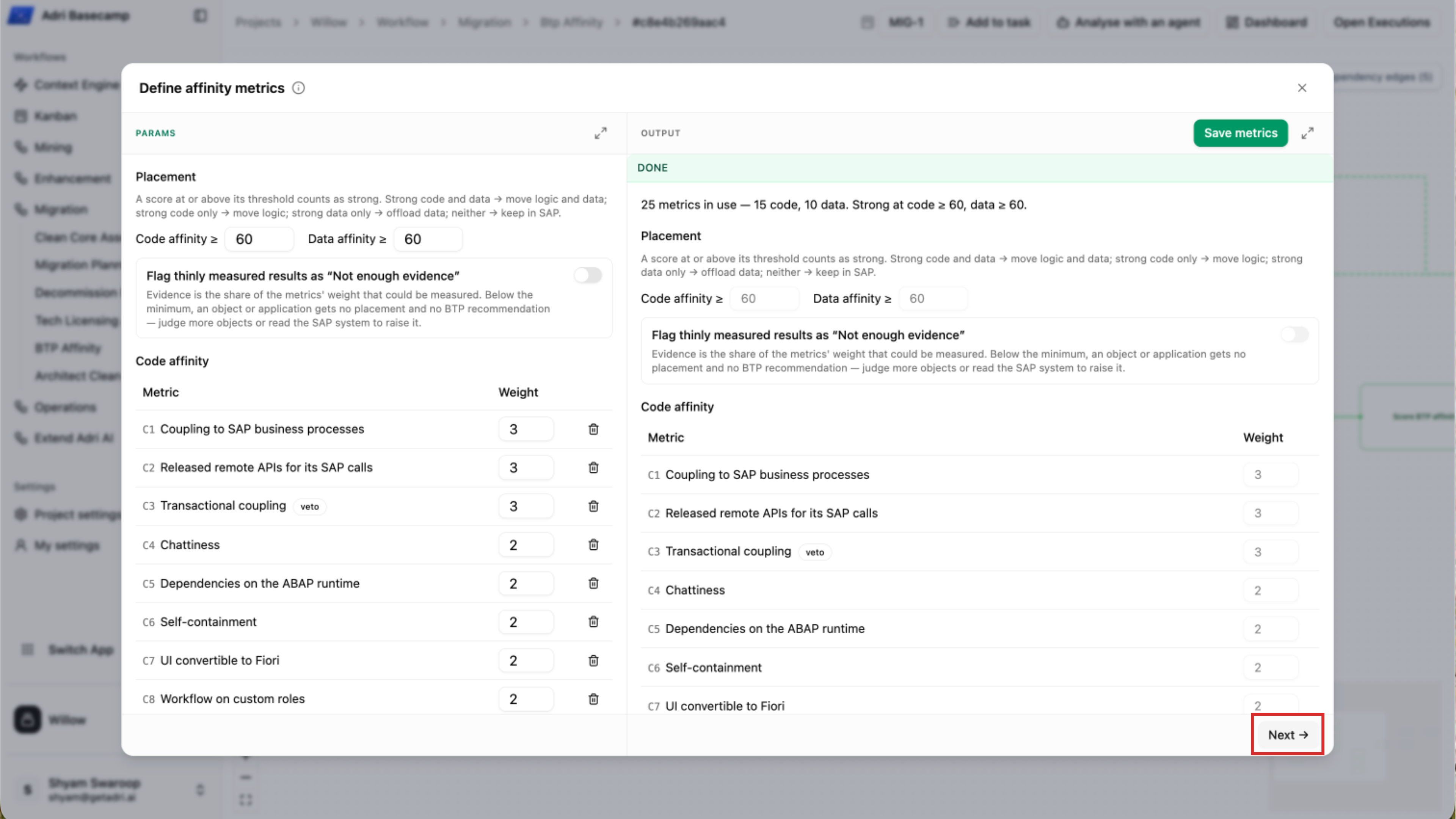
- Open Define affinity metrics to inspect the code-affinity and data-affinity factors and their weights. The demo uses a score of 60 or higher as the threshold for high affinity in each dimension.
Use these dimensions together when reading the results:
- High code affinity and high data affinity: move both logic and data to BTP.
- High code affinity only: move the logic to BTP while keeping the data in SAP.
- High data affinity only: offload the data or data-intensive work while keeping the logic in SAP.
- Neither is high: keep the application in SAP unless other constraints justify a different decision.
Done when: You can open the prepared pipeline, inspect its imported custom-code inventory, and explain how its code and data affinity thresholds drive the placement recommendation.