Setup IMG Extraction
Setup IMG Extraction
IMG Extraction gives Adri AI richer SAP configuration context. This makes configuration read/write tasks faster and more accurate.
Before starting:
- Open your project first: Open a Project
- Make sure Enabler Framework is set up: Setup Enabler Framework
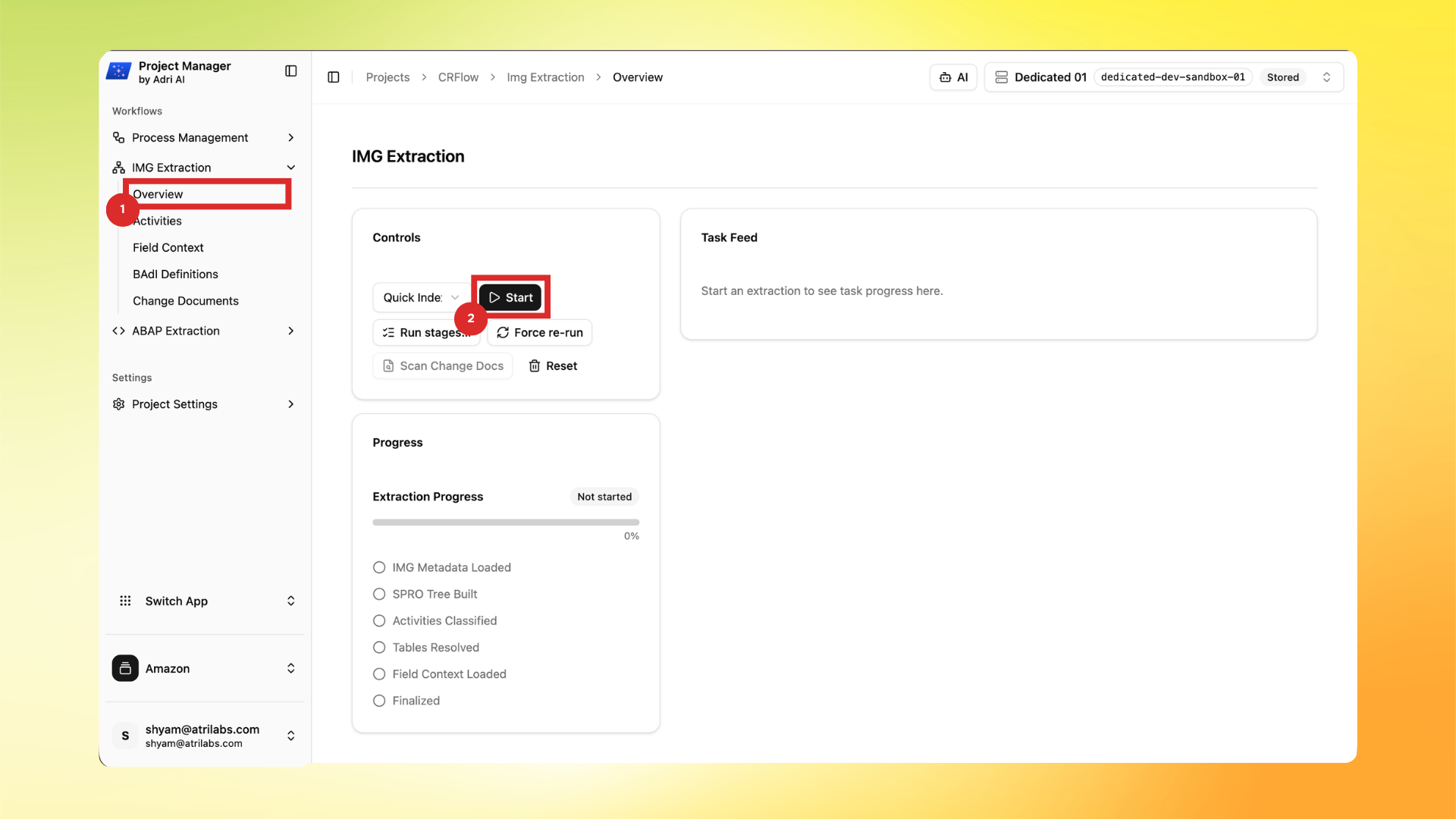
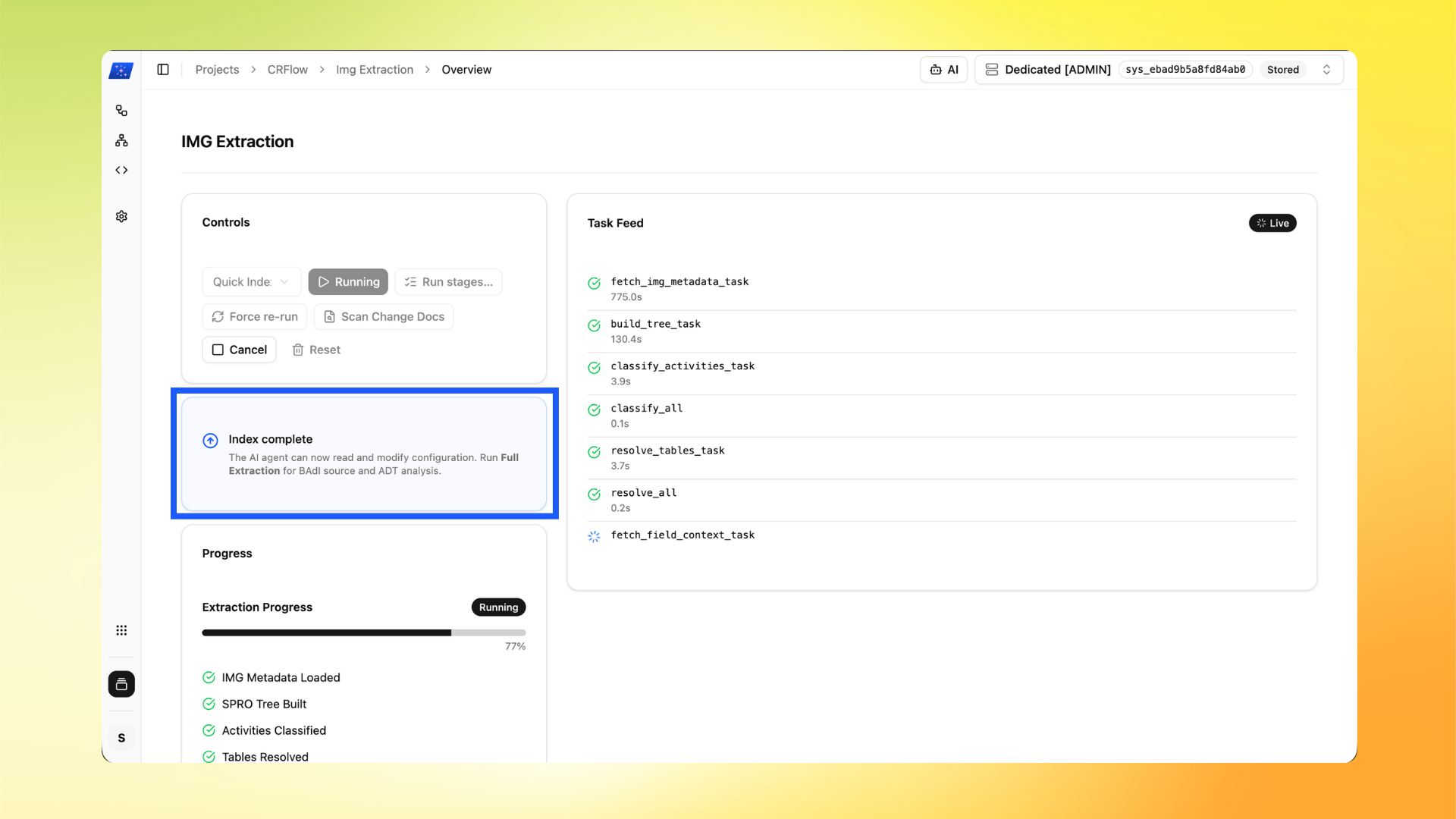
In these screenshots, the red box shows user action and the blue box shows important information to note.
Important:
- Enabler Framework setup is required before IMG Extraction: Setup Enabler Framework
- IMG Extraction usually takes around 15 minutes.
- In Project Manager, go to IMG Extraction -> Overview and click Start.
- Wait for indexing/extraction to progress. When you see Index complete, the agent can read and modify configuration with better context.
Where to use this next
- Use case walkthrough: Read and Write SAP Configuration