Setup Enabler Framework
What is Enabler Framework?
Enabler Framework is an optional add-on you can install on each SAP system. It takes around 3-5 minutes and unlocks extra power for MCP-based agents.
Benefits:
- Parametrized ABAP execution
ADT API does not support this directly. Enabler Framework exposes selected ABAP logic as REST endpoints, so agents can solve problems in more flexible ways. - Pagination for large table reads
ADT SQL script has syntax and transfer-size limits. Enabler Framework gives better control for paginating large datasets.
Good to know:
- Setup is idempotent. You can run it again on the same system safely.
- If you are unsure whether setup is correct, just run setup again.
Simplified architecture
At a high level, this is how it works:
Coding Agent (Codex / Cline / Claude Code / etc.)
        ->
Adri MCP Server
        ->
SAP endpoint: /sap/z/enabler/
        ->
Router class maps endpoint -> handler class (from config table)
        ->
Handler runs ABAP logic and returns JSON response
Why this matters:
- One SAP endpoint (
/sap/z/enabler/) can serve many capabilities. - New capabilities are added through handler + config table mapping, without creating new SICF nodes each time.
- This makes rollout simpler and easier to maintain.
Pre-requisites
- SAP system is connected in Adri: Connect Your SAP System
- Open your project in Project Settings -> Connections: Open a Project
In every screenshot, the red box shows where to focus.
Setup steps
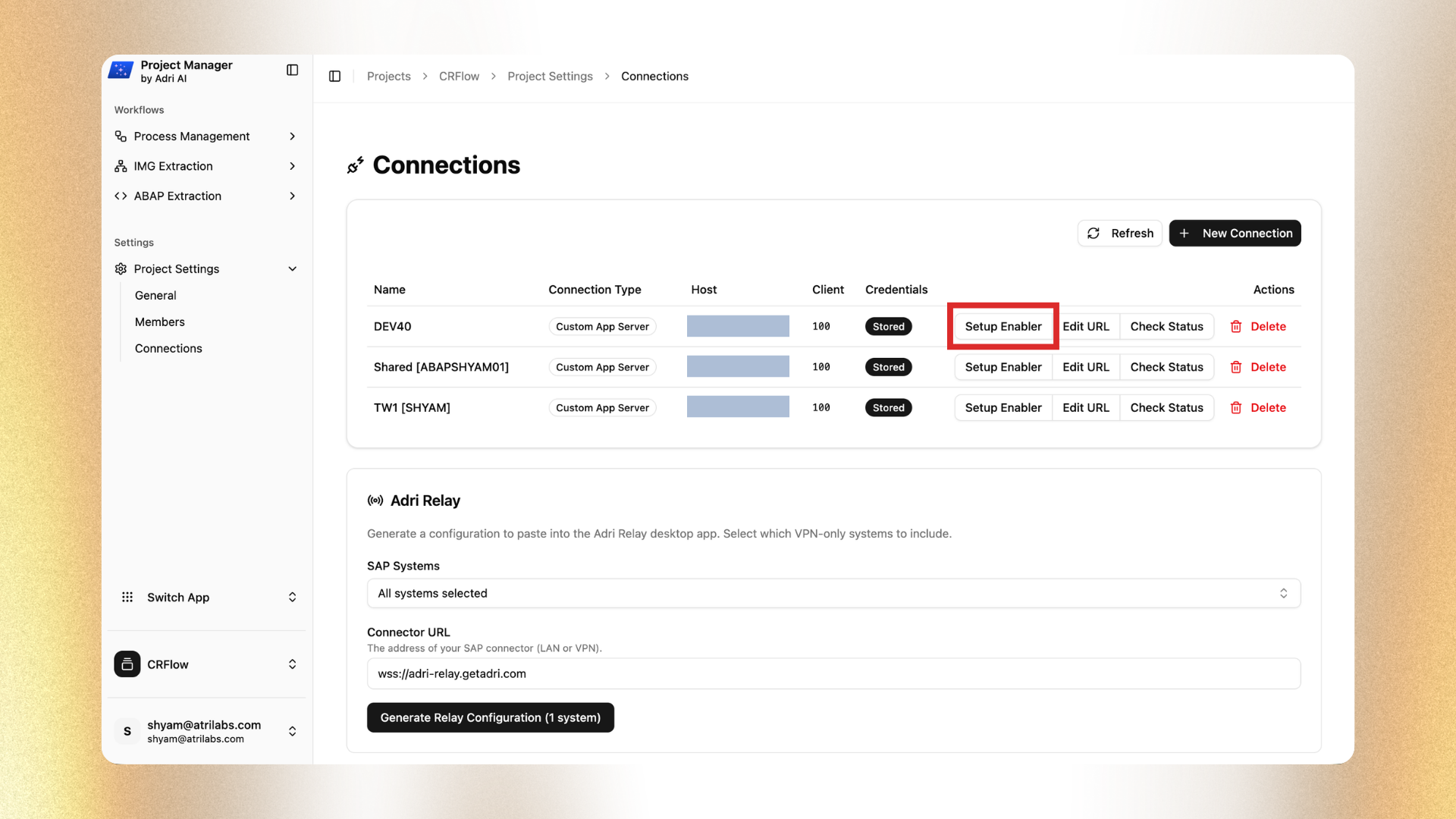
- In the connection row, click Setup Enabler.
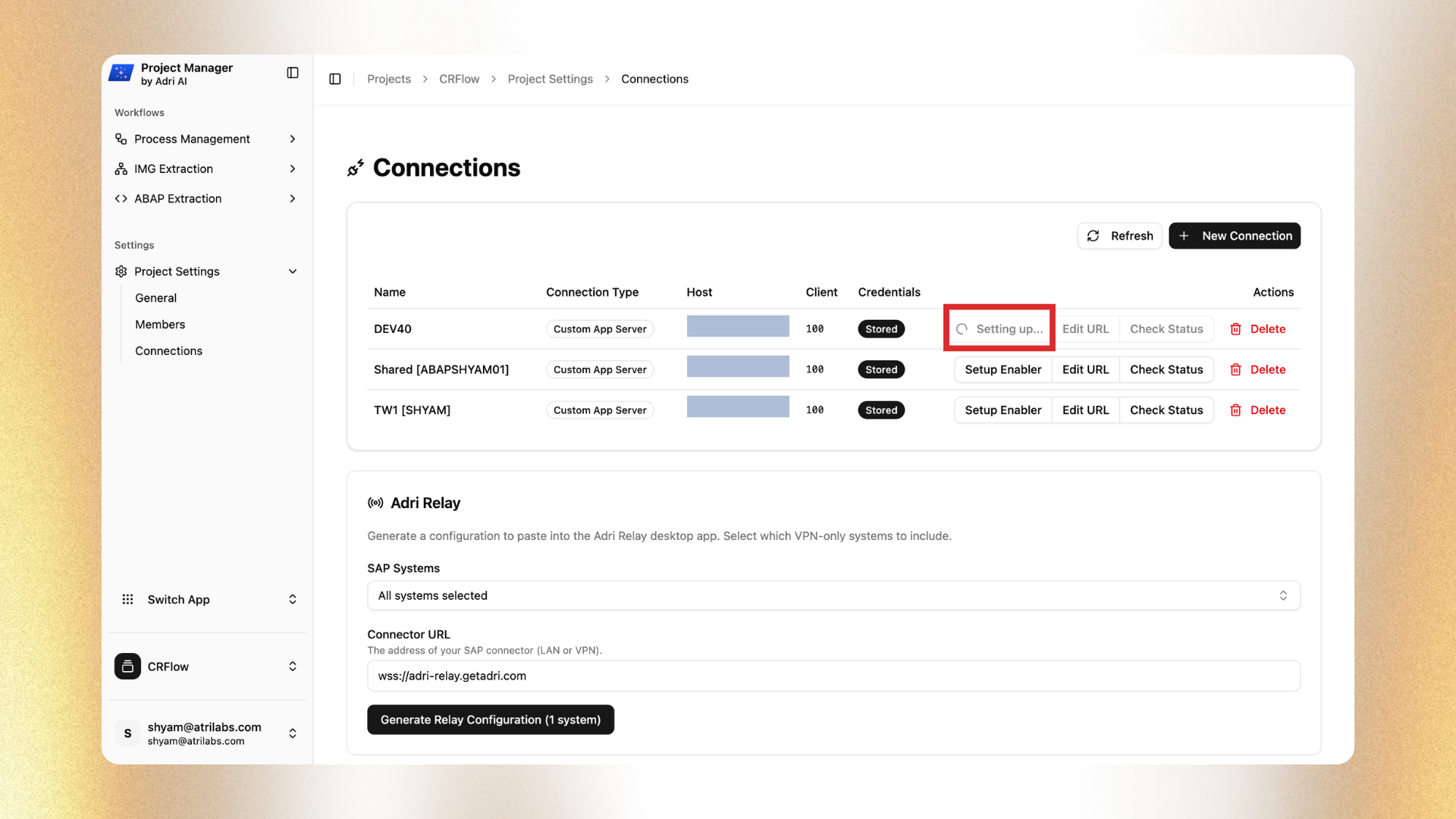
- Wait while status shows Setting up....
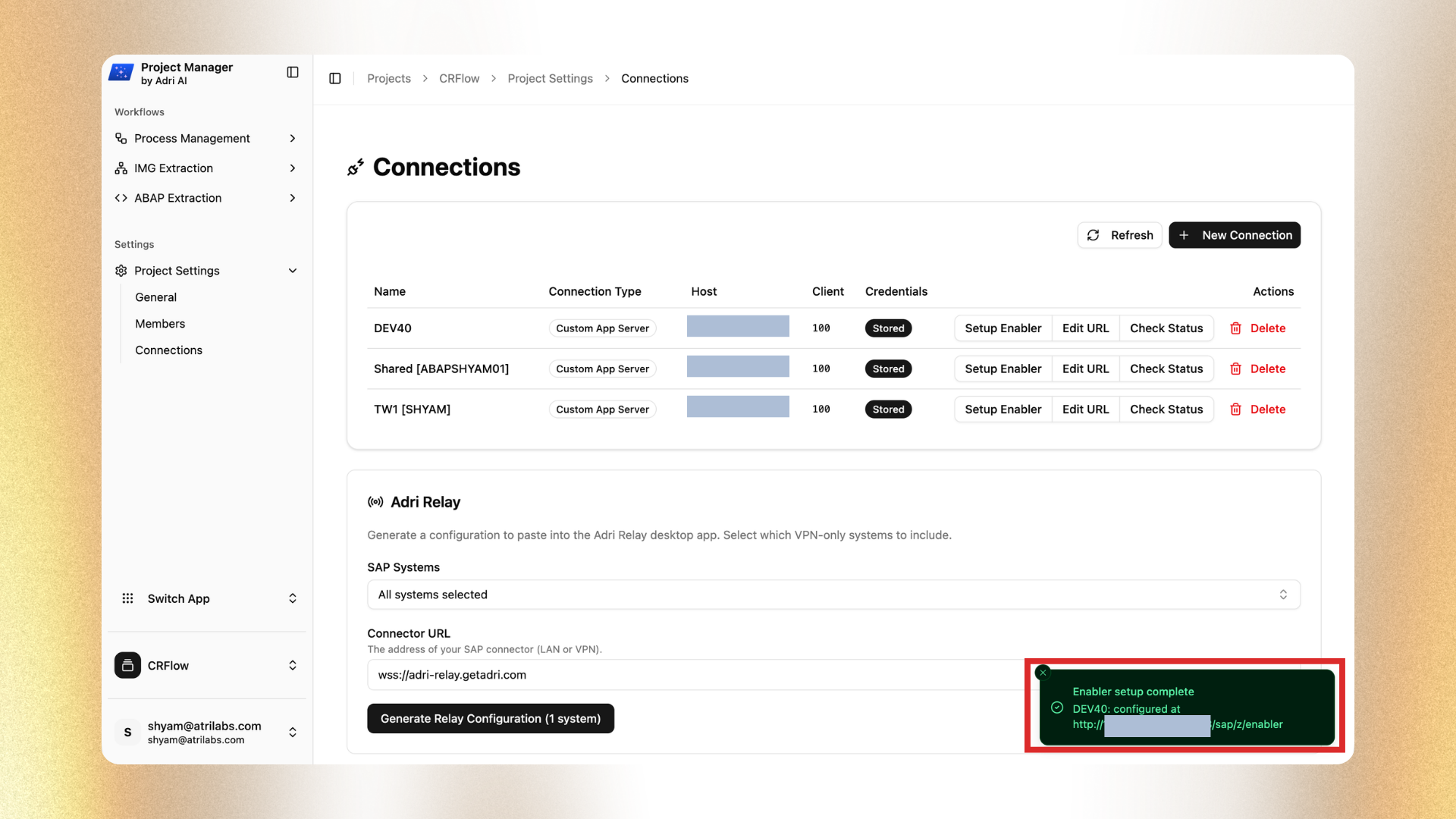
- Confirm the success message appears.
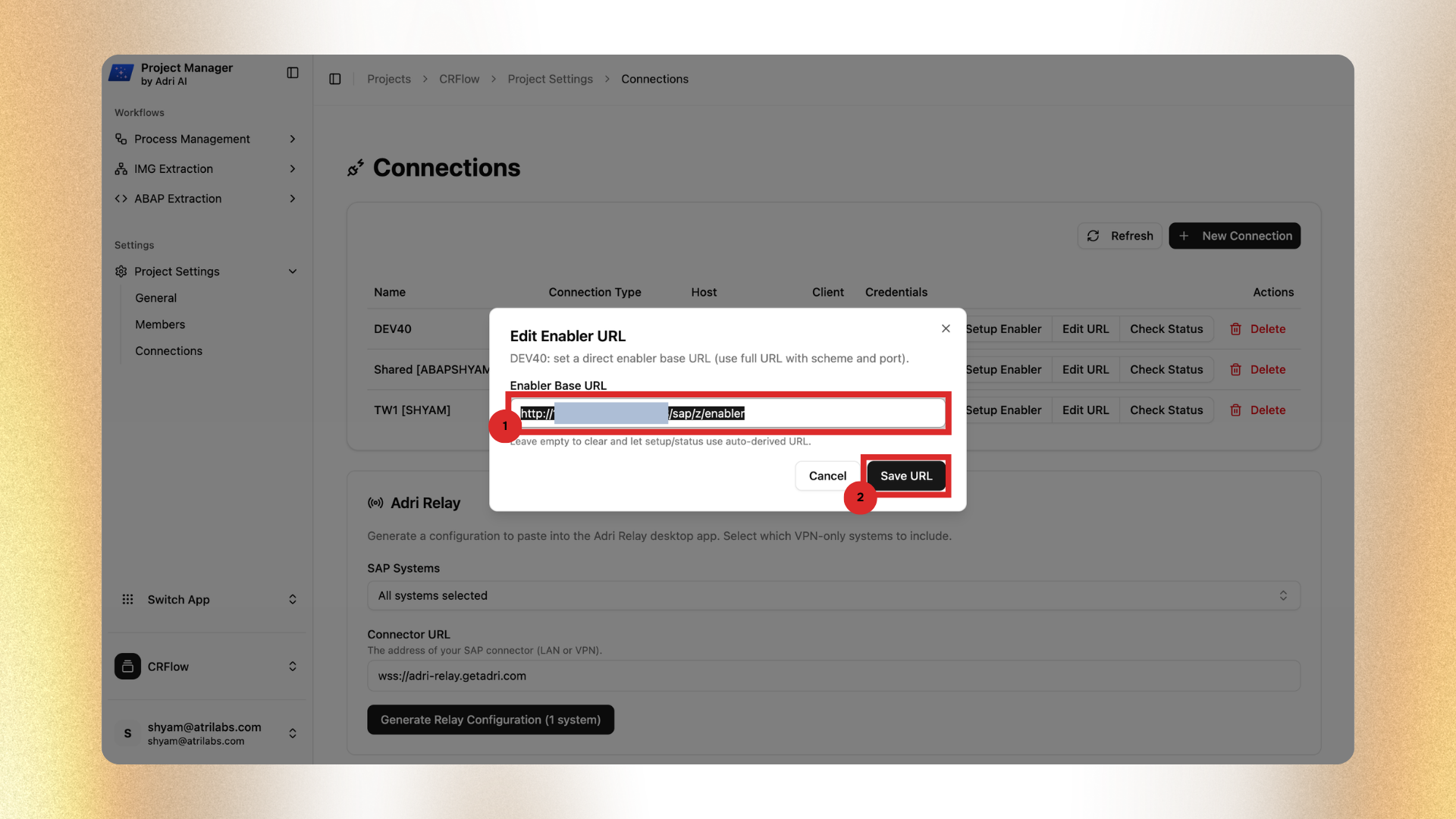
- Click Edit URL and verify the Enabler endpoint Adri auto-detected.
- Confirm it is reachable from Adri, either:
- through your VPN path (via Adri Relay), or
- as a publicly reachable URL.
- If it is not reachable, update the URL to a reachable endpoint and click Save URL.
- For VPN-only systems, make sure relay is configured first: Configure Adri Relay
If setup needs to be re-run
If you think something went wrong, run Setup Enabler again on the same system. This is safe because the setup is idempotent.
Next step
After setup, continue with MCP in your coding agent: