Connect to a system
Once you are signed in, the Object Tree in the SAP ADT Explorer lists the SAP systems shared with your project. Connecting opens a session you can browse and use from coding agents.
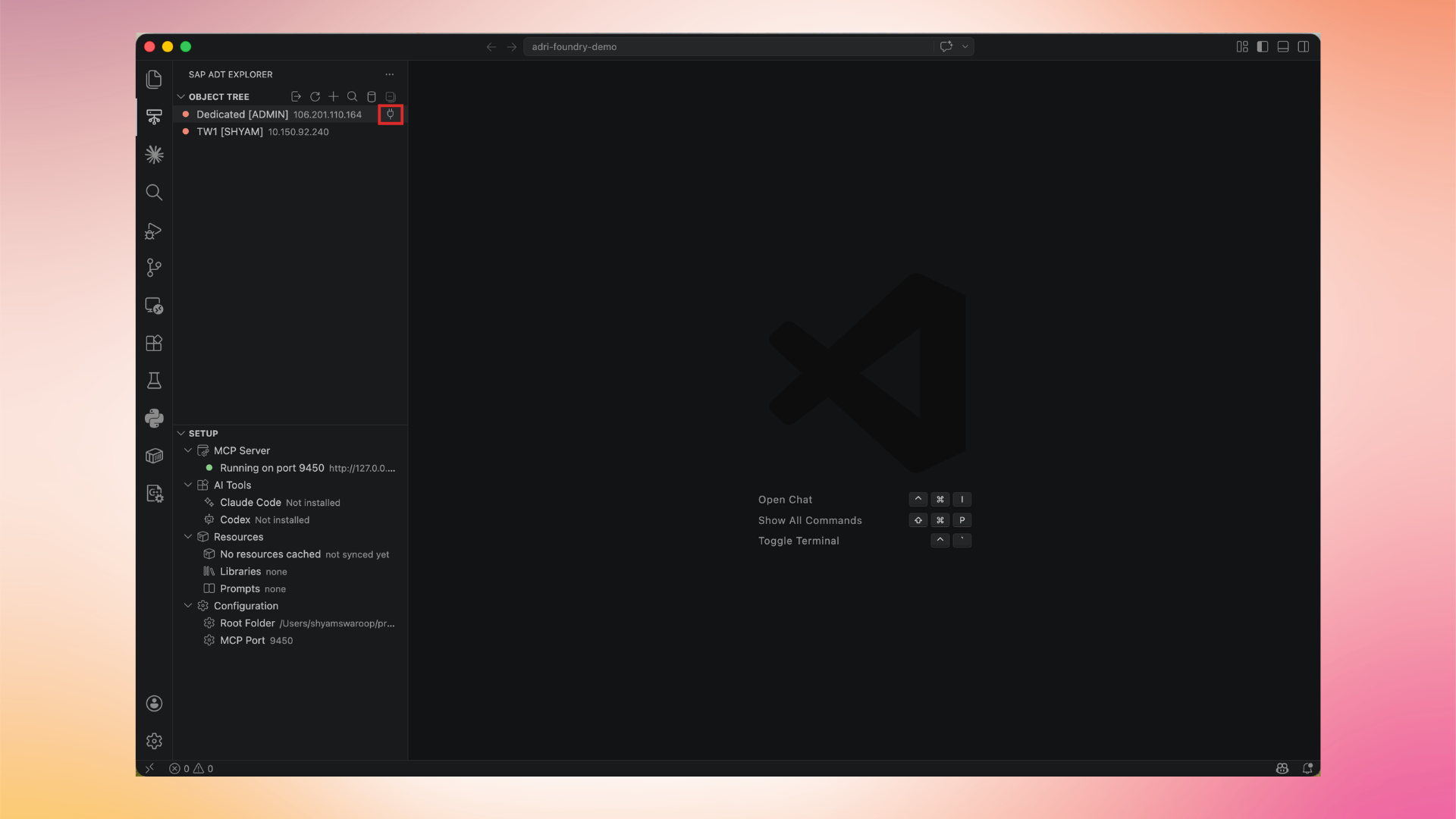
In every screenshot, the red box shows where to focus.
1. Find the system
In the SAP ADT Explorer, locate the system you want to use under Object Tree.
2. Click the connect icon
Hover over the system row and click the connect (plug) icon on the right.
3. Confirm the connection
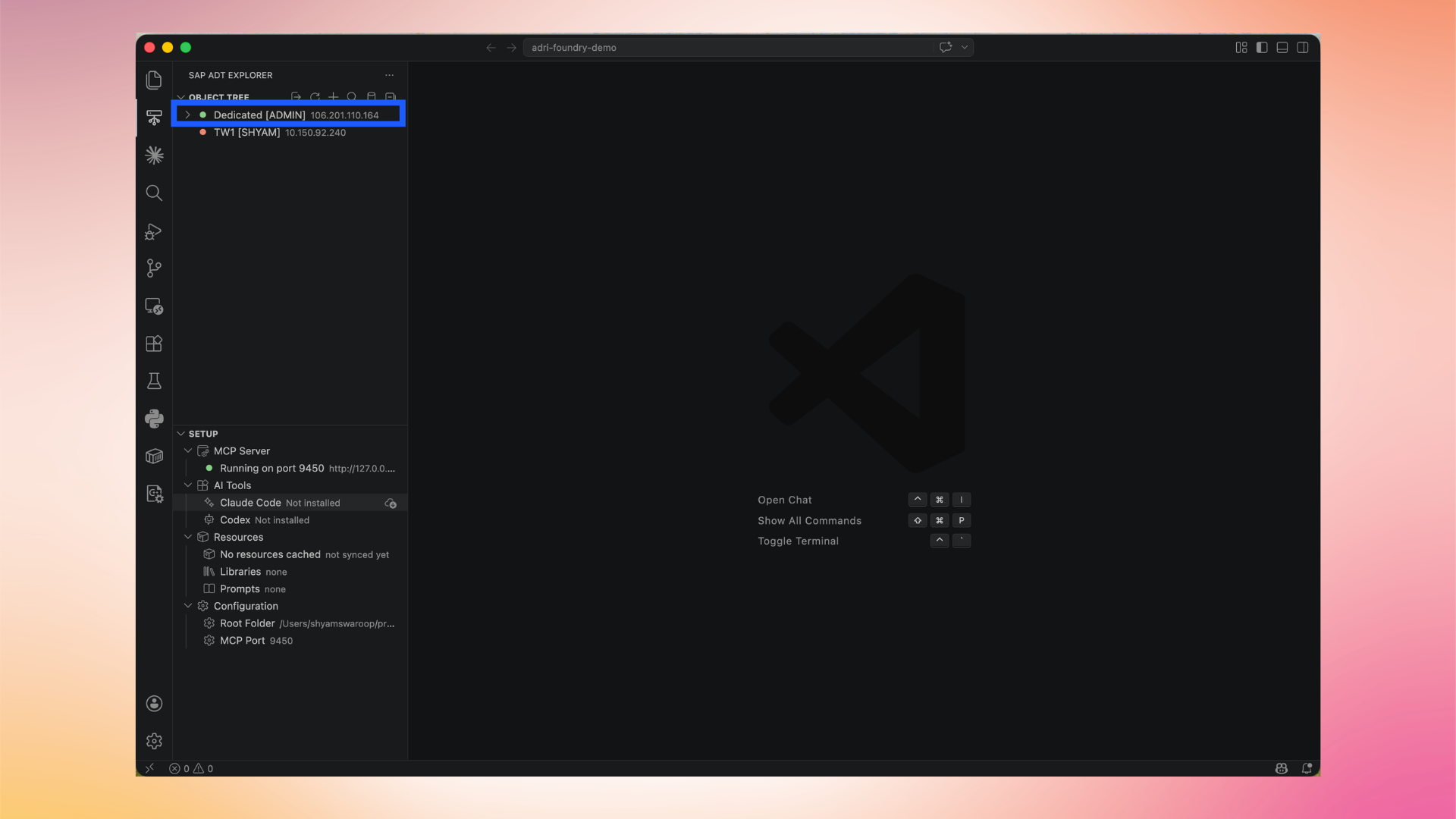
When the system is connected, the row becomes expandable (chevron appears on the left) and the indicator dot turns green. You can now expand the system to browse ABAP packages, tables, and other objects.
When you no longer need the connection, disconnect the system to free the session.