Read and Write SAP Configuration
Why this use case matters
Reading and updating SAP configuration is usually slow because teams need multiple manual checks across IMG paths, tables, and documentation.
With Adri AI, this works out of the box through:
- Adri MCP tools and resources
- Prompt-based workflows in MCP-compatible agents
- Slash commands in Adri agents
In both Claude Chat and Claude Code, the first few steps aim for the same thing: load Adri AI's SAP configuration guide first, then run your request.
- Claude Chat flow (this page): use connectors to open
sap_read_configuration_guide - Claude Code flow: Work with SAP Configuration using Claude Code
The screenshots below show a step-by-step example in Claude (claude.ai).
You can follow the same idea in other MCP-compatible platforms as well.
Legend:
- Red box: action to take
- Blue box: important information to notice
Example flow in Claude (same idea for other platforms)
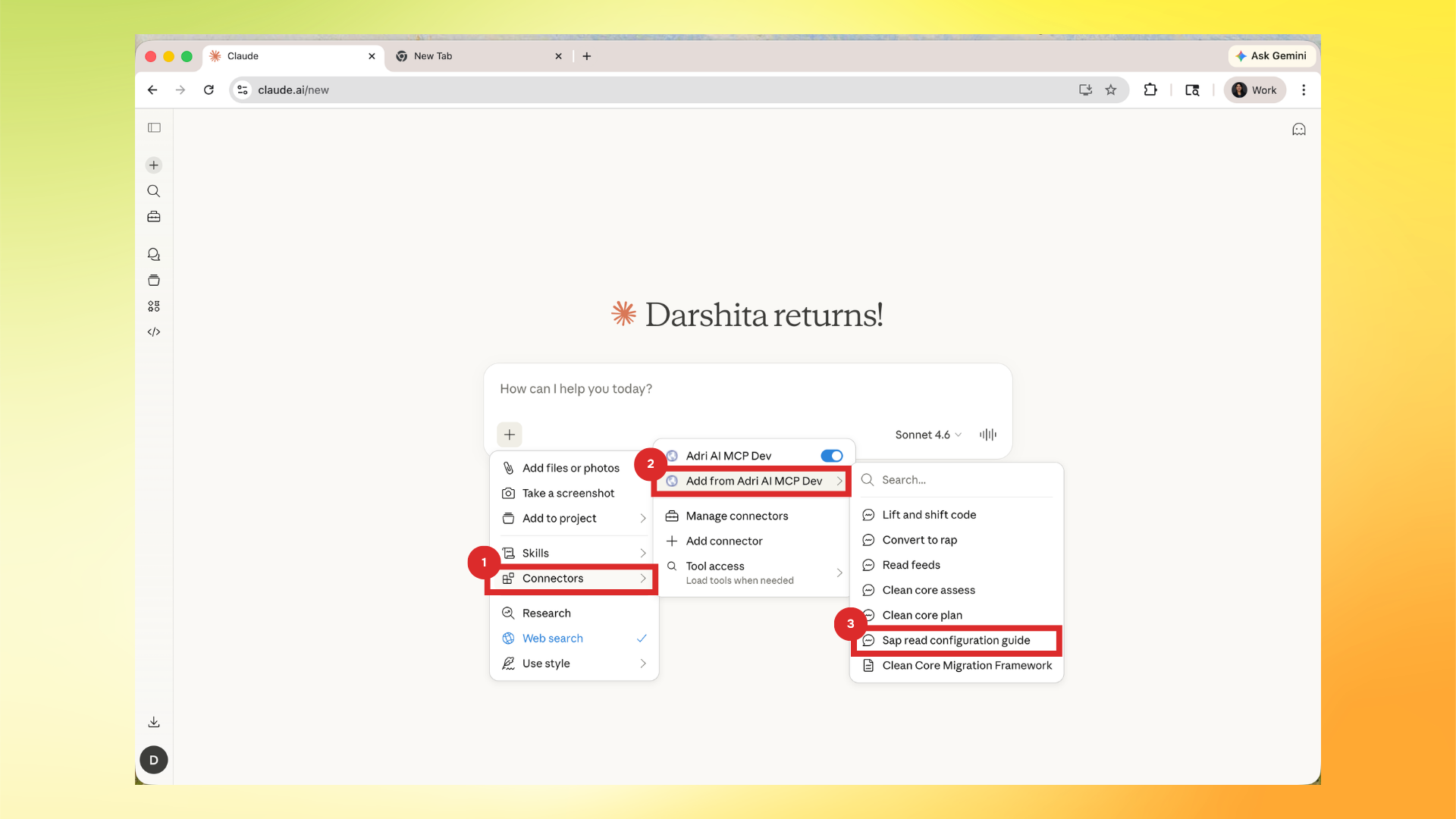
- Open connectors/tools in Claude and select the SAP configuration resource prompt.
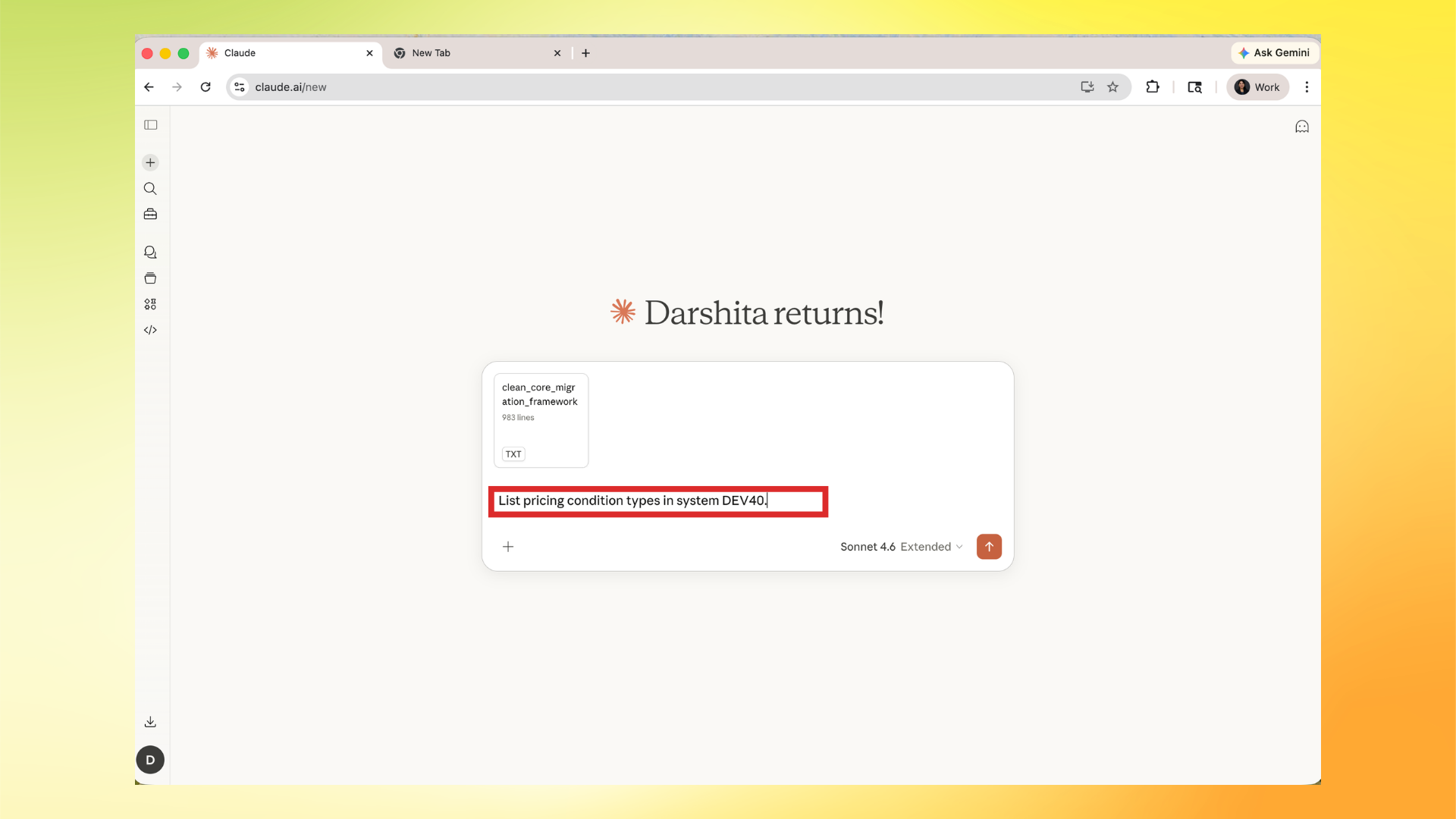
- Ask a clear configuration query.
Example:
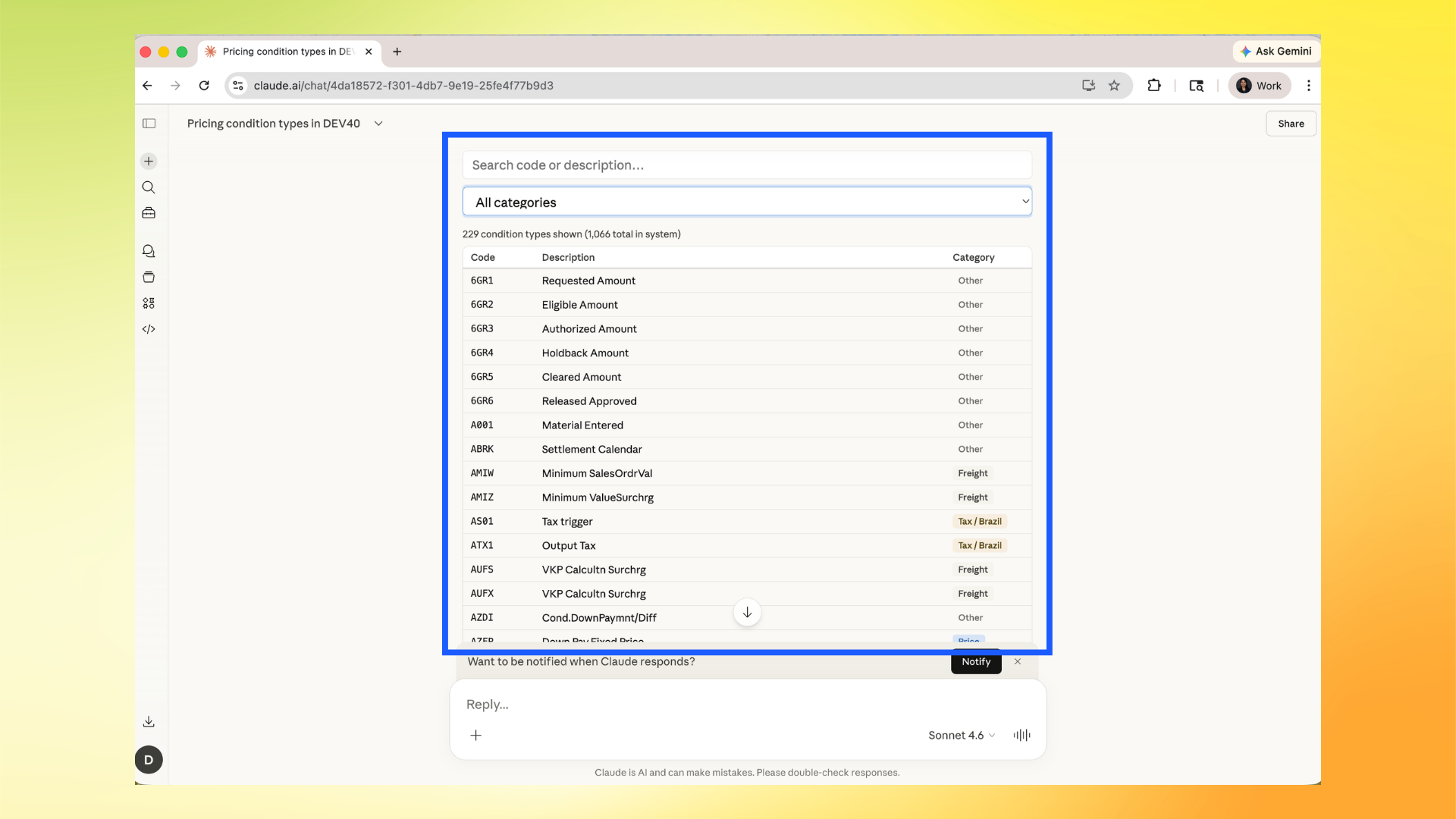
List pricing condition types in system DEV40.
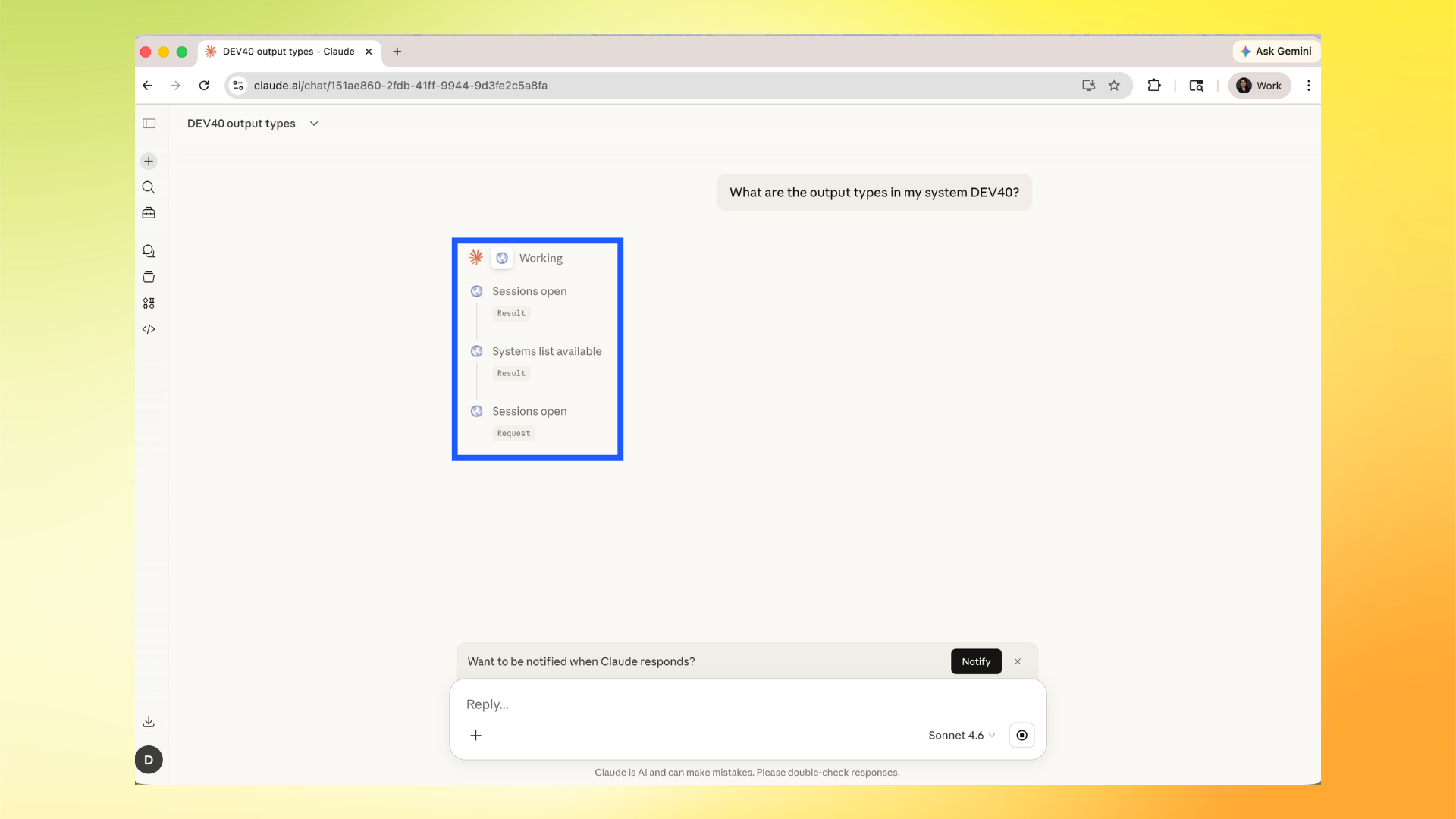
- Claude starts running Adri MCP calls in the background. Watch the tool steps to verify progress.
- Review the returned configuration result. Use filters/search in the result table to inspect specific entries.
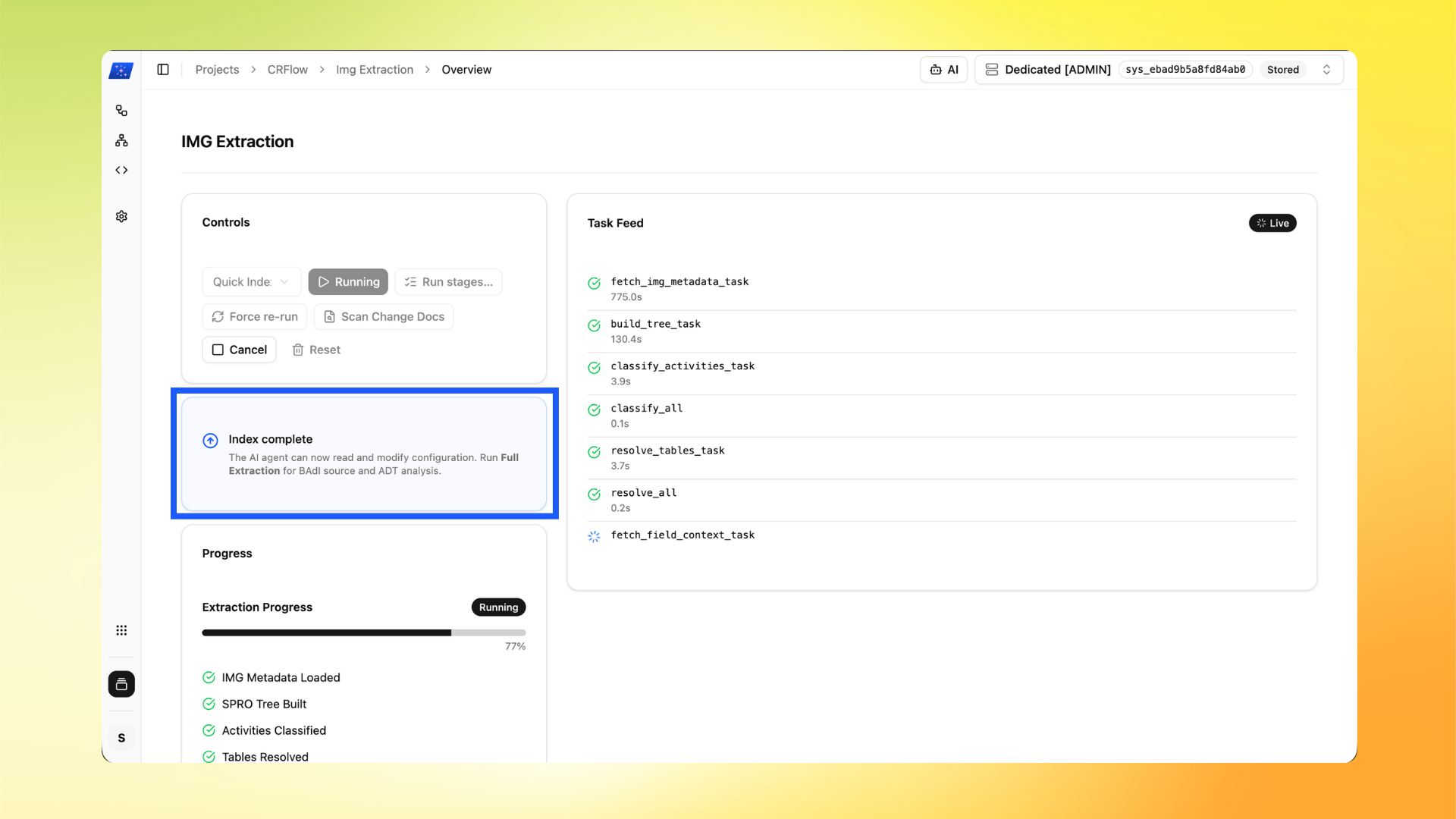
Optional: Make it faster and more accurate: run IMG Extraction
For best results, run IMG Extraction from Project Manager. This improves configuration read/write quality significantly. Full setup guide: Setup IMG Extraction
Important:
- Enabler Framework setup is required before IMG Extraction: Setup Enabler Framework
- IMG Extraction usually takes around 15 minutes.
- In Project Manager, go to IMG Extraction -> Overview and click Start.
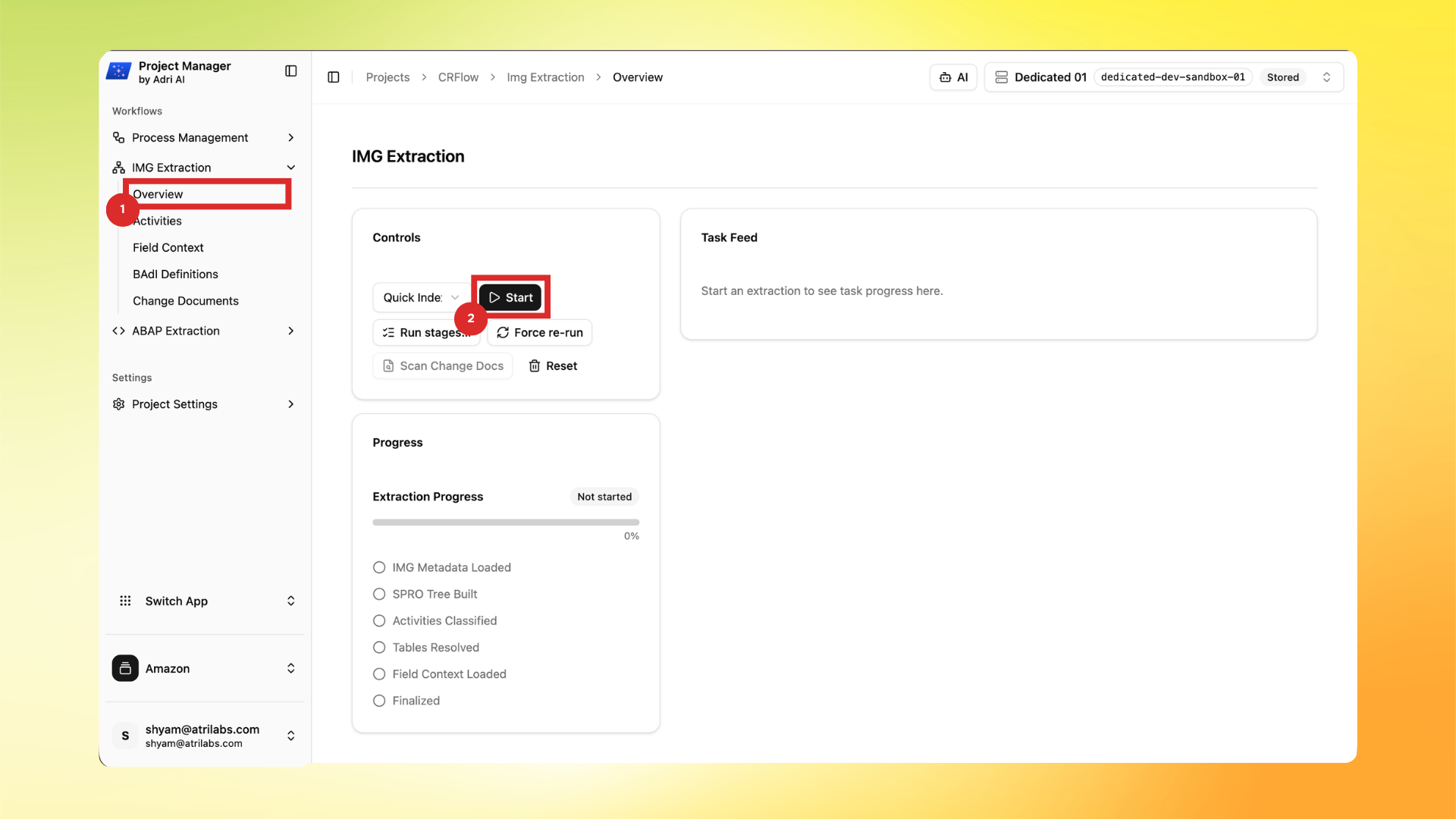
- Wait for indexing/extraction to progress. When you see Index complete, the agent can read and modify configuration with better context.