Work with SAP Configuration using Claude Code
Same goal as Claude Chat: load the SAP configuration guide first
In both approaches, the first goal is the same: start from Adri AI's configuration guide prompt. We intentionally begin with the guide in both Claude Chat and Claude Code before asking the task.
- Claude Chat flow: Read and Write SAP Configuration
- Claude Code flow (this page):
use
/adri-ai:sap_read_configuration_guide
This gives users the same guidance foundation before running configuration read/write tasks.
Quick links:
Legend:
- Red box: user action
- Blue box: important information to note
Read Configuration Steps
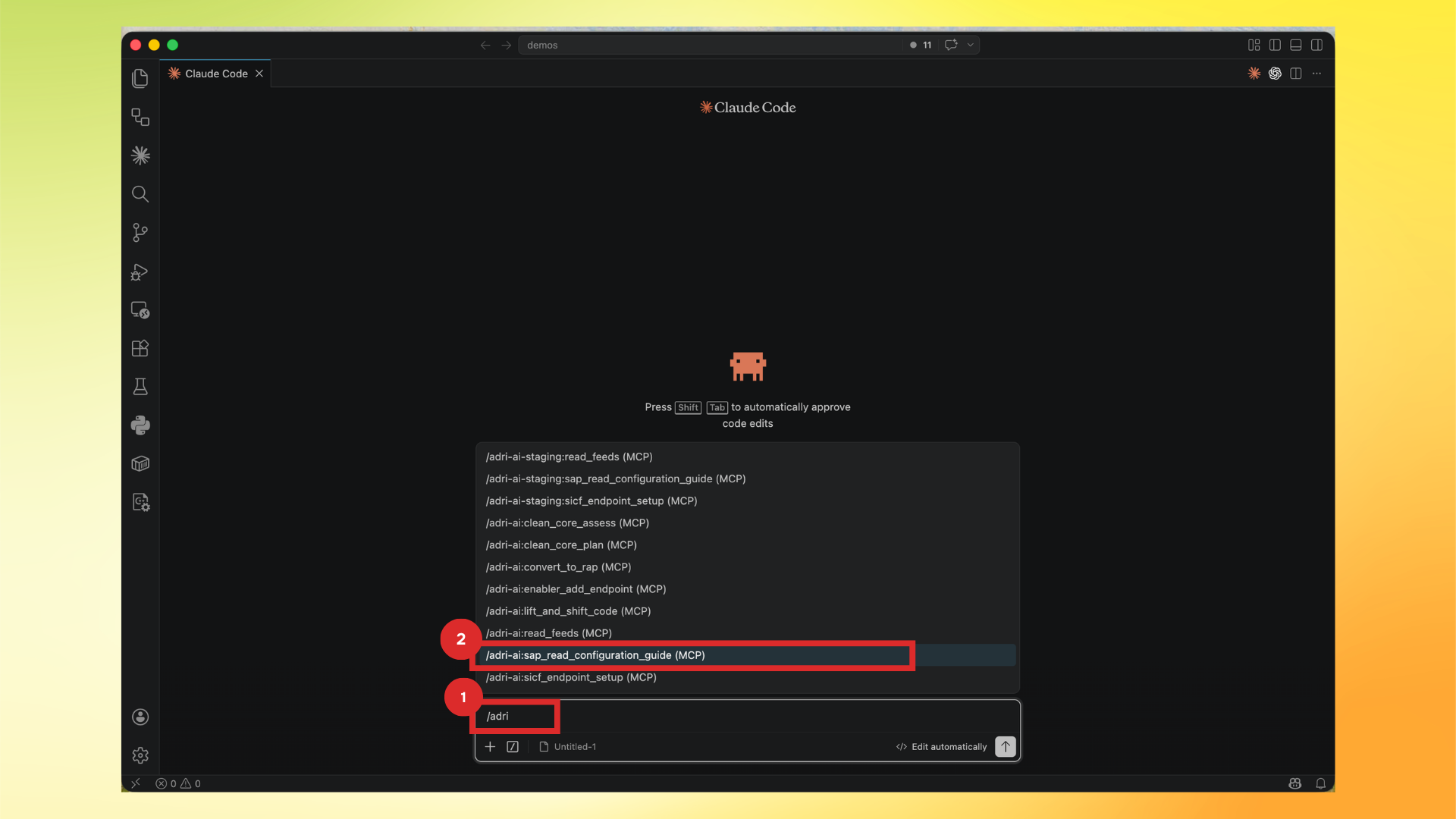
- In Claude Code, type
/adriand select/adri-ai:sap_read_configuration_guide (MCP).
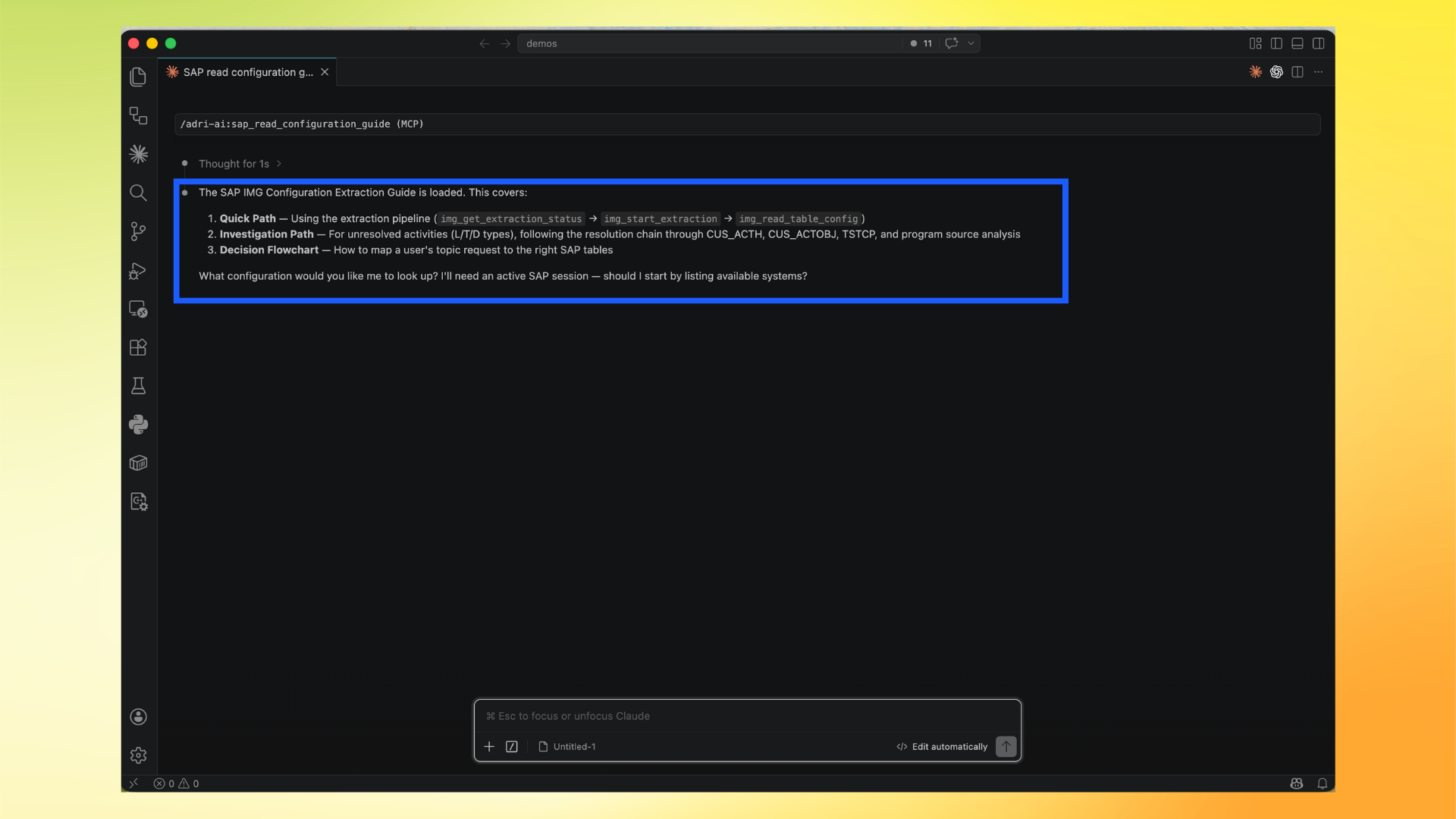
- Confirm the SAP IMG Configuration Extraction Guide is loaded. This confirms you are using the correct Adri guide context.
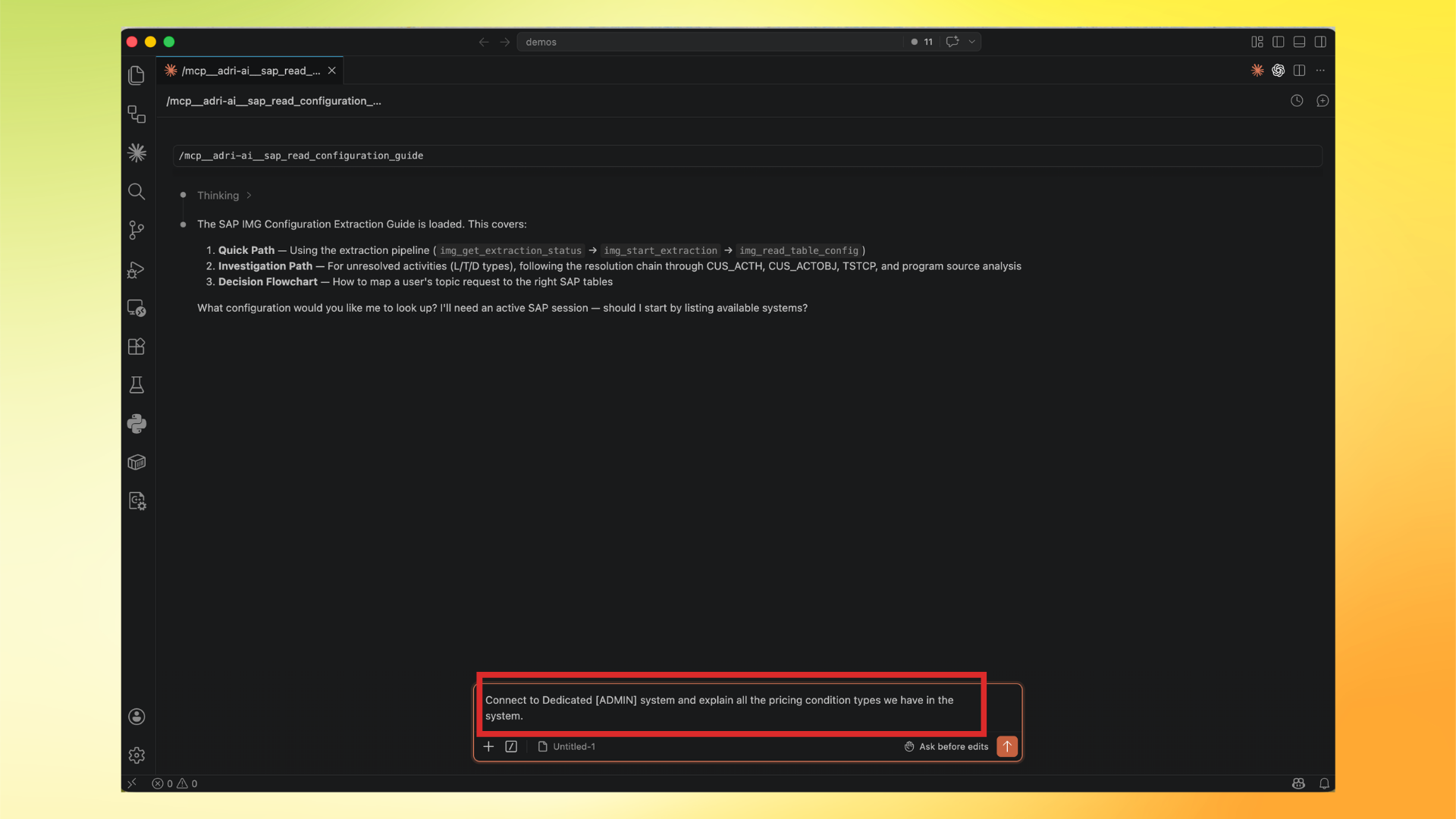
- Ask your configuration request.
Example:
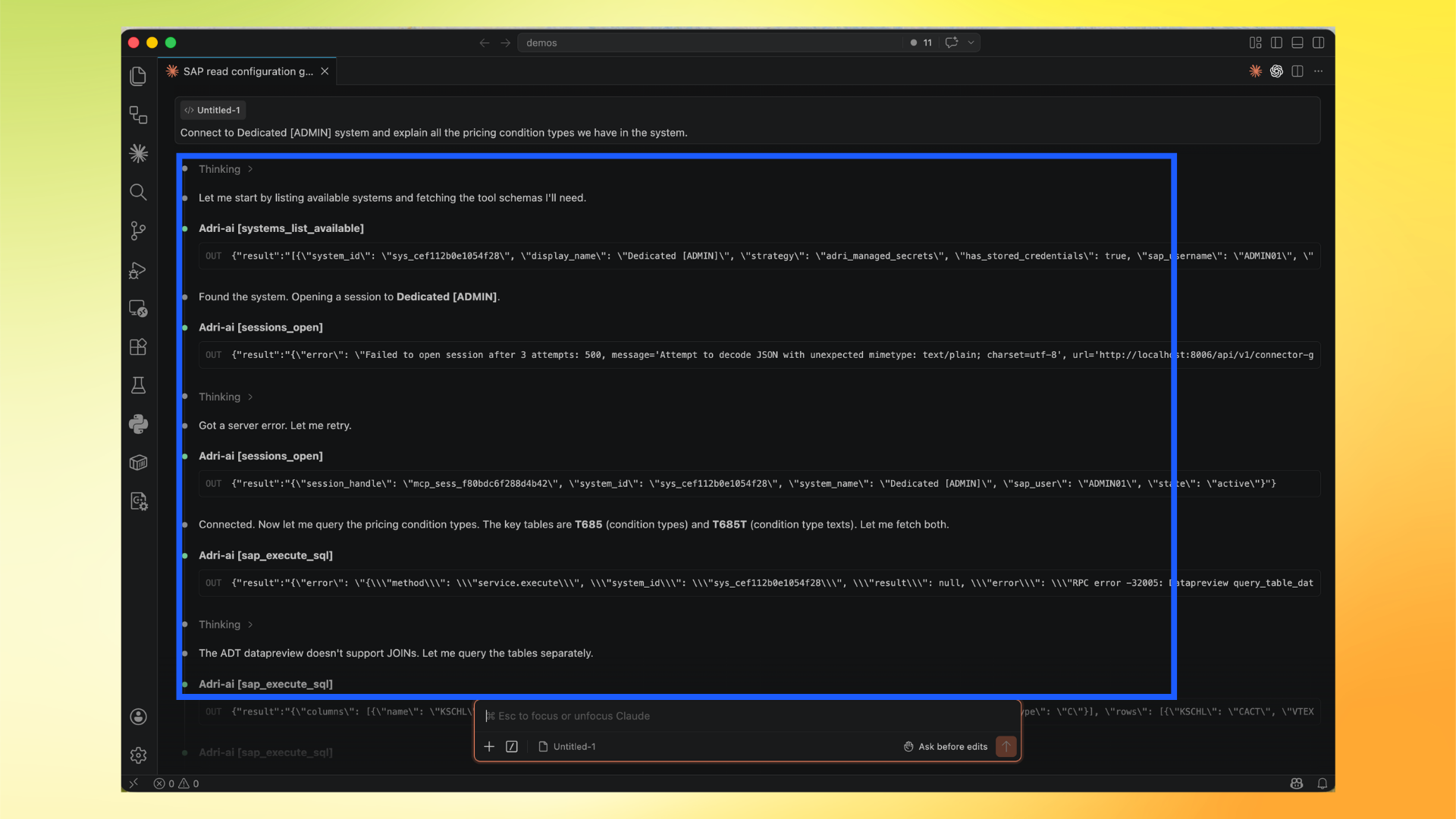
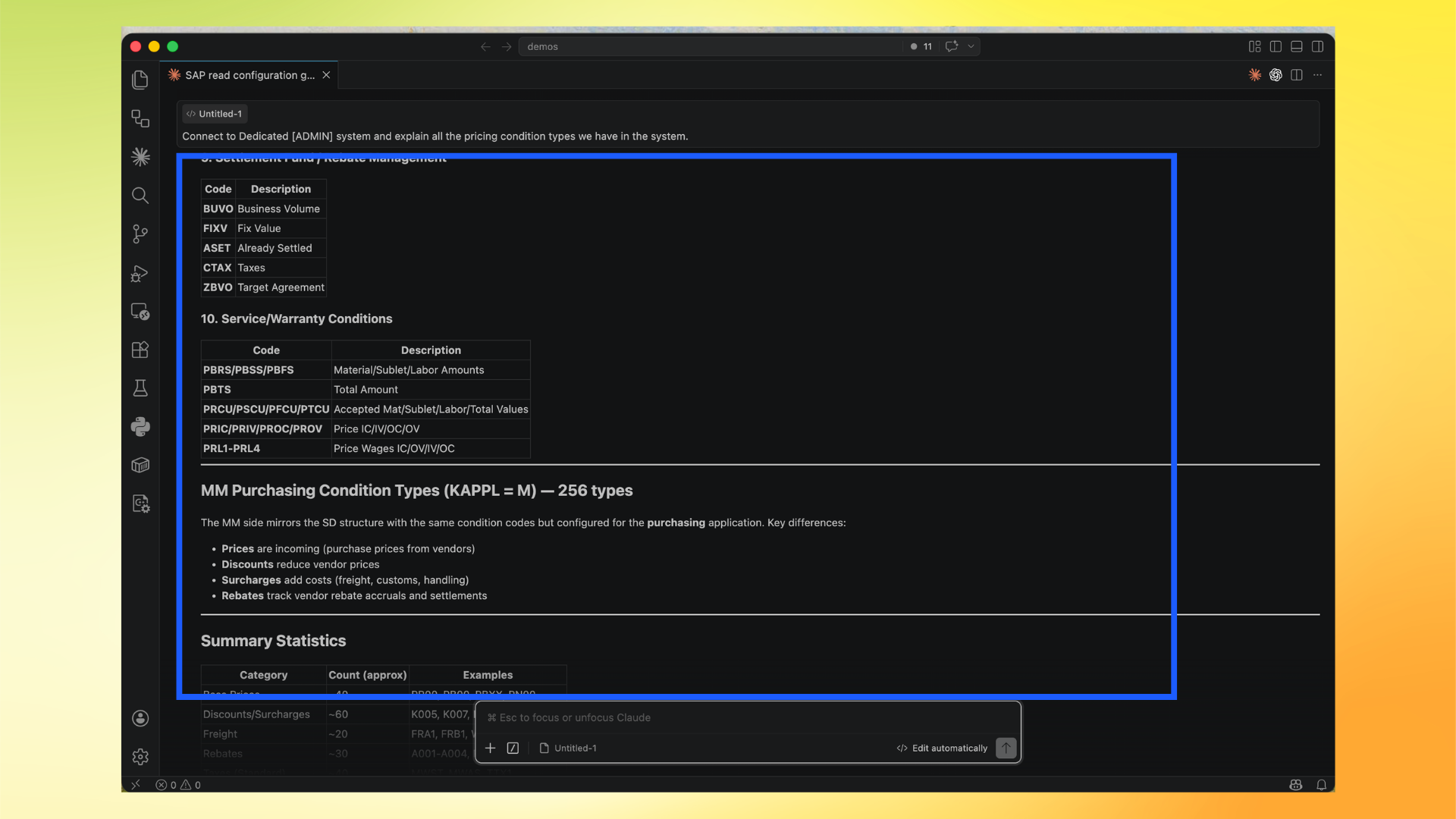
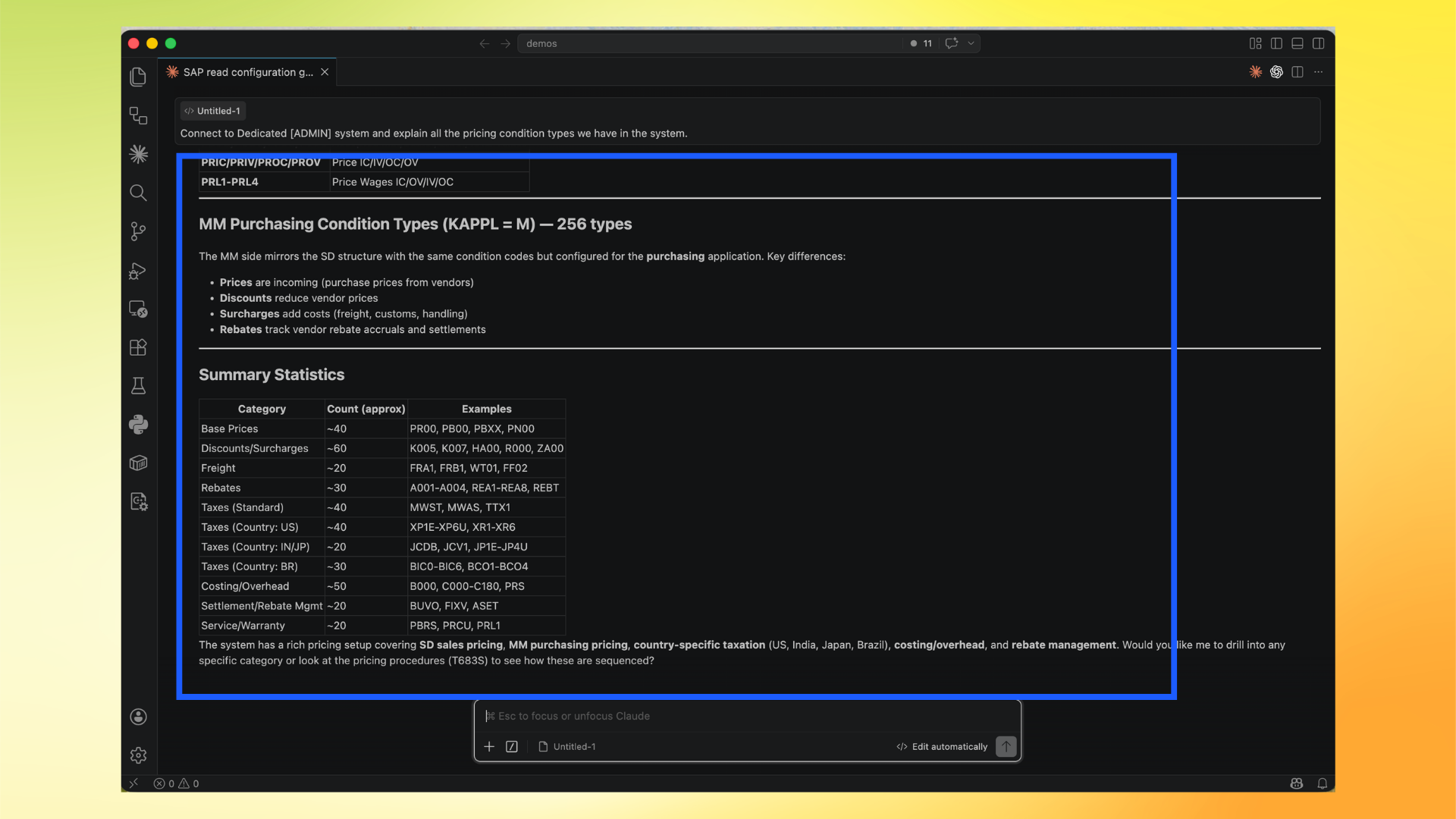
Connect to Dedicated [ADMIN] system and explain all the pricing condition types we have in the system.
- Review tool execution details. The flow may retry some tool calls automatically; this is normal while establishing session/query flow.
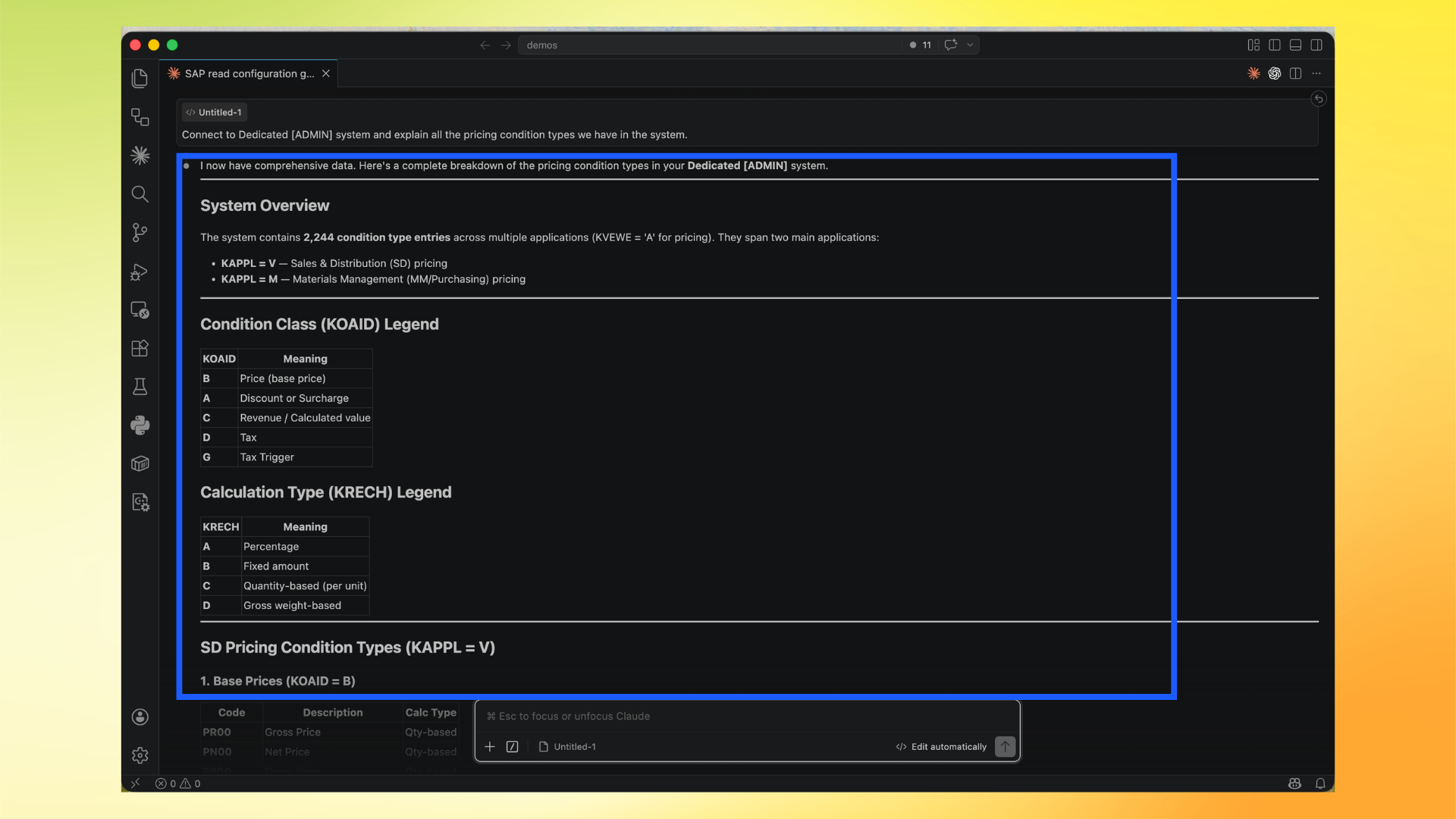
- Read the structured output summary.
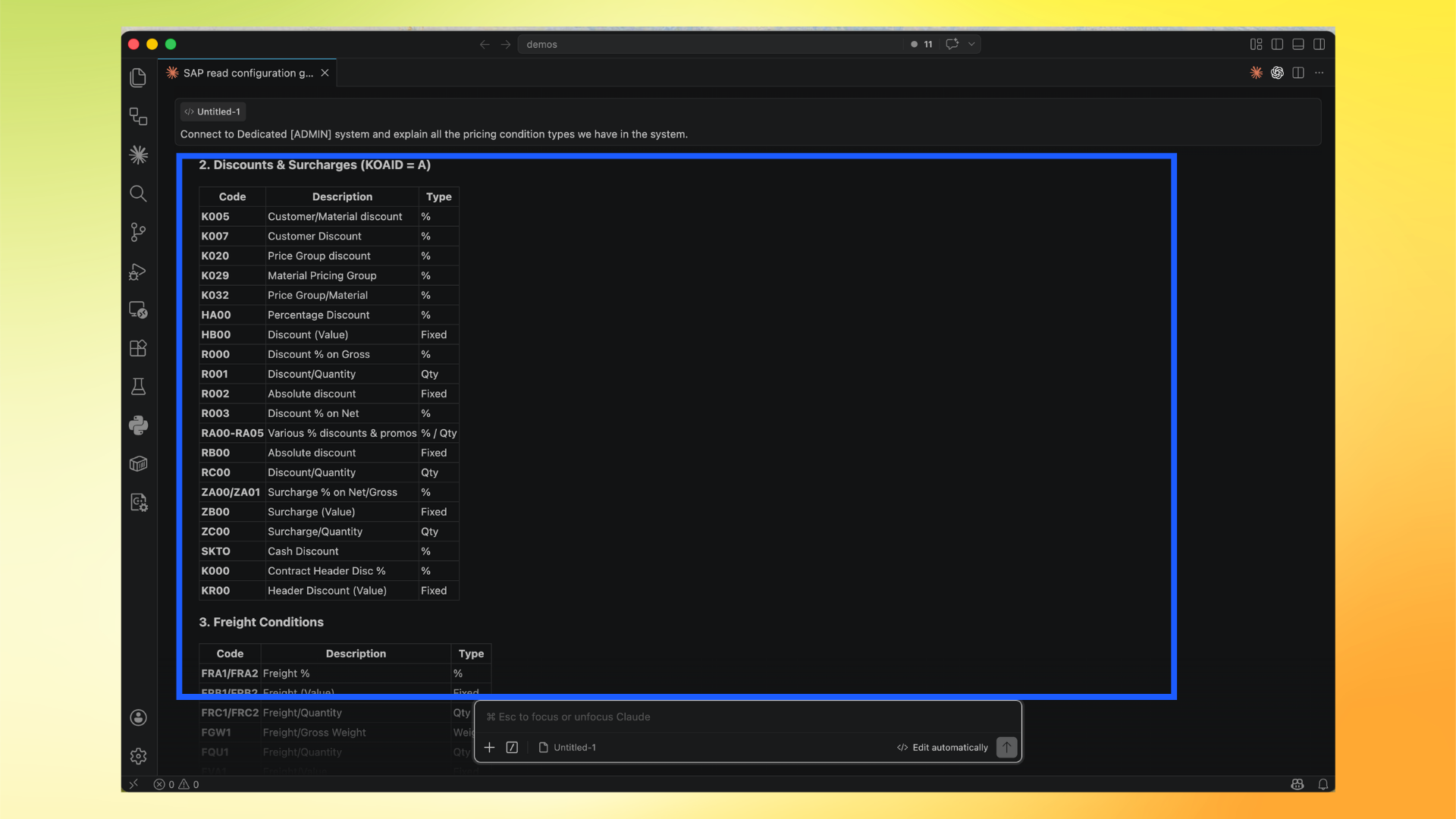
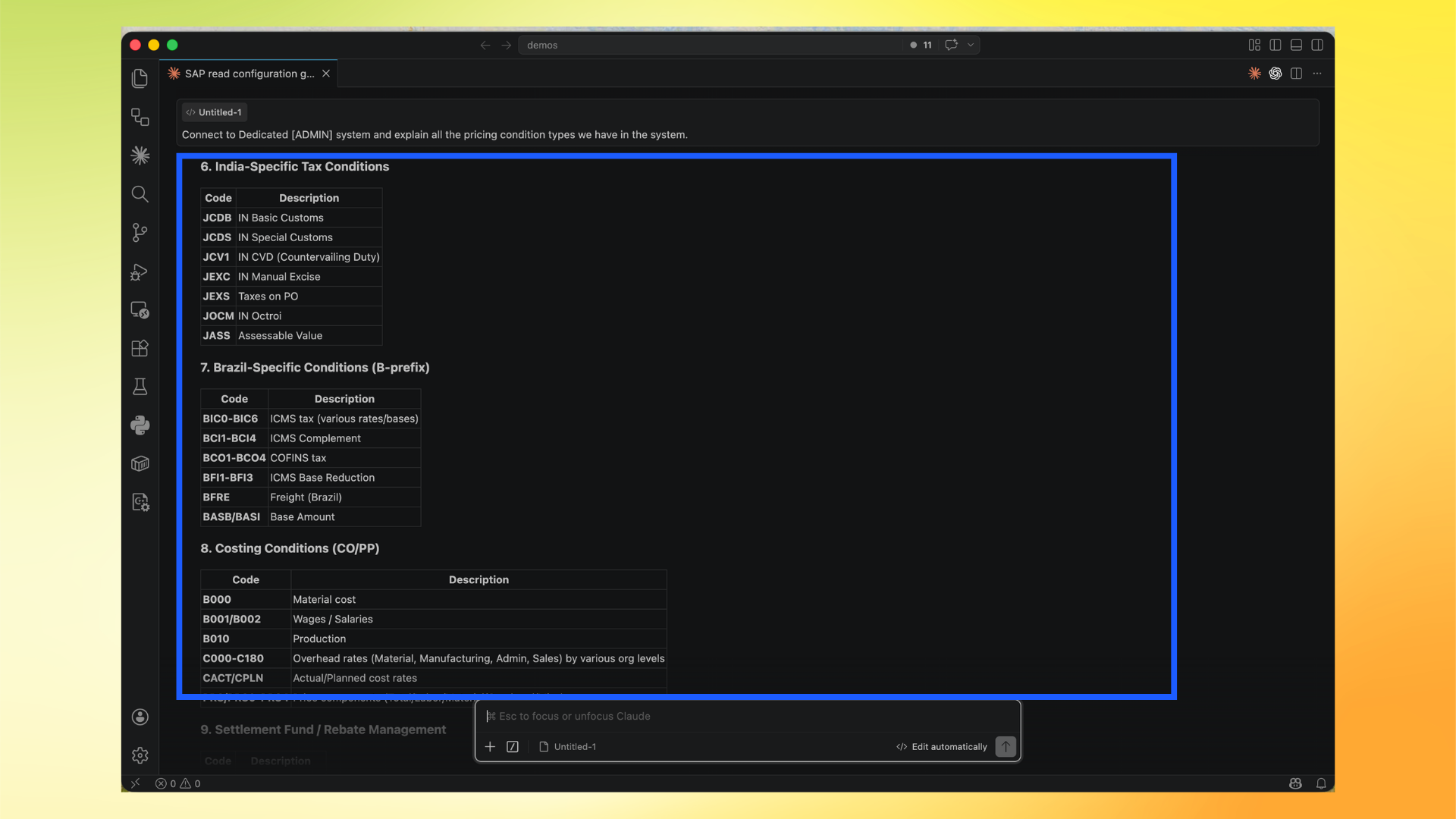
- Scroll through the detailed sections and condition groups.
Optional for higher accuracy
Run IMG Extraction before deep configuration analysis: Setup IMG Extraction
Modify Configuration Steps
Adri MCP now supports applying SPRO/config changes through guided flow.
Important:
- In this walkthrough, we revert after verification for demo purpose so the system is restored to original values.
- In real work, you may keep the change and skip revert.
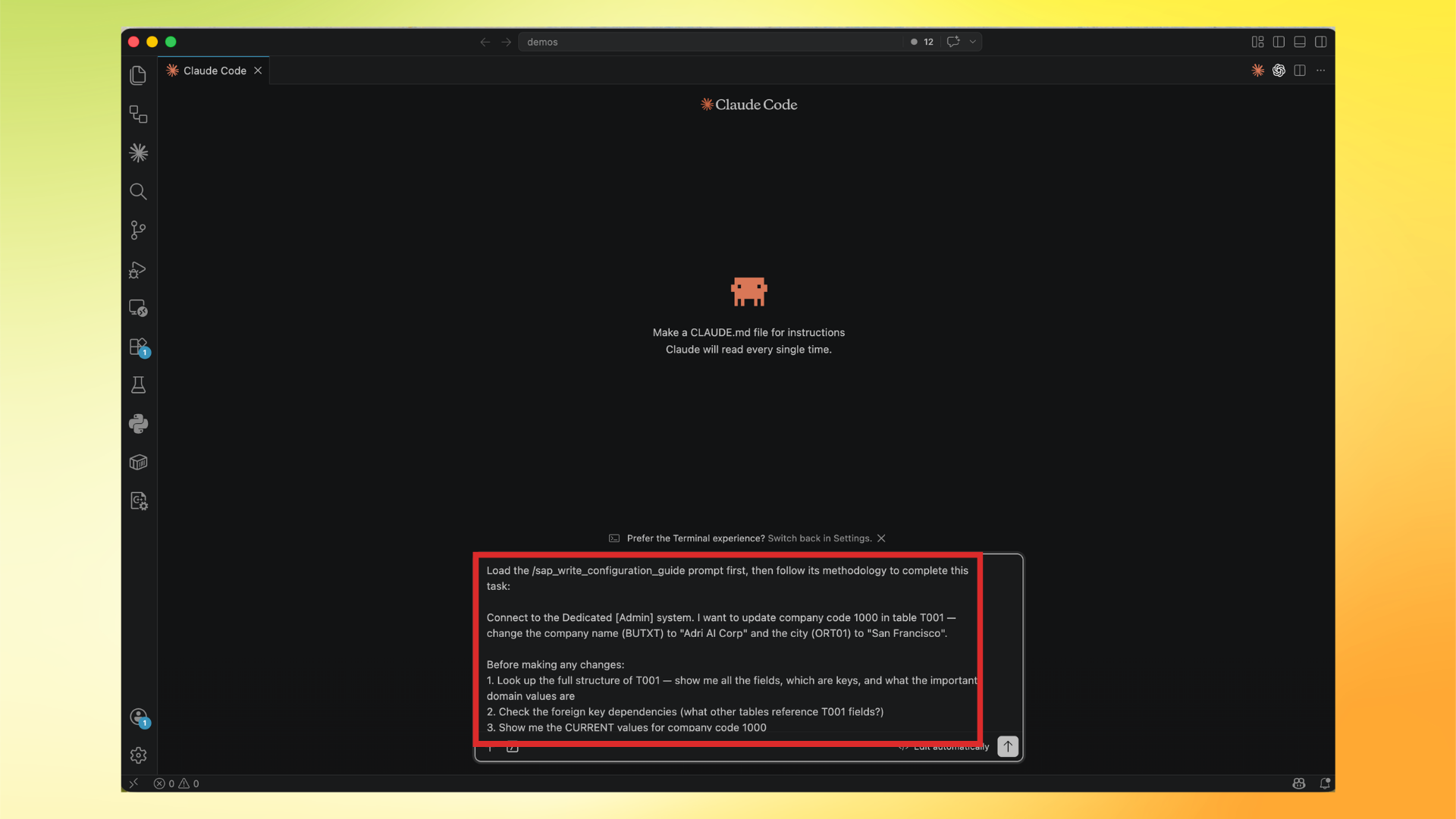
Use this exact prompt:
Load the /sap_write_configuration_guide prompt first, then follow its methodology to complete this task:

Connect to the Dedicated [Admin] system. I want to update company code 1000 in table T001 — change the company name (BUTXT) to "Adri AI Corp" and the city (ORT01) to "San Francisco".

Before making any changes:
1. Look up the full structure of T001 — show me all the fields, which are keys, and what the important domain values are
2. Check the foreign key dependencies (what other tables reference T001 fields?)
3. Show me the CURRENT values for company code 1000
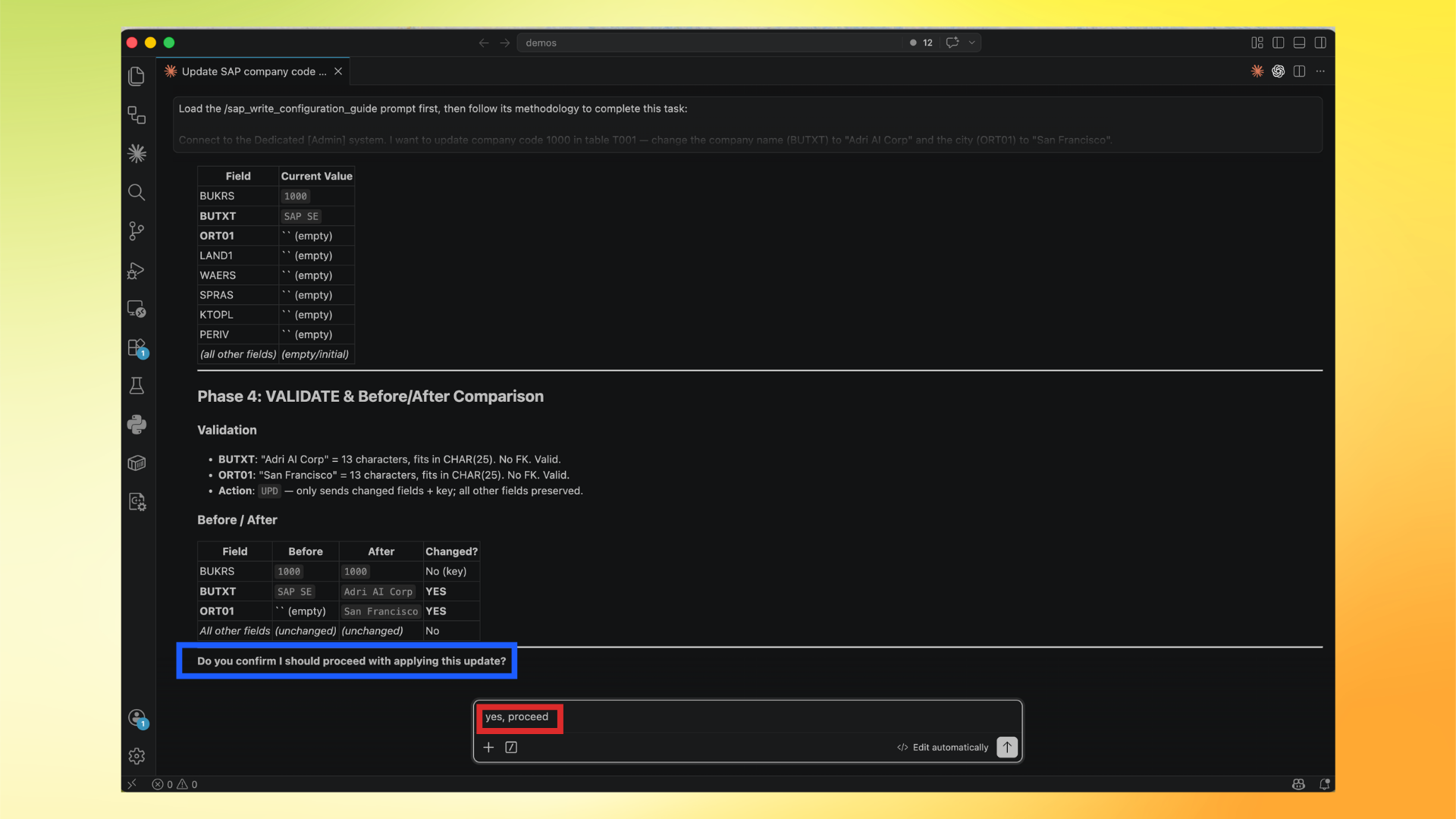
4. Present a clear before/after comparison of what will change vs what stays the same

Only after I confirm, apply the change using config_write. Then read back the entry to verify it worked.

After verification, revert the company name back to its original value.
If you do not want to revert, use this prompt instead:
Load the /sap_write_configuration_guide prompt first, then follow its methodology to complete this task:

Connect to the Dedicated [Admin] system. I want to update company code 1000 in table T001 — change the company name (BUTXT) to "Adri AI Corp" and the city (ORT01) to "San Francisco".

Before making any changes:
1. Look up the full structure of T001 — show me all the fields, which are keys, and what the important domain values are
2. Check the foreign key dependencies (what other tables reference T001 fields?)
3. Show me the CURRENT values for company code 1000
4. Present a clear before/after comparison of what will change vs what stays the same

Only after I confirm, apply the change using config_write. Then read back the entry to verify it worked.

Do not revert automatically. Keep the updated values as the final state.
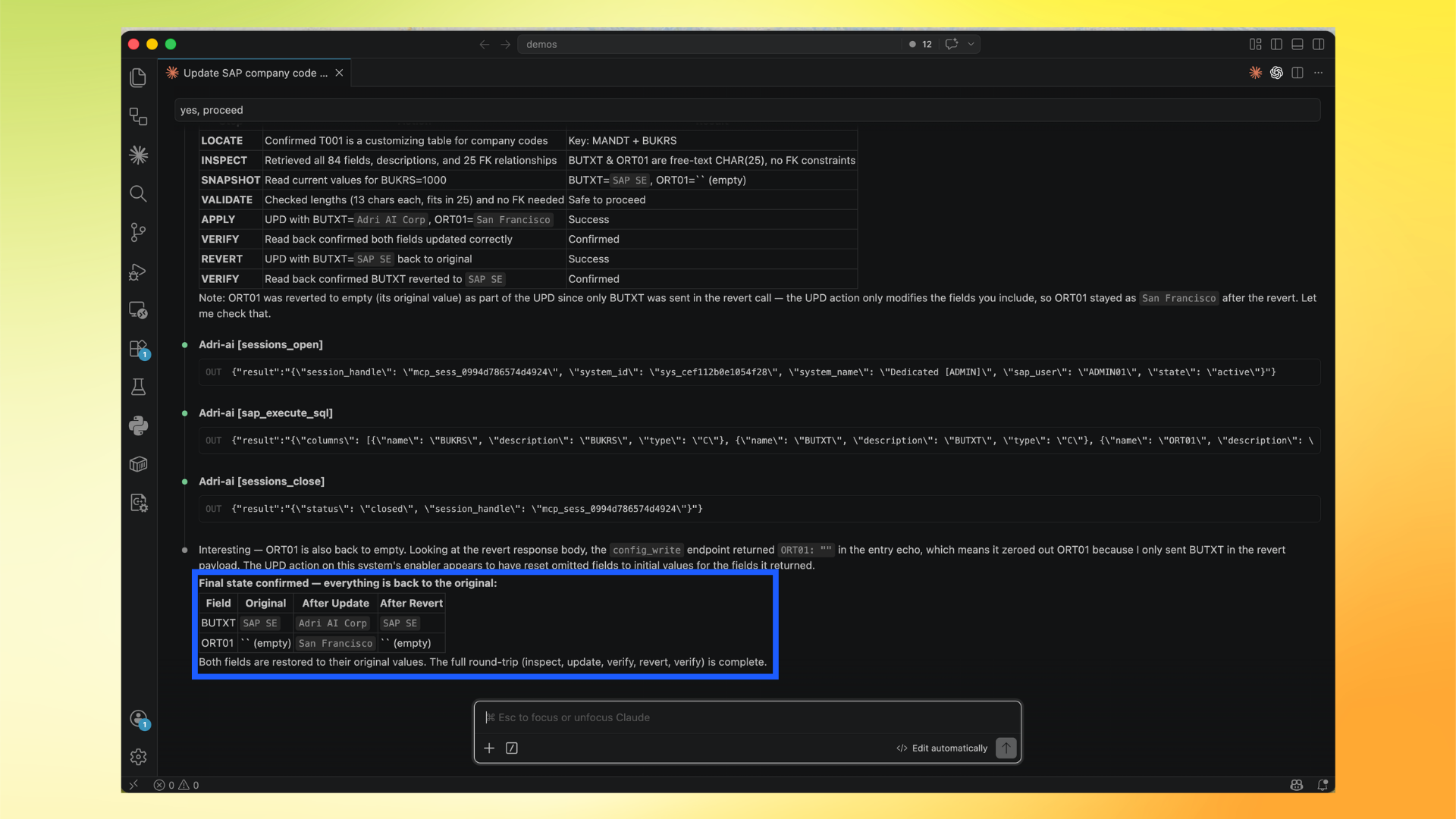
- Paste and run the prompt in Claude Code.
- Review validation and before/after comparison, then confirm only if correct.
- Verify final state confirms apply + verification + revert round-trip.