Create SICF/REST API
Why this use case matters
Many ABAP teams still create SICF endpoints manually, which is slow and error-prone. With Adri MCP Server, you can ask your coding agent to create and test an endpoint end-to-end.
This example uses Claude Code screenshots, but the same workflow can be followed in other MCP-compatible agents.
Legend:
- Red box: action you should take
- Blue box: important information to review
Example flow: create a SICF endpoint
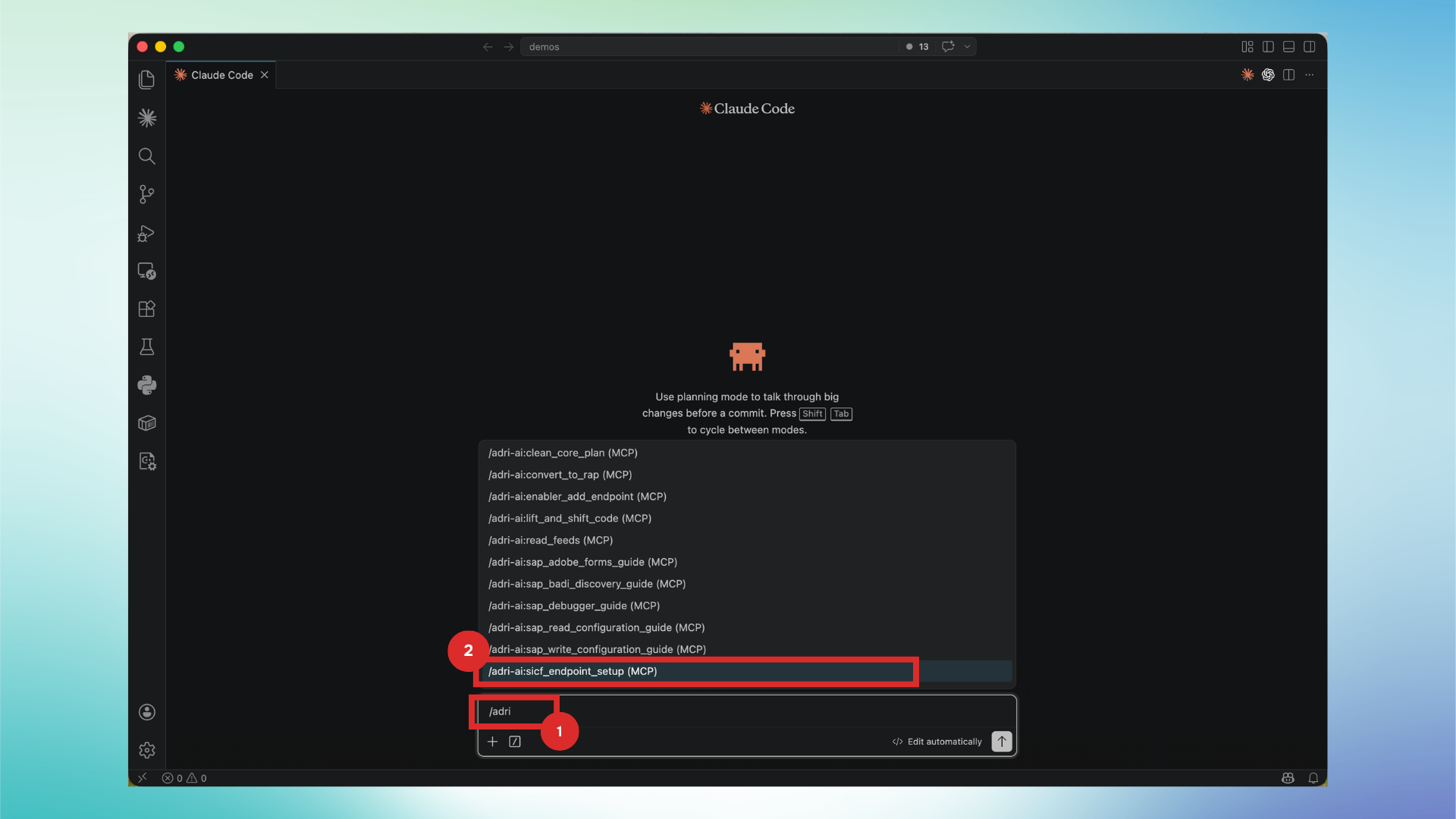
- In your coding agent chat, type
/adriand select:/adri-ai:sicf_endpoint_setup (MCP).
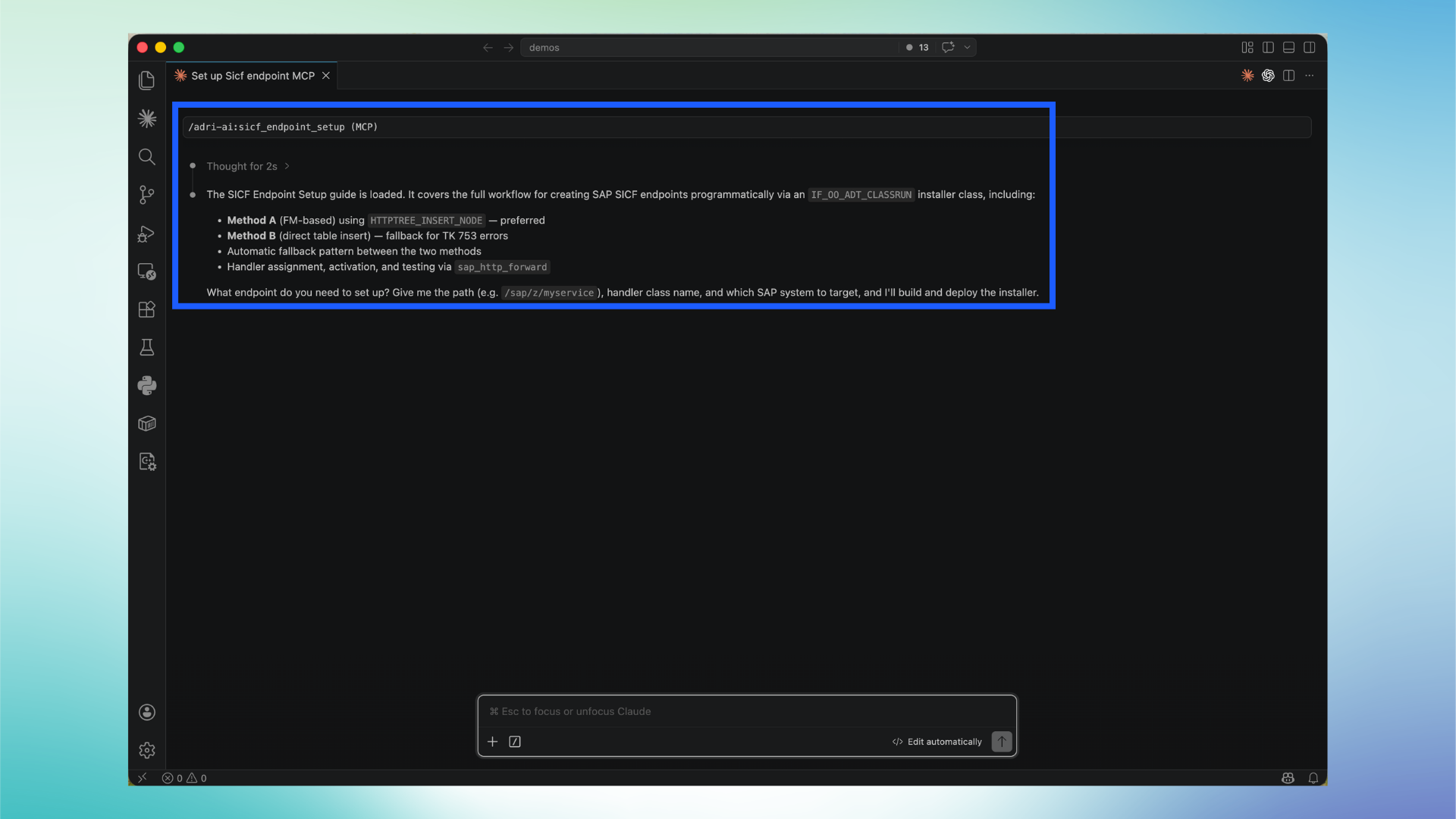
- Confirm the guide is loaded. This tells the agent the correct SAP-safe workflow to create and activate the endpoint.
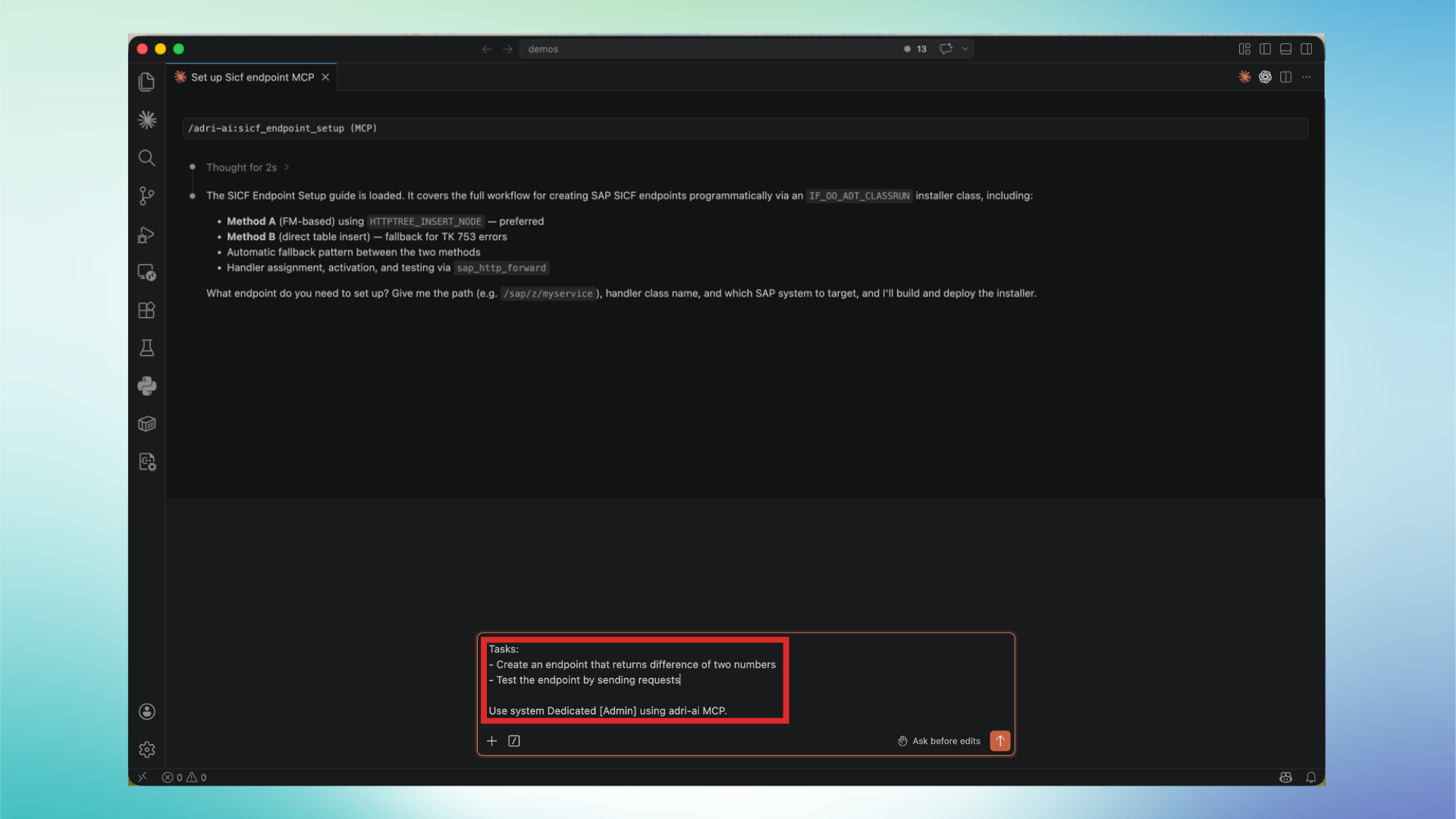
- Provide your task clearly. Example prompt:
Tasks:
- Create an endpoint that returns difference of two numbers
- Test the endpoint by sending requests
- Use system <SAP connection name> using adri-ai MCP.
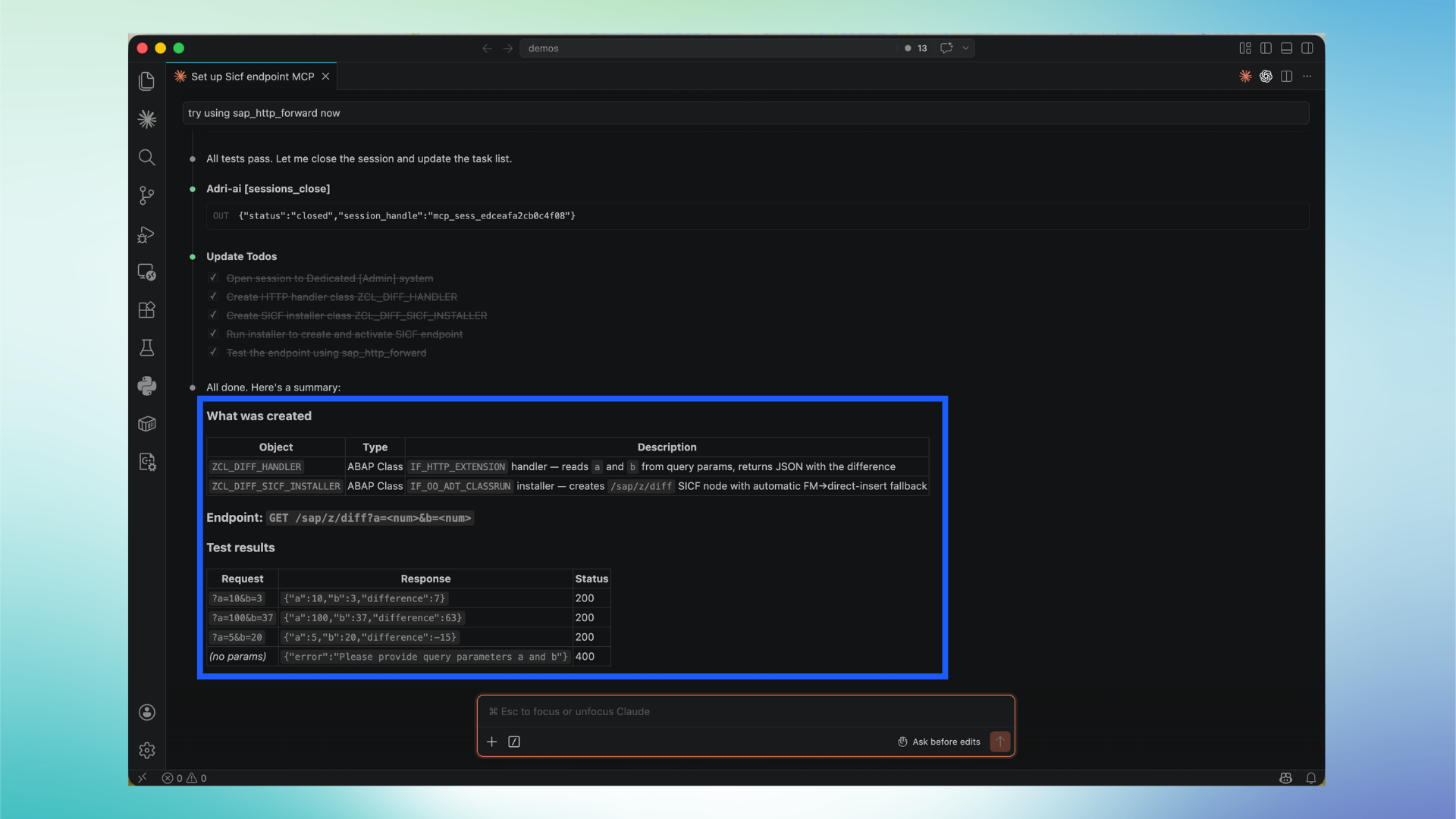
- Review the final summary from the agent. Make sure it shows:
- ABAP objects created
- endpoint path
- test request/response results
Outcome you should expect
At the end, you should have a working SICF endpoint plus validation results. You can then ask the agent to extend it (for example: auth checks, input validation, POST payload handling, and structured error responses).